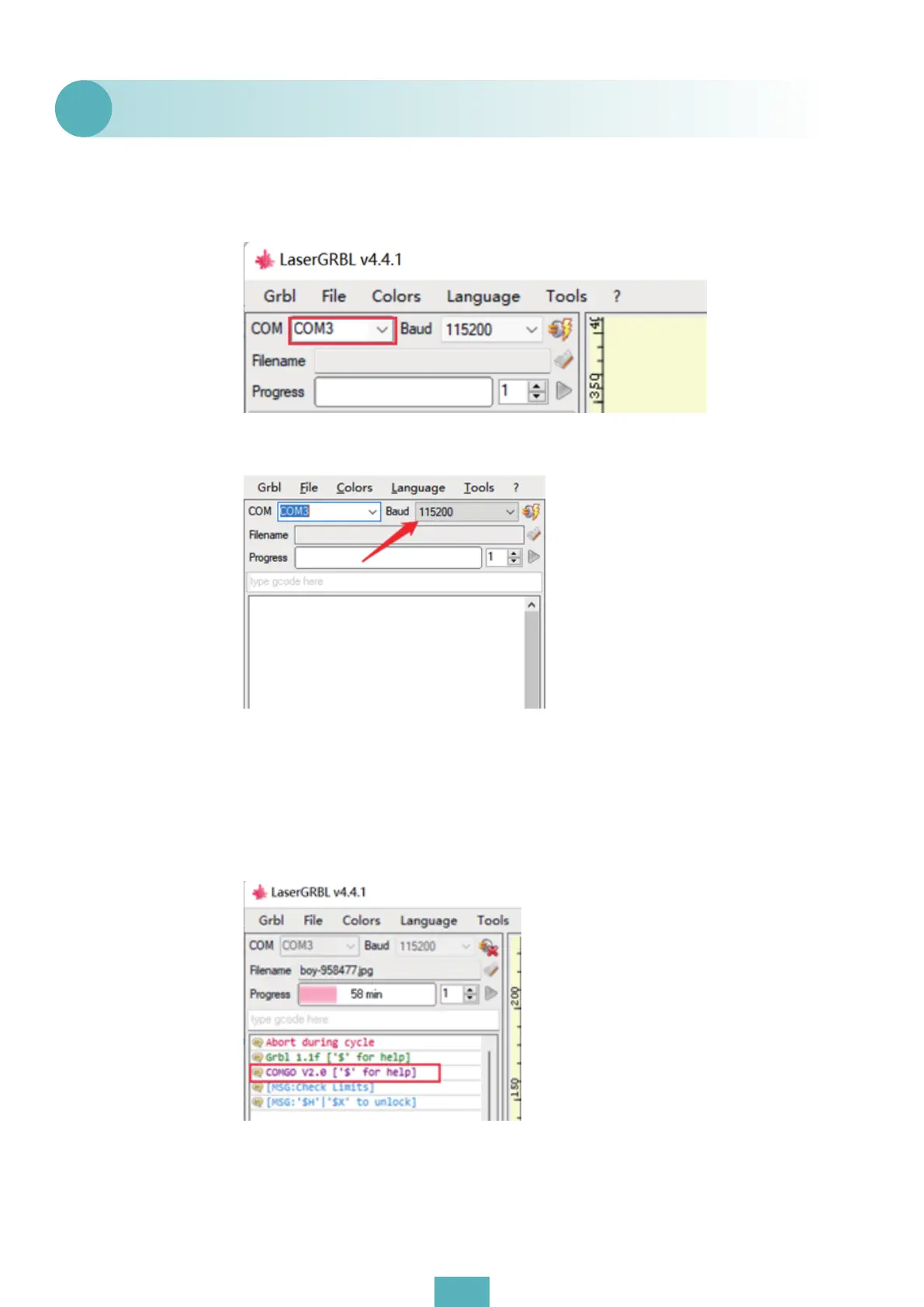
(1) Confirm whether the driver (CH340) has been installed on the computer side, and reinstall
the driver; If the installation is successful, the USB connection to the product is displayed in the
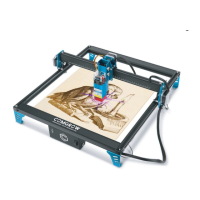
COM port in GRBL, and you can also choose other ports to try to connect. As shown in the figure:
(2) Confirm whether the baud rate in the setting parameter is 115200;
(3) If you are installing GRBL software for the first time and the above operations are unable to
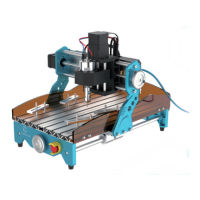
connect or disconnect immediately after connection, you can use Lightburn software to con-
nect with to check the product firmware version number. If it is COMGO V1.0, you only need to
refresh the firmware (it is recommended to update our latest firmware);
https://drive.google.com/drive/folders/1YPjvHf4-4DqBkkCXpYm6Bc9hpi_QqQI1?usp=sharing;
(4)If you find that Lightburn/GRBL and other software cannot be connected under normal
operation during use, replace the USB cable.
GRBL can not connect to the product.
Q2
02


 To Next Page