(1) Check whether Lightburn is connected to the product;
(2) Check whether the product power supply is powered and check the red indicator;
(3) The normal condition of the above operation means that the gyro alarm has been trig-
gered, enter the “$$ value” to check the “$140 value”. We suggest you to set it to 16 and then
click the “start” button.
Lightburn suddenly stops during engraving.
Q8
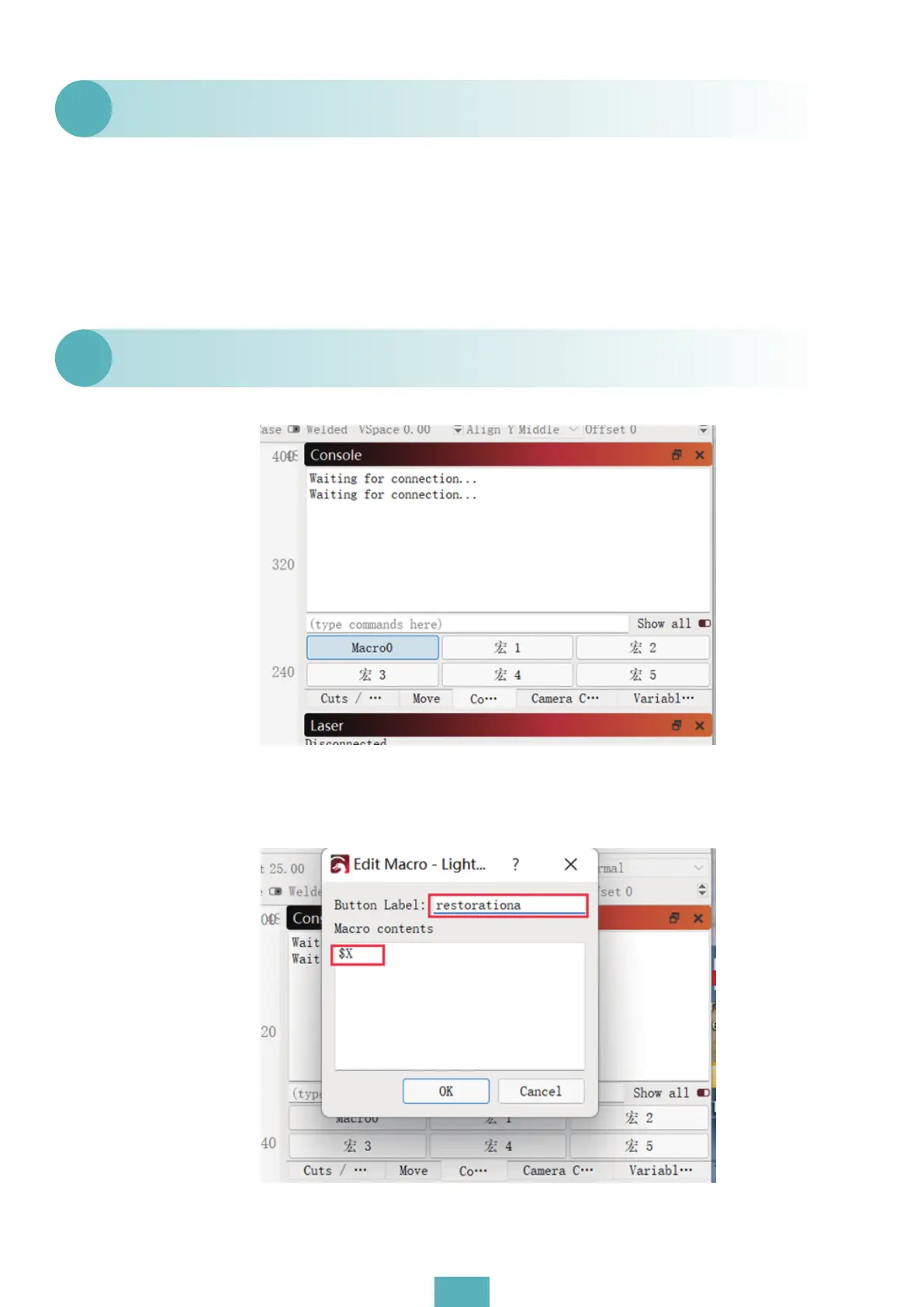
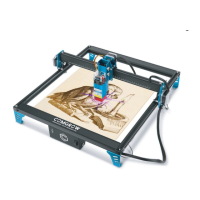
(1) Right-click (macro button) and enter “$X”. To disarm the alarm, simply click this macro
button.
How to set Lightburn so that the product does not need to return
to zero after power on?
Q9
07


 To Next Page