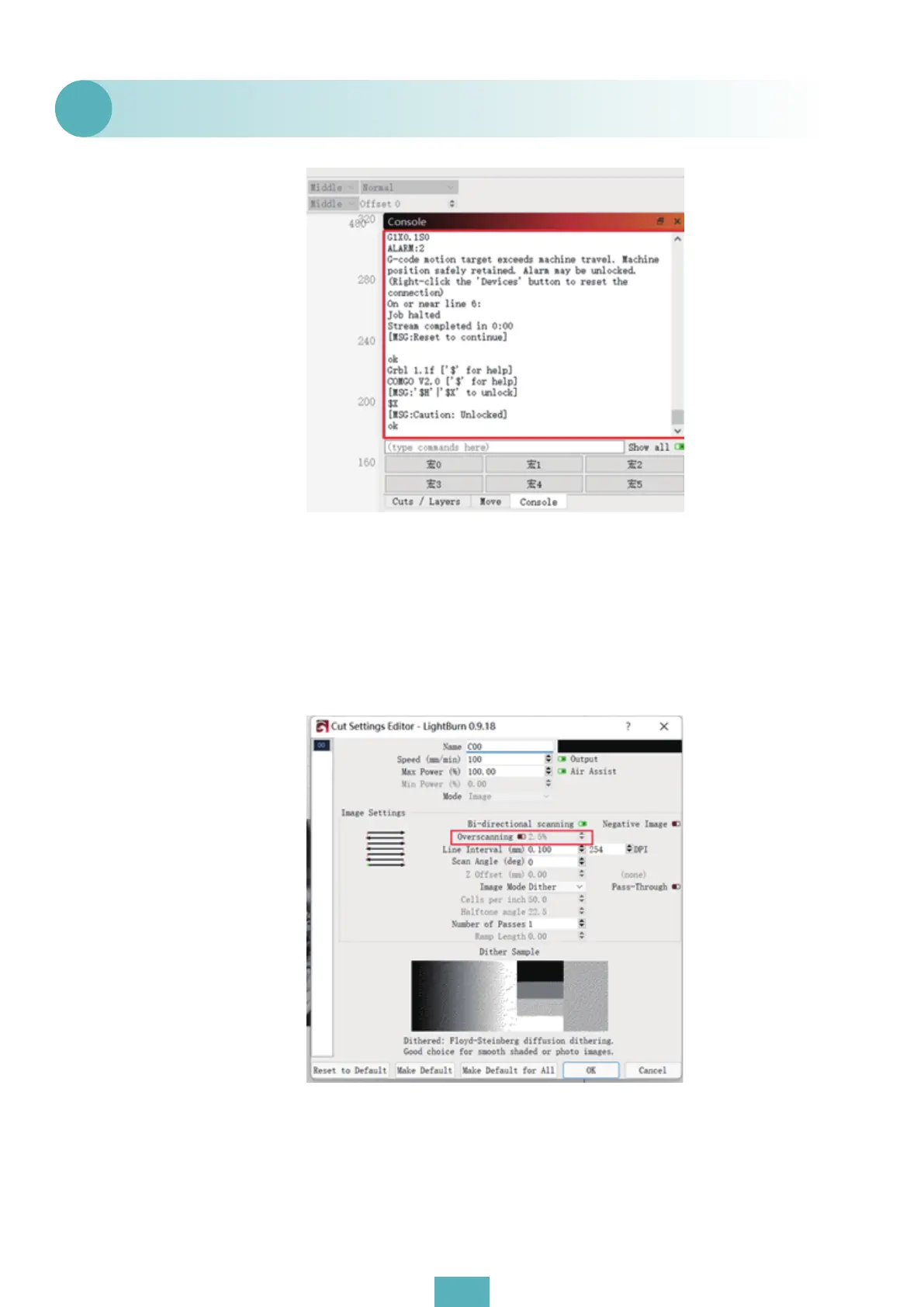
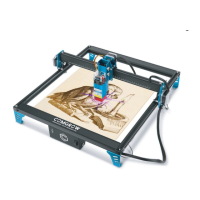
(1) Open the cutting setting editor to see if the “overscan” button is turned on. (After the prod-
uct is turned on, due to communication problems, the product needs to be reset to contact the
alarm. After clicking the “reset”, the X/Y axis of the product will move to the home position. If the
“overscan” button is turned on, the X axis will perform a -2.5mm movement. Thus the alarm will
be triggered when the machine is turned on.) Turning off the “overscan” button will have no
effect on the engraving effect;
(2) If you need to set (super scan) when engraving, move the X-axis to a certain distance from
the limit switch and then click the “set home” button to start engraving.
When Lightburn clicks to start engraving, an alarm problem
appears immediately.
Q7
06


 To Next Page