4
31
2
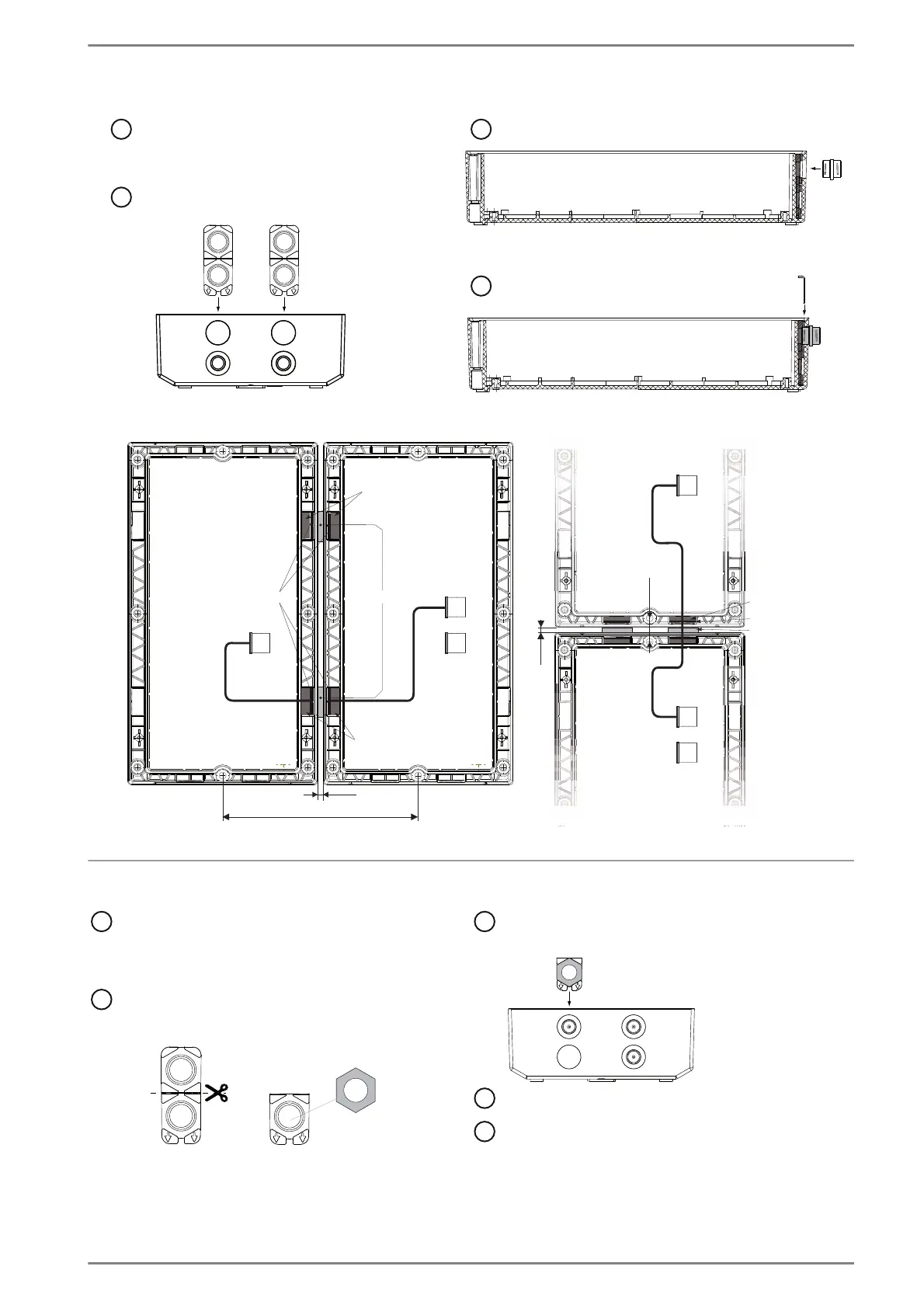
Fix the space ring with
the bracket
Before mounting, the two overhead openings
have to be broken out with a blunt object!
Put in the gasket into the mounting opening
(note mounting direction)
Put in the space ring with the flat side above
4
5
31
2
2)
1)
Fasten the gland
Before mounting, the expansion openings
have to be broken out with a blunt object!
Put the gasket + screw nut
into the mounting opening
(note mounting direction)
Close not-used expansion openings
with with dummy plugs
Note: The gland M20 (in extent of supply) is for mounting cables with a diameter of 4 mm to 9 mm (AWG 6 to AWG 00).
1
) Cut the gasket in half
(if one expansion opening is used)
2
) Put the screw nut into the used gask opening














 To Next Page