Front
View
.j.-~--9
2 3 4 5
6 7 8
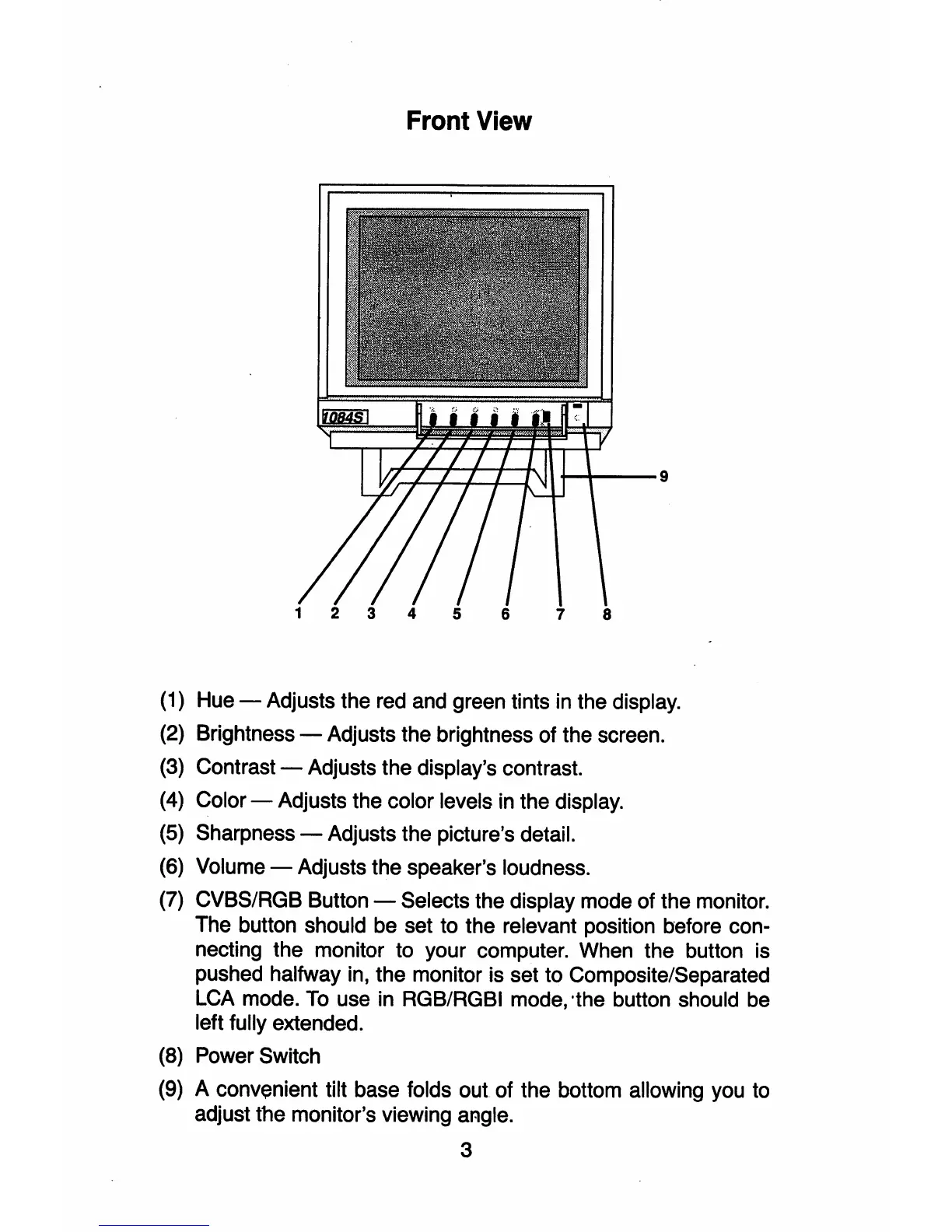
(1) Hue - Adjusts the red and green tints in the display.
(2) Brightness - Adjusts the brightness of the screen.
(3) Contrast - Adjusts the display's contrast.
(4)
Color - Adjusts the color levels
in
the display.
(5) Sharpness - Adjusts the picture's detail.
(6)
Volume - Adjusts the speaker's loudness.
(7) CVBS/RGB Button - Selects the display mode of the monitor.
The button should be set to the relevant position before con-
necting the monitor to your computer. When the button is
pushed halfway in, the monitor is set to Composite/Separated
LCA mode. To use in RGB/RGBI mode, 'the button should be
left fully extended.
(8)
Power Switch
(9) A convenient tilt base folds
out
of the bottom allowing you to
adjust the monitor's viewing angle.
3



 To Next Page