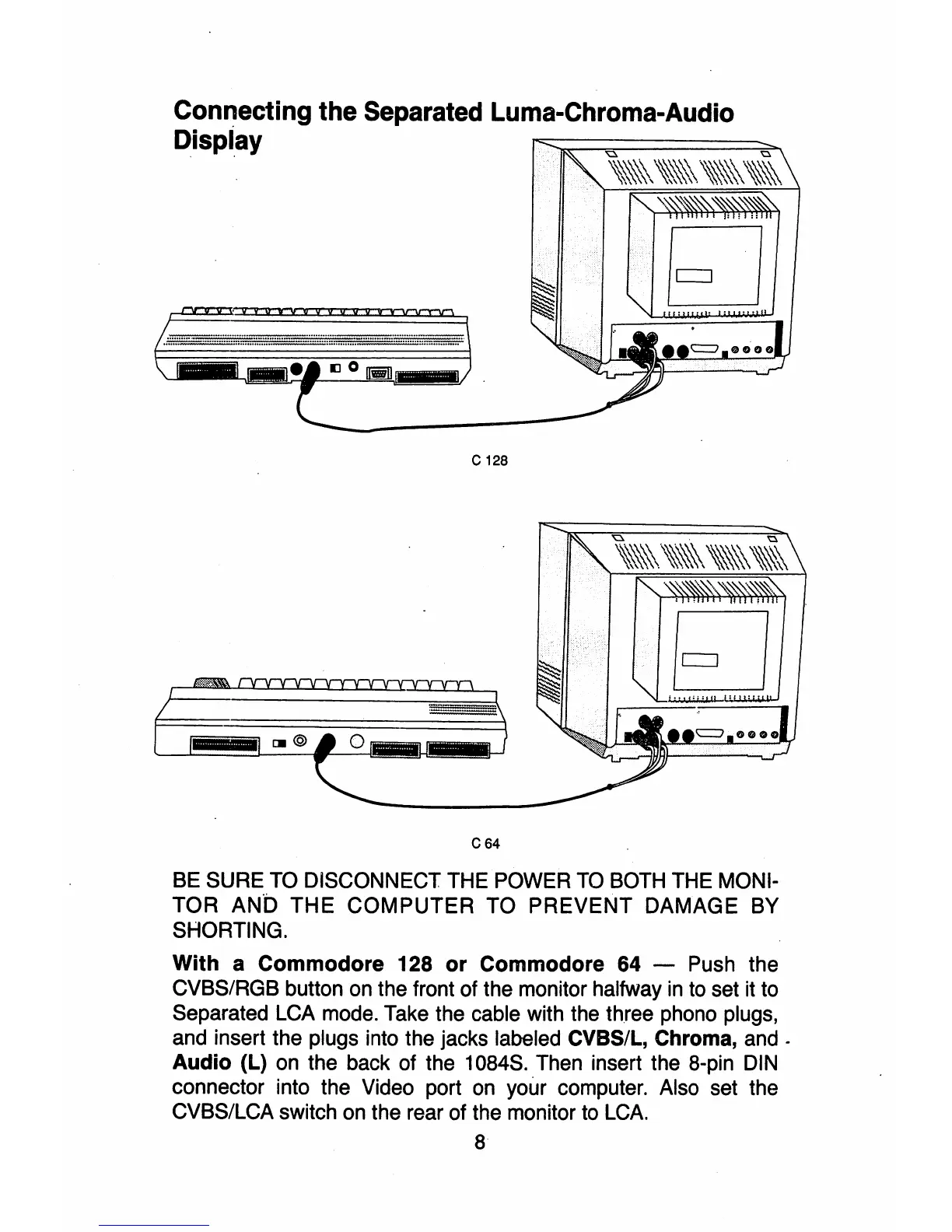
Connecting the Separated Luma-Chroma-Audio
Dispiay
•
IJ
0
1Iii!I_
C 128
IJI@
C 64
BE
SURE
TO
DISCONNECT THE POWER
TO
BOTH
THE MONI-
TOR
ANt)
THE COMPUTER TO PREVENT DAMAGE BY
SHORTING.
With
a
Commodore
128
or
Commodore
64 - Push the
CVBS/RGB button
on
the front of the monitor halfway
in
to set
it
to
Separated
LCA
mode. Take the cable with the three phono plugs,
and insert the plugs into the jacks labeled CVBS/L, Chroma,
and.
Audio
(L)
on
the back of the 1084S. Then insert the 8-pin
DIN
connector into the Video port
on
your computer. Also set the
CVBS/LCA switch
on
the rear of the monitor to
LCA.
8



 To Next Page