EasyManua.ls Logo

Commodore 1541-II - Guide to Disk Drive Operation; Unpacking and Initial Setup

Commodore 1541-II
104 pages
Print Icon
To Next Page IconTo Next Page
To Previous Page IconTo Previous Page
Loading...
PART
1:
GUIDE
TO
OPERATION
CHAPTER
1
DISK
DRIVE
UNPACKING
The
first
thing
you
will
need
to
do
with
your
disk
drive
is
unpack
it.
Inside
the
carton
in
which
you
found
this
manual,
there
should
also
be: a
1541
disk
drive,
supply
power
a
black
cable
to
connect
the
disk
drive
to
the
computer,
a
demonstration
diskette,
and
a
warranty
card
to
be
filled
out
and
returned
to
Commodore.
Please
don't
connect
anything
until
you've
read
the
next
three
pages!
It
could
save
you
a
lot
of
trouble.
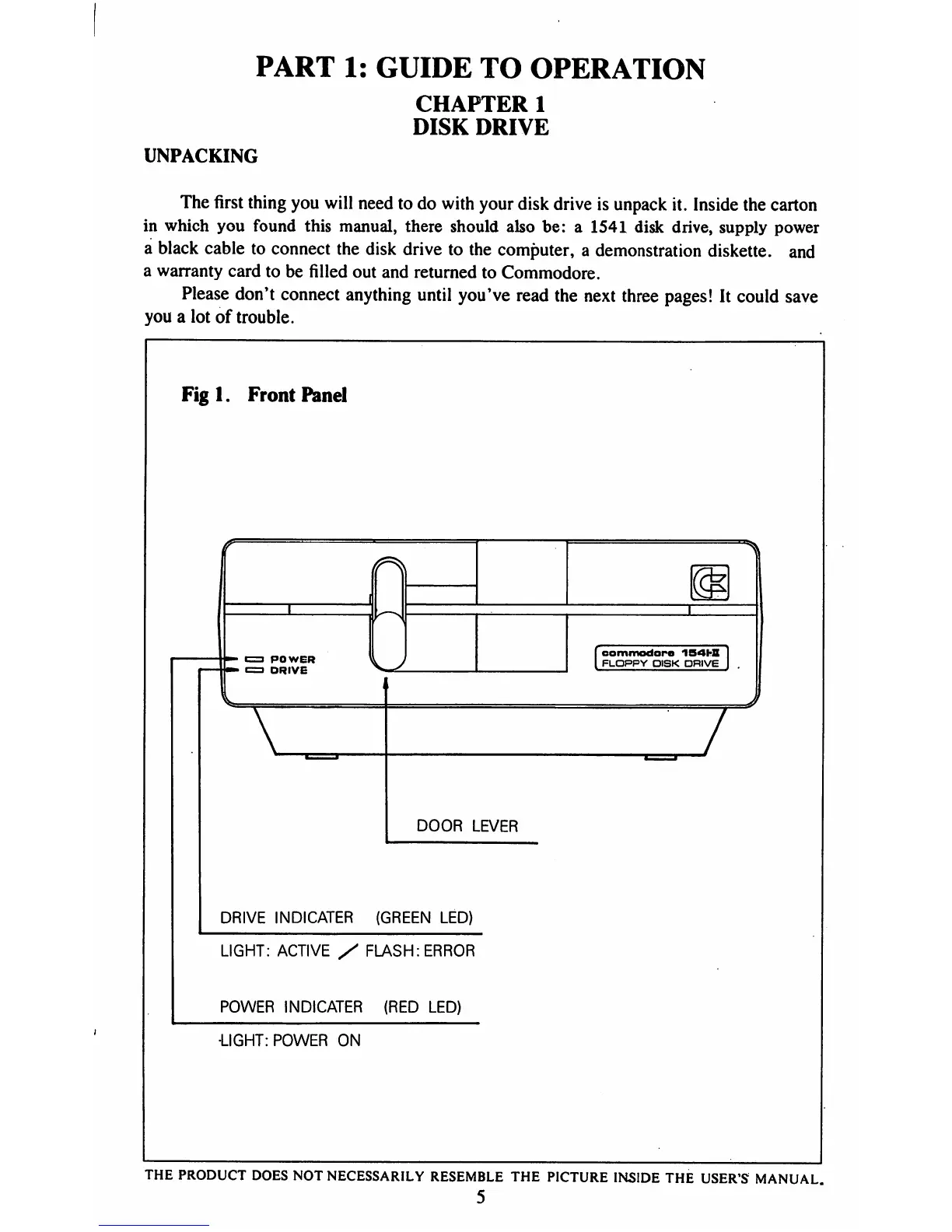
Figl.
Front
Panel
I
POWER
I
DRIVE
[commodore
154W
I
FLOPPY
DISK
DRIVE
I
V
7
DOOR
LEVER
DRIVE
INDICATER
(GREEN
LED)
LIGHT:
ACTIVE
/
FLASH:
ERROR
POWER
INDICATER
(RED
LED)
•LIGHT:
POWER
ON
THE
PRODUCT
DOES
NOT
NECESSARILY
RESEMBLE
THE
PICTURE
INSIDE
THE
USER'S
MANUAL.
5

Table of Contents

Related product manuals