EasyManua.ls Logo

Commodore 1541-II - Connecting Cables

Commodore 1541-II
104 pages
Print Icon
To Next Page IconTo Next Page
To Previous Page IconTo Previous Page
Loading...
EMPTY
THE
DRIVE
First,
it
is
very
important
to
be
sure
nothing
is
inside the
disk
drive.
If
you
turn
the
power
off
or
oh
with
a
diskette
in
the
drive,
you
could
lose
its
contents
and
have
to
re-
record
it.
Since
you
wouldn't
like
having
to
do
that,
always
check
to
be
sure
nothing
is
inside
the
drive
before
turning
it
off
or
on.
When
you
first
unpack
the
disk
drive,
you
will
find
a
cardboard
shipping spacer
inside.
Following
the
instructions
below,
pull
it
out
as
though
it
were
a
diskette,
but
don't
throw
it
away.
You
will
want
to
put
it
back
inside
the
slot
any
time
you
move
or
ship
the
disk
drive
later.
To
check
whether
the
drive
is
empty
(Fig.
1),
simply
rotate
the
lever
on
the
front
of
the
disk
drive
counter-clockwise
until
it
stops,
one-quarter
turn
at
most.
Then
reach
inside
the
long
slot
the
lever
covers
when
it
points
down,
and
pull
out
any
diskette
you
find
there.
CONNECTING
THE
CABLES
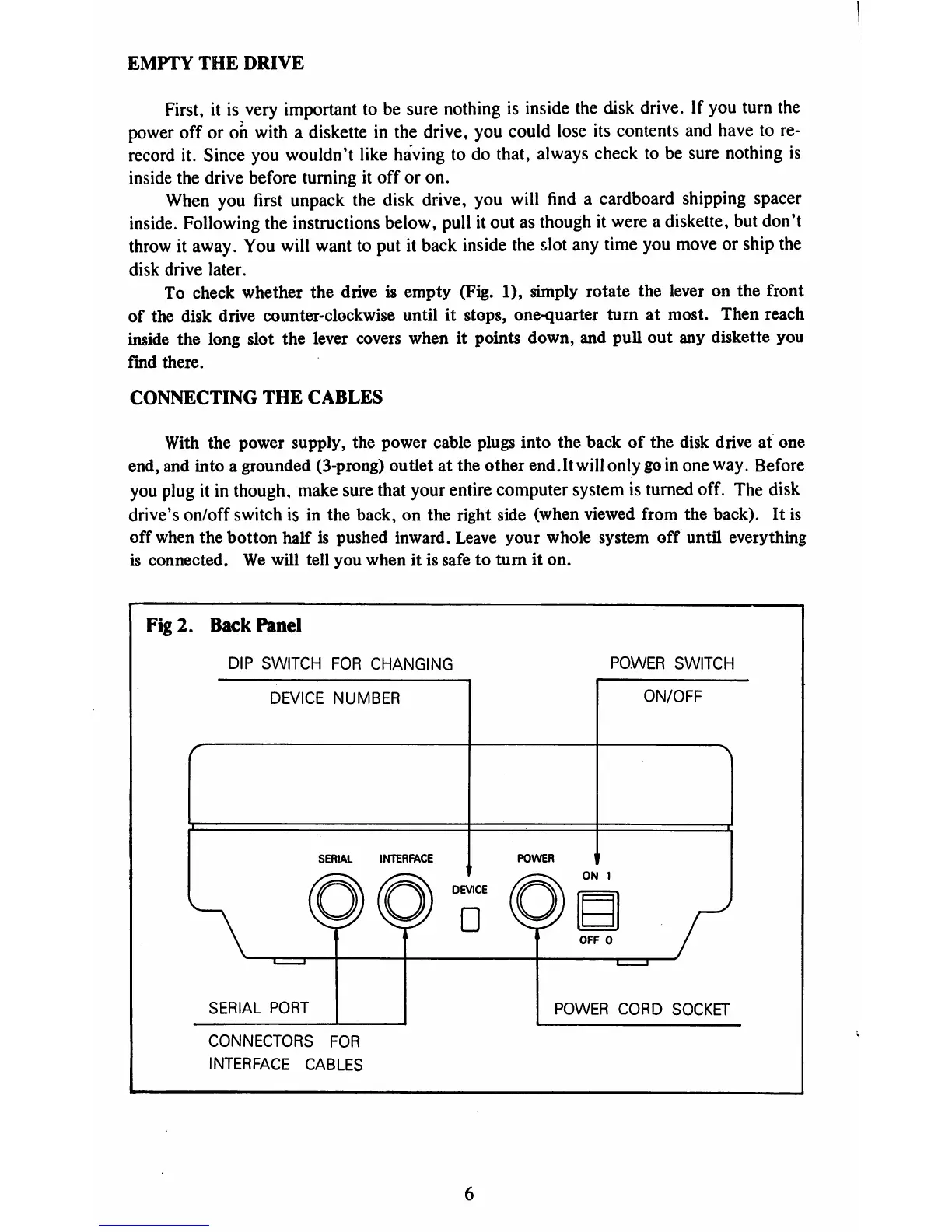
With
the
power
supply,
the
power
cable
plugs
into
the
back
of
the
disk
drive
at
one
end,
and
into
a
grounded
(3-prong)
outlet
at
the
other
end.It
will
only
go
in
one
way.
Before
you
plug
it
in
though,
make
sure
that
your
entire
computer
system
is
turned
off.
The
disk
drive's
on/off
switch
is
in
the
back,
on
the
right
side
(when
viewed
from
the
back).
It
is
off
when
the
botton
half
is
pushed
inward.
Leave
your
whole
system
off
until
everything
is
connected.
We
will
tell
you
when
it
is
safe
to turn
it
on.
Fig
2.
Back
Panel
DIP
SWITCH
FOR
CHANGING
POWER
SWITCH
DEVICE
NUMBER
SERIAL
INTERFACE
POWER
ON/OFF
ON
1
SERIAL
PORT
OFF
0
POWER
CORD
SOCKET
CONNECTORS
FOR
INTERFACE
CABLES

Table of Contents

Related product manuals