EasyManua.ls Logo

Commodore 1541-II - Save with Replace a; Verifying Programs

Commodore 1541-II
104 pages
Print Icon
To Next Page IconTo Next Page
To Previous Page IconTo Previous Page
Loading...
SAVE
WITH
REPLACE
OPTION
If
a
file
already
exists,
it
can't
be
saved
again
because
the
disk
only
allows
one
copy
of
any
given
file
name
per
diskette.
It is
possible
to
get
around
this
problem
using
the
Rename
and
Scratch
commands
described
later.
However,
if
all
you
wish
to
do
is
replace
a
program
or
data
file
with
a
revised
version,
another
command
is
more
convenient.
Known
as
Save-with-replace
,
or
©Save,
this
option
tells
the
disk
to
replace
any
file
it
finds
in
the
directory
with
the
same
name,
substituting
the
new
file
for
it.
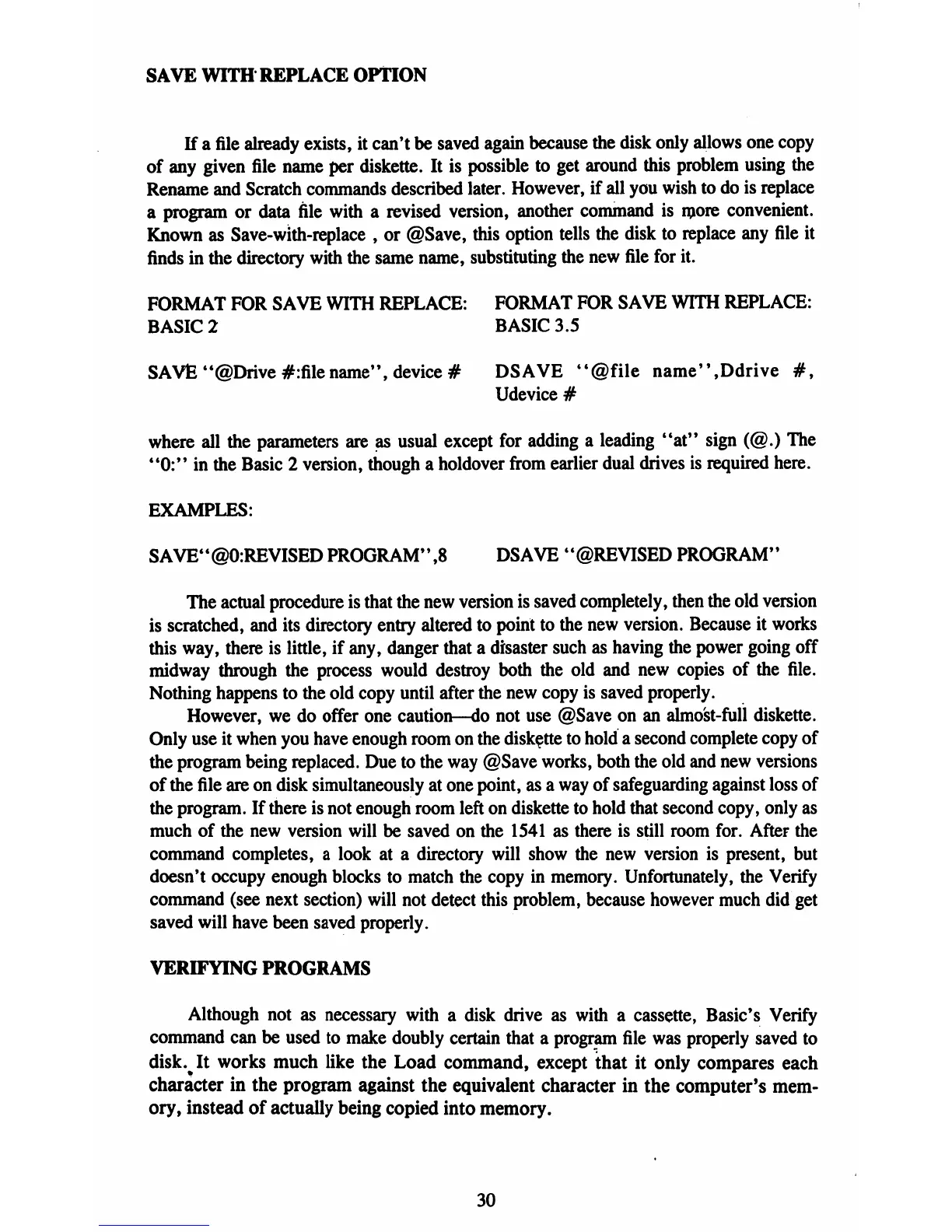
FORMAT
FOR
SAVE
WITH
REPLACE:
FORMAT
FOR
SAVE
WITH
REPLACE:
BASIC
2
BASIC
3.5
SAVE
"©Drive
#:file
name",
device
#
DSAVE
4<@file
name",Ddrive
#,
Udevice
#
where
all
the
parameters
are as
usual
except
for
adding
a
leading
"at1'
sign
(@.)
The
"0:"
in
the
Basic
2
version,
though
a
holdover
from
earlier
dual
drives
is
required
here.
EXAMPLES:
SAVE"@0:REVISED
PROGRAM",8
DSAVE
"©REVISED
PROGRAM"
The
actual
procedure
is
that
the
new
version
is
saved
completely,
then
the
old
version
is
scratched,
and
its
directory
entry
altered
to
point
to
the
new
version.
Because
it
works
this
way,
there
is
little,
if
any,
danger
that
a
disaster
such
as
having
the
power
going
off
midway
through
the
process
would
destroy
both
the
old
and
new
copies
of
the
file.
Nothing
happens
to
the
old
copy
until
after
the
new
copy
is
saved
properly.
However,
we
do
offer
one
caution—do
not
use
©Save
on
an
almost-full
diskette.
Only
use
it
when
you
have
enough
room
on
the
diskette
to
hold
a
second
complete
copy
of
the
program
being
replaced.
Due
to
the
way
@Save
works,
both
the
old
and
new
versions
of
the
file
are
on
disk
simultaneously
at
one
point,
as
a
way
of
safeguarding
against
loss
of
the
program.
If
there
is
not
enough
room
left
on
diskette
to
hold
that
second
copy,
only
as
much
of
the
new
version
will
be
saved
on
the
1541
as
there
is
still
room
for.
After
the
command
completes,
a
look
at
a
directory
will
show
the
new
version
is
present,
but
doesn't
occupy
enough
blocks
to
match
the
copy
in
memory.
Unfortunately,
the
Verify
command
(see
next
section)
will
not
detect
this
problem, because
however
much
did
get
saved
will
have
been
saved
properly.
VERIFYING
PROGRAMS
Although
not
as
necessary
with a
disk
drive
as
with
a
cassette,
Basic's
Verify
command
can
be
used
to
make
doubly
certain
that
a
program
file
was
properly
saved
to
disk%
It
works
much
like
the
Load
command,
except
that
it
only
compares
each
character
in
the
program
against
the
equivalent
character
in
the
computer's
mem
ory,
instead
of
actually
being
copied
into
memory.
30

Table of Contents

Related product manuals