EasyManua.ls Logo

Commodore 1541-II - Writing Relative File Data; Designing a Relative Record

Commodore 1541-II
104 pages
Print Icon
To Next Page IconTo Next Page
To Previous Page IconTo Previous Page
Loading...
WRITING
RELATIVE
FILE
DATA
The
commands
used
to
read
and
write
relative
file
data
are
the
same
Print#,
Input#,
and
Get#
commands
used
in
the
preceding
chapter
on
Sequential
files.
Each
command
is
used
as
described
there.
However,
some
aspects
of
relative
file
access
do
differ
from
sequential
file
programming,
and
we
will
cover
those
differences
here.
DESIGNING
A
RELATIVE
RECORD
As
stated
earlier
in
this
chapter,
each
relative
record
has a
fixed
length,
including
all
special
characters.
Within
that
fixed
length,
there
are
two
popular
ways
to
organize
various
individual
fields
of
information.
One
is
free-format,
with
individual
fields
varying
in
length
from
record
to
record,
and
each
field
separated
from
the
next
by
a
carriage
return
character
(each
of
which
does
take
up
1
character
space
in
the
record).
The
other
approach
is
to
use
fixed-length
fields,
that
may
or
may
not
be
separated
by
carriage
returns.
If
fixed
length
fields
are
not
all
separated
by
carriage
returns,
you
will
either
need
to
be
sure
a
carriage
return
is
included
within
each
88
character
portion
of
the record.
If
this
is
not
done,
you
will
have
to
use
the
Get#
command
to
read
the
record,
at
a
significant
cost
in
speed.
Relative
records
of
88
or
fewer
characters,
or
final
portions
of
records
that
are
88
or
fewer
characters
in
length,
need
not
end
in
a
carriage
return.
The
1541
is
smart
enough
to
recognize
the
end
of
a
relative
record
even
without a
finahcarriage
return.
Though
the
saving
of
a
single
character
isn't
much,
when
multiplied
by
the
number
of
records
on
a
diskette,
the
savings
could
be
significant.
Since
each
relative
record
must
be
written
by
a
single
Print#
statement,
the
recom
mended
approach
is
to
build
a
copy
of
the
current
record
in
memory
before
writing
it
to
disk.
It
can
be
collected
into
a
single
string
variable
with
the
help
of
Basic's
many
string-
handling
functions,
and
then
all
written
out
at
once
from
that
variable.
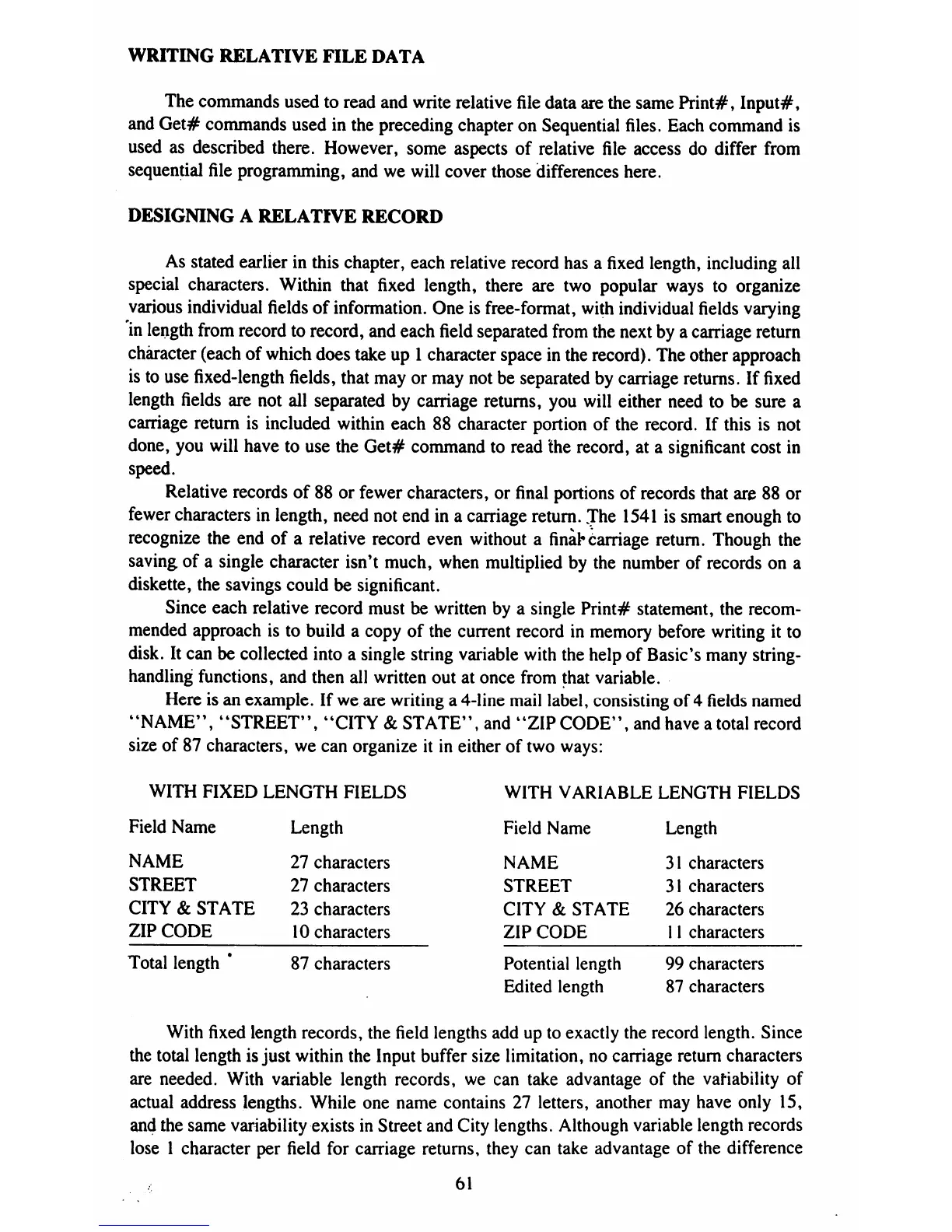
Here
is
an
example.
If
we
are
writing
a
4-line
mail
label,
consisting
of
4
fields
named
"NAME",
"STREET",
"CITY
&
STATE",
and
"ZIP
CODE",
and
have
a
total
record
size
of
87
characters,
we
can
organize
it
in
either
of
two
ways:
WITH
FIXED
LENGTH
FIELDS
WITH
VARIABLE
LENGTH
FIELDS
Field
Name
Length
Field
Name
Length
NAME
27
characters
NAME
31
characters
STREET
27
characters
STREET
31
characters
CITY
&
STATE
23
characters
CITY
&
STATE
26
characters
ZIP
CODE
10
characters
ZIP
CODE
11
characters
Total
length
*
87
characters
Potential
length
99
characters
Edited
length
87
characters
With
fixed
length
records,
the
field
lengths
add
up
to
exactly
the
record
length.
Since
the
total
length
is
just
within
the
Input
buffer
size
limitation,
no
carriage
return
characters
are
needed.
With
variable
length
records,
we
can
take
advantage
of
the
variability
of
actual
address
lengths.
While
one
name
contains
27
letters,
another
may
have
only
15,
and
the
same
variability
exists
in
Street
and
City
lengths.
Although
variable
length
records
lose
1
character
per
field
for
carriage
returns,
they
can
take
advantage
of
the
difference
61

Table of Contents

Related product manuals