EasyManua.ls Logo

Commodore 1581 - Chapter 8: Machine Language Programs; Disk-Related Kernal Subroutines; Chapter 9: Burst Commands; CMD 1: Read

Commodore 1581
138 pages
Print Icon
To Next Page IconTo Next Page
To Previous Page IconTo Previous Page
Loading...
CHAPTER
9
BURST
COMMANDS
The
Burst
Command
Instruction
Set
(BCIS)
is
a
series
of
power
ful,
versatile,
and
complex
commands
that
enables
the
user
to
format,
read,
and
write
in
numerous
formats.
Burst
commands
are sent
via
kernal
calls,
but
the
handshaking
of
data
is
done
by
the
user
for
maximum
performance.
There
is
no
parameter
checking,
so
exercise
care
when
using
the
BCIS.
For
instance,
if
a
burst
read
with
an
illegal
track
address
is
sent
to
a
1581,
the
drive
will
keep
trying
to
find
the
invalid
track.
Reading
and
writing
in
other
formats
is
automatic
if
the
commands
are
given
in
proper
sequence.
Please
become
thoroughly
familiar
with
all
the
commands
and
follow
the
examples
given
in
this
chapter.
It's
important
to
follow
the
handshake
conventions
exactly
for
maximum
performance.
With
the
exception
of
READ
and
WRITE,
burst
commands
do
not
translate
from
logical
to
physical
track
and
sector.
All
track
and
sector
parameters
refer
to
physical
locations
(see
Chapter
10).
Burst
sector
READ
and
WRITE
commands
provide
a
flag
to
enable
logical
to
phys
ical
translation.
If
the
flag
is
set,
the
drive
does
the
translation
and
the
default
logical
number
of
bytes
per
sector
(256)
is
transferred
instead
of
the
physical
number
of
bytes
per
sector
(512).
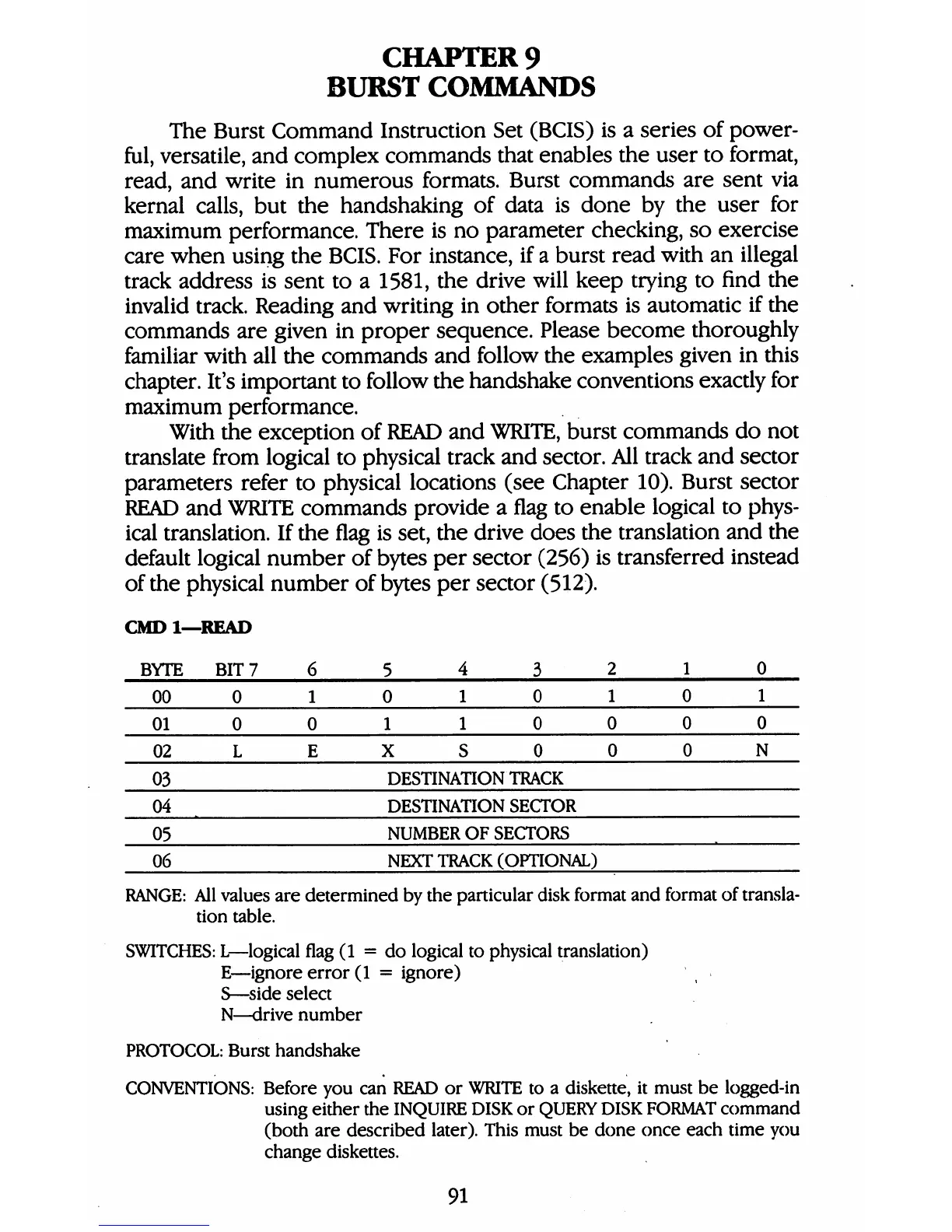
CMDl—READ
BYTE
00
01
02
03
04
05
06
BIT
7
0
0
L
6
1
0
E
5
4
3
0
1
0
1
1
0
X
S
0
DESTINATION
TRACK
DESTINATION
SECTOR
NUMBER
OF
SECTORS
NEXT
TRACK
(OPTIONAL)
2
1
0
0
1
0
0
0
0
1
0
N
RANGE:
All
values
are
determined
by
the
particular
disk
format
and
format
of
transla
tion
table.
SWITCHES:
L—logical
flag
(1
=
do
logical
to
physical
translation)
E—ignore
error
(1
=
ignore)
S—side
select
N—drive
number
PROTOCOL:
Burst
handshake
CONVENTIONS:
Before
you
can
READ
or
WRITE
to
a
diskette,
it
must
be
logged-in
using
either
the
INQUIRE
DISK
or
QUERY
DISK
FORMAT
command
(both
are
described
later).
This
must
be
done
once
each
time
you
change
diskettes.
91

Table of Contents

Other manuals for Commodore 1581

Related product manuals