EasyManua.ls Logo

Commodore 1581 - Inserting a Diskette; Using Pre-Programmed (Software) Diskettes

Commodore 1581
138 pages
Print Icon
To Next Page IconTo Next Page
To Previous Page IconTo Previous Page
Loading...
INSERTING
A
DISKETTE
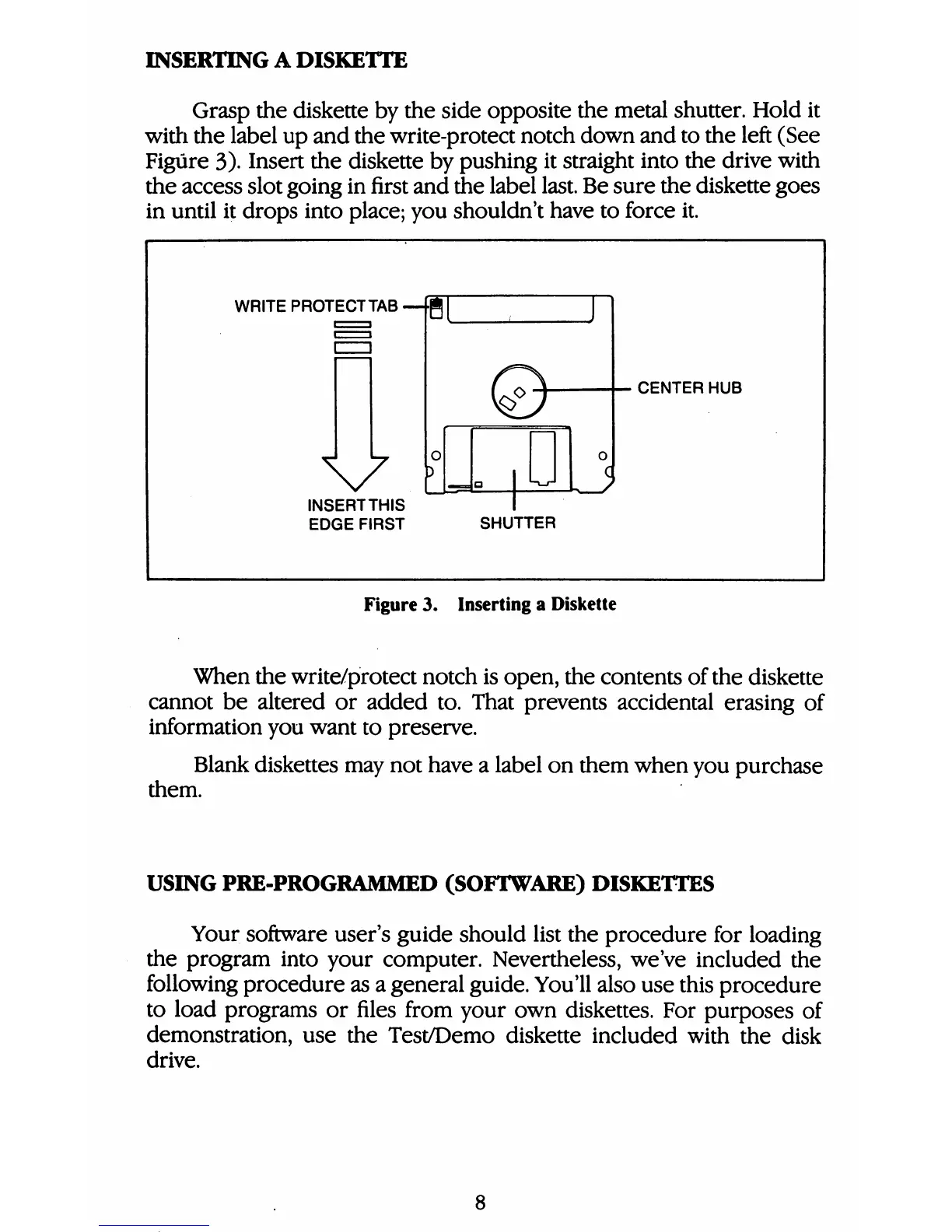
Grasp
the
diskette
by
the
side
opposite
the
metal
shutter.
Hold
it
with
the
label
up
and
the
write-protect
notch
down
and
to
the
left
(See
Figure
3).
Insert
the
diskette
by
pushing
it
straight
into
the
drive
with
the
access
slot
going
in
first
and
the
label
last.
Be
sure
the
diskette
goes
in
until
it
drops
into
place;
you
shouldn't
have
to
force
it.
WRITE
PROTECT
TAB
g[
V
INSERTTHIS
EDGE
FIRST
.
CENTER
HUB
SHUTTER
Figure
3.
Inserting
a
Diskette
When
the
write/protect
notch
is
open,
the
contents
of
the
diskette
cannot
be
altered
or
added
to.
That
prevents
accidental
erasing
of
information
you
want
to
preserve.
Blank
diskettes
may
not
have
a
label
on
them
when
you
purchase
them.
USING
PRE-PROGRAMMED
(SOFTWARE)
DISKETTES
Your
software
user's
guide
should
list
the
procedure
for
loading
the
program
into
your
computer.
Nevertheless,
we've
included
the
following
procedure
as
a
general
guide.
You'll
also
use
this
procedure
to
load
programs
or
files
from
your
own
diskettes.
For
purposes
of
demonstration,
use
the
Test/Demo
diskette
included
with
the
disk
drive.

Table of Contents

Other manuals for Commodore 1581

Related product manuals