EasyManua.ls Logo

Commodore 1581 - Troubleshooting Guide

Commodore 1581
138 pages
Print Icon
To Next Page IconTo Next Page
To Previous Page IconTo Previous Page
Loading...
5.
Connect
the
interface
cable.
Make
sure
your
computer
and
any
other
peripherals
are
OFF.
Plug
either
end
of
the
interface
cable
into
either
serial
port
on
the
back
of
the
drive
(see
Figure
2).
Plug
the
other
end
of
the
cable
into
the
back
of
the
computer.
If
you
have
another
peripheral
(printer
or
extra
drive),
plug
its
interface
cable
into
the
remaining
serial
port
on
the
drive.
6.
Turn
ON
the
power.
With
everything
hooked
up
and
the
drive
empty,
you
can
turn
on
the
power
to
the
peripherals
in
any
order,
but
turn
on
the
power
to
the
computer
lasfe
When
everything
is
on,
the
drive
goes
through
a
self
test.
If
all
is
well,
the
green
light
will
flash
once
and
the
red
power-on
light
will
glow
continuously.
If
the
red
light
continues
to
flash,
there
may
be
a
problem.
In
that
case,
refer
to
the
Trouble
shooting
Guide.
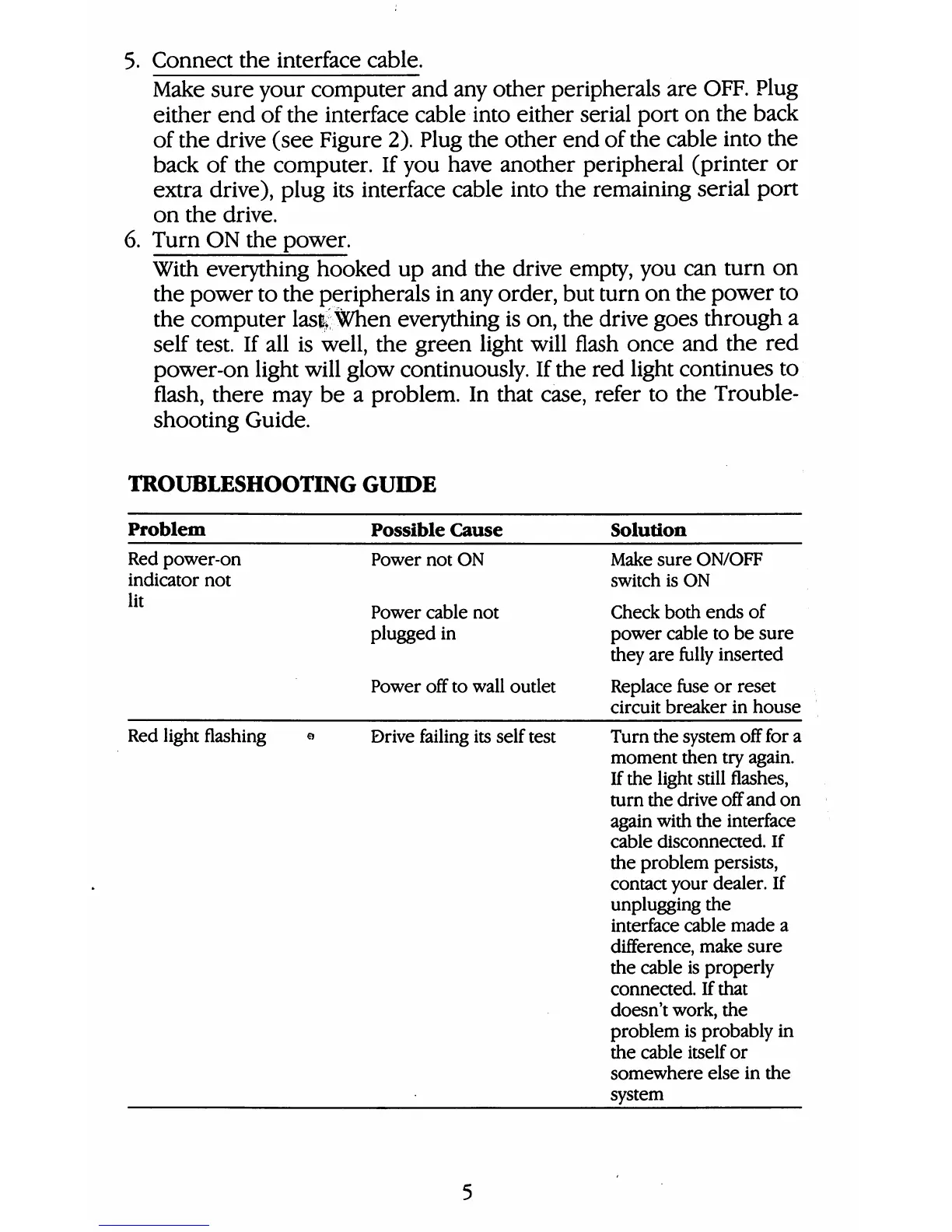
TROUBLESHOOTING
GUIDE
Problem
Red
power-on
indicator
not
lit
Red
light
flashing
e
Possible
Cause
Power
not
ON
Power
cable
not
plugged
in
Power
off
to
wall
outlet
Drive
failing
its
self
test
Solution
Make
sure
ON/OFF
switch
is
ON
Check
both
ends
of
power
cable
to
be
sure
they
are
fully
inserted
Replace
fuse
or
reset
circuit
breaker
in
house
Turn
the
system
off
for
a
moment
then
try
again.
If
the
light
still
flashes,
turn
the
drive
off
and
on
again
with
the
interface
cable
disconnected.
If
the
problem
persists,
contact
your
dealer.
If
unplugging
the
interface
cable
made
a
difference,
make
sure
the
cable
is
properly
connected
If
that
doesn't
work,
the
problem
is
probably
in
the
cable
itself
or
somewhere
else
in
the
system

Table of Contents

Other manuals for Commodore 1581

Related product manuals