EasyManua.ls Logo

Commodore 64C - Commodore 64 C Keyboard Layout Details

Commodore 64C
40 pages
Print Icon
To Next Page IconTo Next Page
To Previous Page IconTo Previous Page
Loading...
the
commodore
64C
keyboard
layout
The
64C
keyboard
is
basically
a
standard
typewriter
keyboard
with
some
extra
keys.
You
use
the
keyboard
to
tell
the
computer
what
you
want
it
to
do.
You
also
use the keys
to
reply
to
any
messages
or
questions
the
computer
displays
on
the
screen.
(These
messages
and
questions
are
sometimes
called
"screen
prompts"
or
simply
"prompts".)
Most
of
the
letter,
number
and
symbol
keys
on
the
Commodore
64C's
keyboard
look
and
work
like
the
corresponding
key
on
a
standard
typewriter.
In
addition,
many
of
these
keys
can
produce
special
graphic
symbols,
which
are
indicated
on
the
front
of
the
keys.
There
arc
also
a
number
of
special
keys that
let
the
Com
modore
64C
computer
do
much
more
than
a
typewriter
can
do.
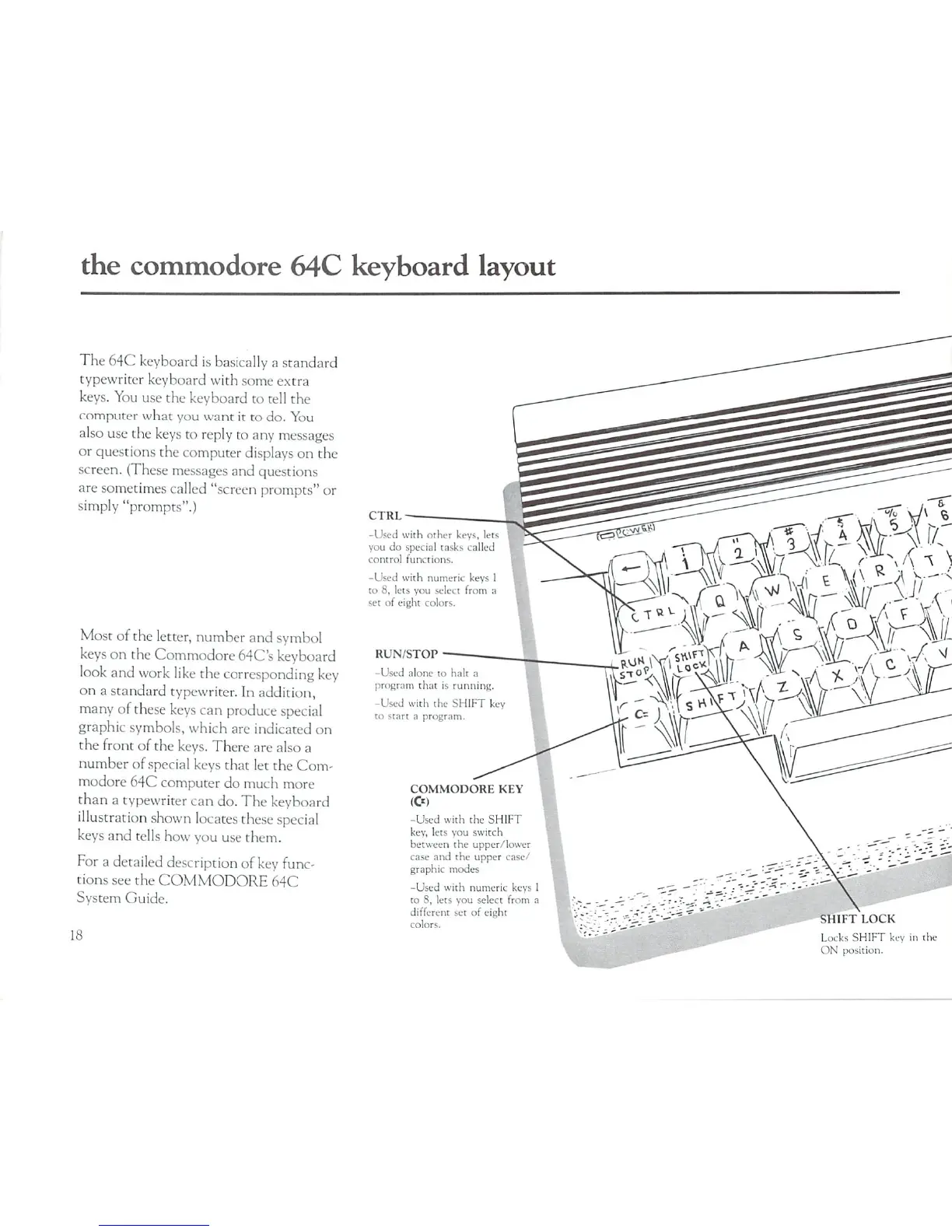
The
keyboard
illustration
shown
locates
these
special
keys
and
tells
how
you
use
them.
For
a
detailed
description
of
key func
tions
see
the
COMMODORE
64C
System
Guide.
18
CTRL-
-Used
with
other
keys,
lets
you
do
special
tasks
called
control
functions.
-Used
with
numeric
keys
to
8,
lets
you
select
from
;i
set
of
eight
colors.
RUN/STOP
-Used
alone
to
halt
a
program
that
is
running.
-Used
with
the
SHIFT
key
to
start
a
program.
COMMODORE
KEY
(&)
-Used
with
the
SHIFT
key,
lets
you
switch
between
the
upper/lower
case
and
the
upper
case/
graphic
modes
-Used
with
numeric
keys
1
to
8,
lets
you
select
from
a
different
set
of
eight
colors.
SHIFT
LOCK
Locks
SHIFT
key
in
th
ON
position.

Related product manuals