ADCP-90-545 • Issue 4 • July 2016
Page 3
© 2016 CommScope. All Rights Reserved.
2 RACK-MOUNT PANEL INSTALLATION
2.1 Installing a Rack-Mount Chassis
The FL1000 rack-mount panel can be installed on either a 19-inch (48.26 cm) or 23-inch (58.42 cm)
rack. It is designed for mounting in an EIA style rack, but a WECO style rack can also be used. It can
be mounted flush on the rack or with a 5-inch (12.7 cm) recess. The panel is shipped ready to be
installed with a 5-inch recess on a 19-inch rack. For other mounting positions, the mounting brackets
must be removed and remounted in a different orientation. Select from the procedures below based
on your specific installation.
2.1.1 19-Inch Rack, 5-Inch
Recess (as Shipped)
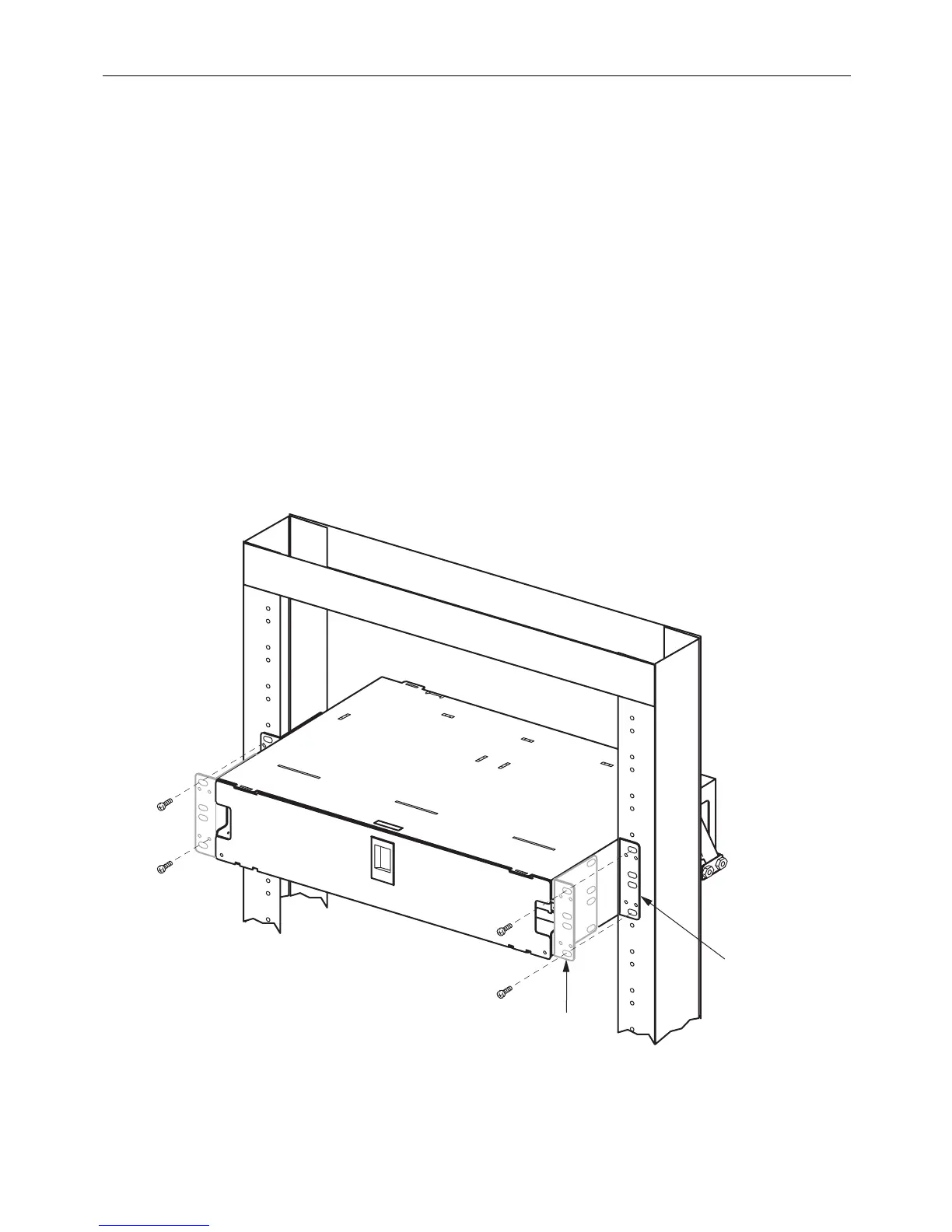
See Figure 1. Use the following procedure.
1. Position the chassis on the rack.
2. Attach the mounting brackets to the rack
using the #12-24 screws supplied.
11247-C
DANGER
INVISIBLE LASER RADIATION
AVOID DIRECT EXPOSURE TO BEAM
CAT #
S/N
DATE
CODE
MADE
IN USA
‚
MOUNTING
BRACKET
POSITIONED
FOR 5-INCH
RECESS
MOVE MOUNTING
BRACKETS TO THIS
POSITION FOR
FLUSH MOUNT
Figure 1. Installing a Chassis on a 19-Inch Rack



 To Next Page