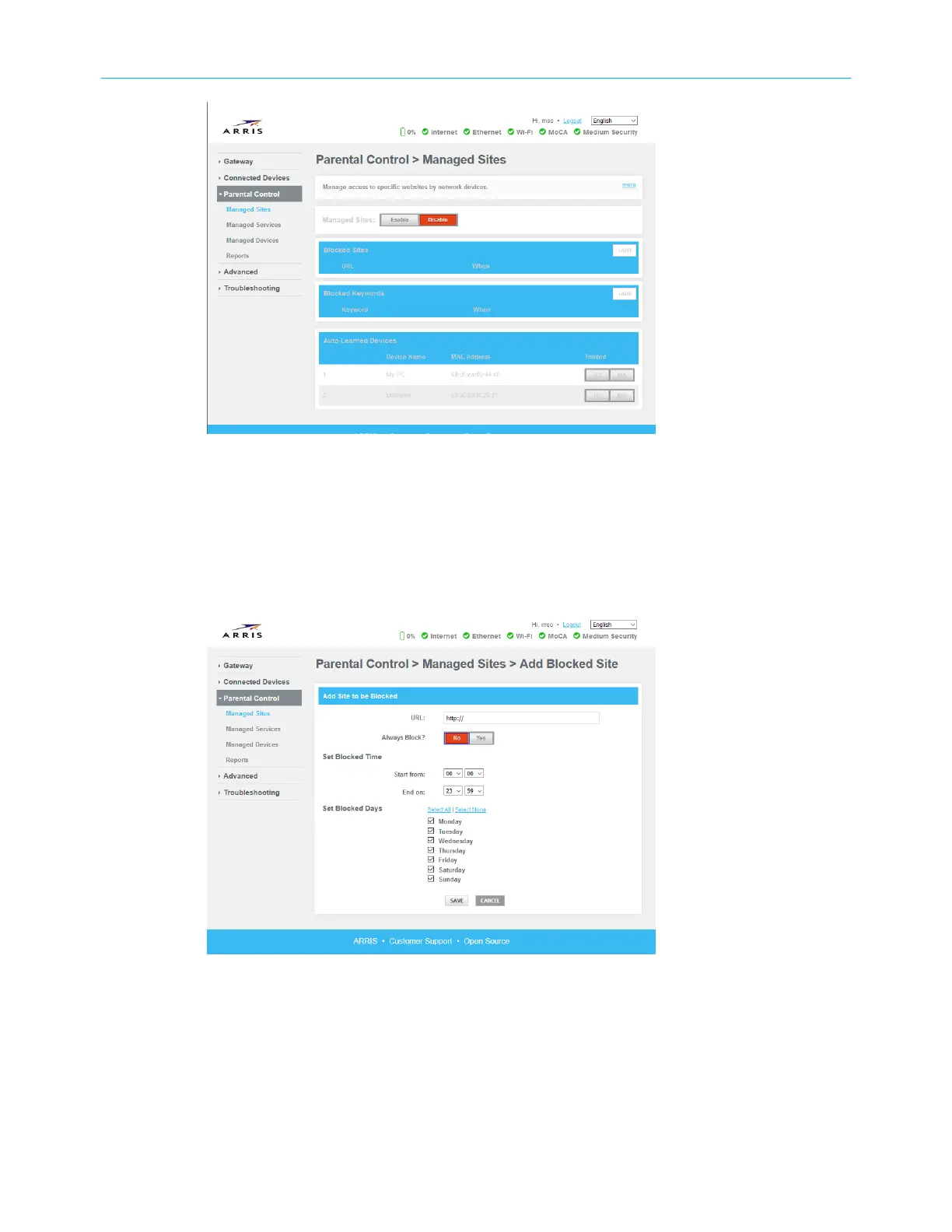
4. Congure any or all of the following parental controls:
■ Managed Sites: block sites by URL or by keyword (strings that appear in the URL).
■ Managed Services: block access to specic services by port or port range.
■ Managed Devices: lists managed devices and lets you block specic devices.
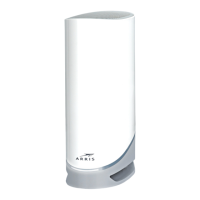
▶ To block sites by URL:
5. On the Managed Sites tab, in the Blocked Sites secon, click +Add.
6. Enter the URL you want to block and when you want to block it.
7. Click Save.
▶ To block sites based on a keyword that appears in the string:
8. On the Managed Sites tab, in the Blocked Keywords secon, click +Add.
Chapter 2: Get started
Touchstone DG6450 Data Gateway User Guide DRAFT Revision 2.5 21


 To Next Page