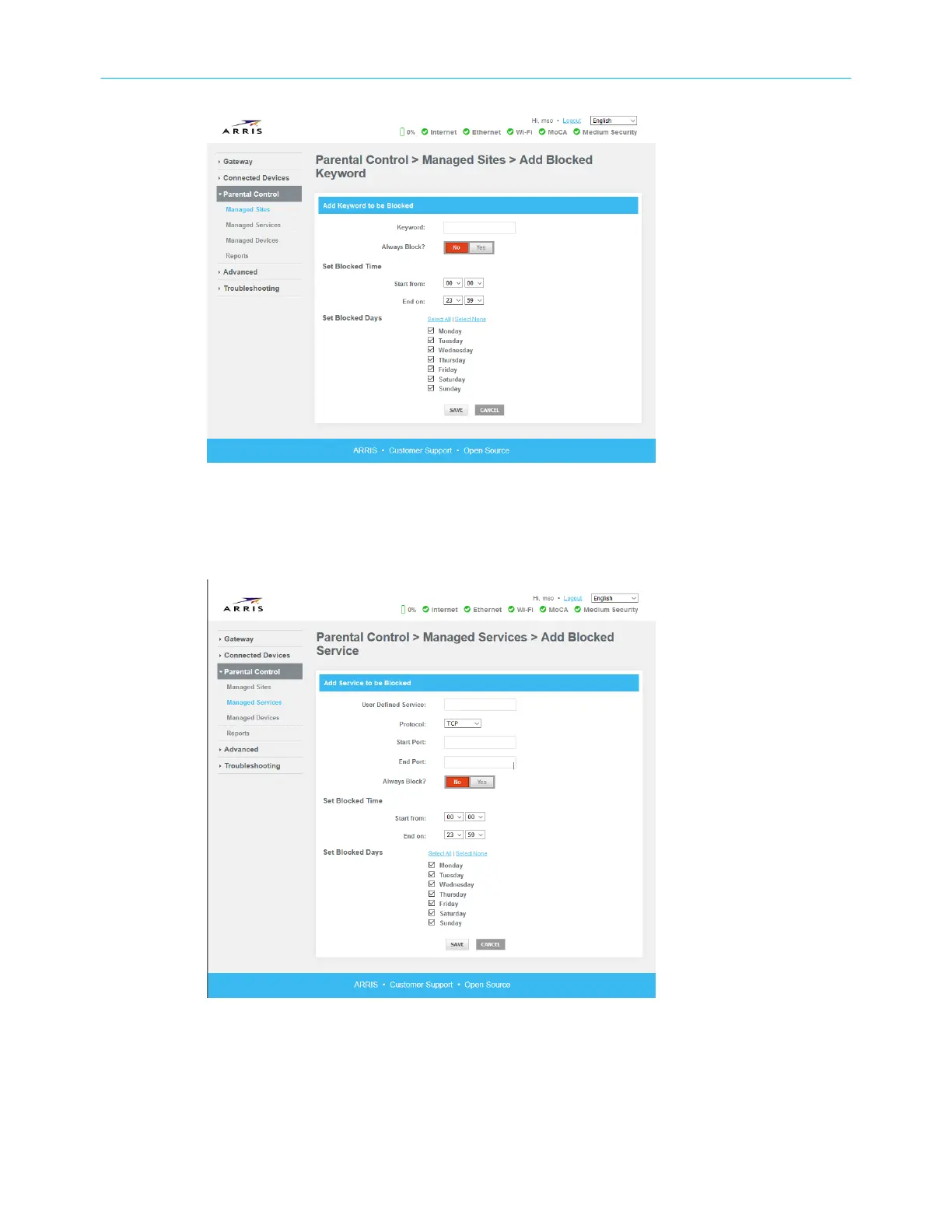
9. Enter the keyword you want to block (for example, .xxx) and when you want to block it.
10. Click Save.
▶ To block services by port or port range:
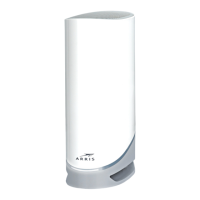
11. On the Managed Services tab, in the Blocked Services secon, click +Add.
12. Type a descripon of the service in the User Dened Service eld.
13. Choose the protocols that the service uses, and specify the port(s) you want to block.
14. Specify when you want to block this service.
15. Click Save.
▶ To block or allow specic devices:
Chapter 2: Get started
Touchstone DG6450 Data Gateway User Guide DRAFT Revision 2.5 22


 To Next Page