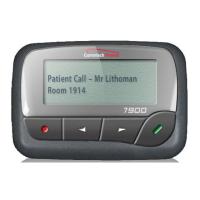
User Guide for 7950 V2 7950 V2 Pager
1
7950 V2 Pager
7950 V2 Pager
This document includes the following information for the 7950 V2 pager:
Using the Function Menu
“Using the Function Menu” on page 4 includes information on how to use the function menu on the pager.
Message-Status Screen
“Message-Status Screen” on page 4 includes information on receiving and reading personal messages, reading an
incoming message, reading a stored message, message reading features, message preview information, automatic
message deleting, and duplicate messages.
Locking/Unlocking Messages
“Locking/Unlocking Messages” on page 6 includes information on how to lock and unlock messages.
Deleting Messages
“Deleting Messages” on page 6 includes information on how to delete messages from the pager.
Message Alarm
“Message Alarm” on page 7 includes information on how to set a one-time message alarm and a daily message
alarm.
Backlight
“Backlight” on page 7 includes backlight information for the pager.
Low Battery Indication
“Low Battery Indication” on page 7 includes information on the low battery indication on the pager.
Out of Range
“Out of Range” on page 8 includes information on how to tell if the pager is out of range.
Display Zoom
“Display Zoom” on page 8 includes information on how to zoom on the pager.
Setting the Time and Date
“Setting the Time and Date” on page 8 includes information on how to set the time and date on the pager.
Setting Message Alert
“Setting Message Alert” on page 9 includes information on how to set message alerts on the pager.
Pager Alarm
“Pager Alarm” on page 10 includes information on how to set a one-time alarm and daily alerts.



 To Next Page