INS_CNGE2+2SMS_REV– 02/19/13 PAGE 28
INSTALLATION AND OPERATION MANUAL CNGE2+2SMS[POE][HO]
TECH SUPPORT: 1.888.678.9427
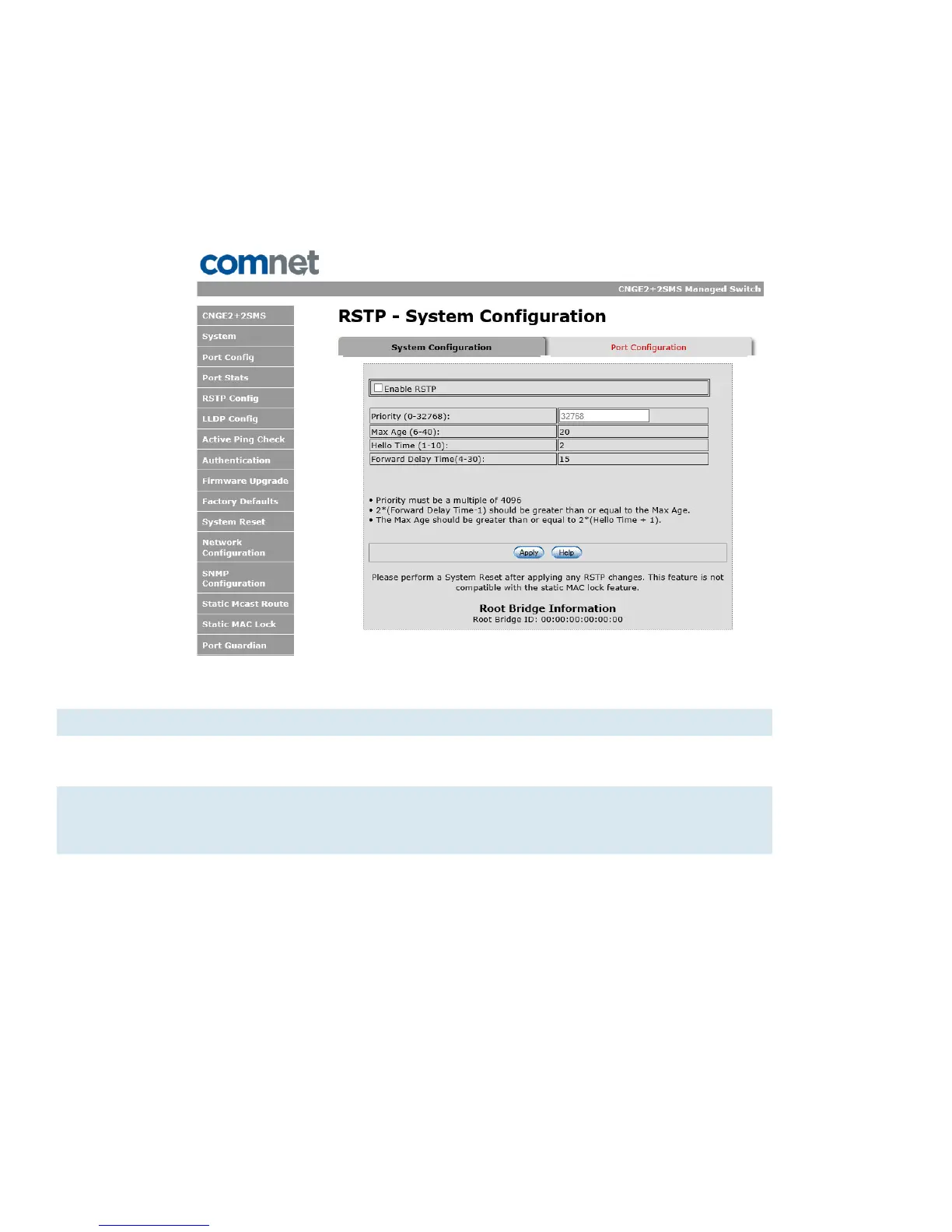
RSTP System Configuration
The Rapid Spanning Tree Protocol (RSTP) is an evolution of the Spanning Tree Protocol. It provides
faster spanning tree convergence after a topology change. The system also supports STP and the
system will auto detect the connected device that is running STP or RSTP protocol.
RSTP System configuration interface
Label Description
Enable RSTP Select to enable RSTP (only available when the DIP switch settings
have been overridden by web management mode. See Page 26.)
Priority Configure bridge priority, must be a multiple of 4096. If the ROOT BR
dip switch is enabled this value will be set to 4096. If the ROOT BR dip
switch is disabled this value will be set to 32768 by default.
Root Bridge ID MAC address of the root bridge
Important Note: RSTP cannot be used in conjunction with the Static MAC Lock feature.
A system reset must be performed after making changes to the RSTP settings.



 To Next Page