INS_CNGE2+2SMS_REV– 02/19/13 PAGE 31
INSTALLATION AND OPERATION MANUAL CNGE2+2SMS[POE][HO]
TECH SUPPORT: 1.888.678.9427
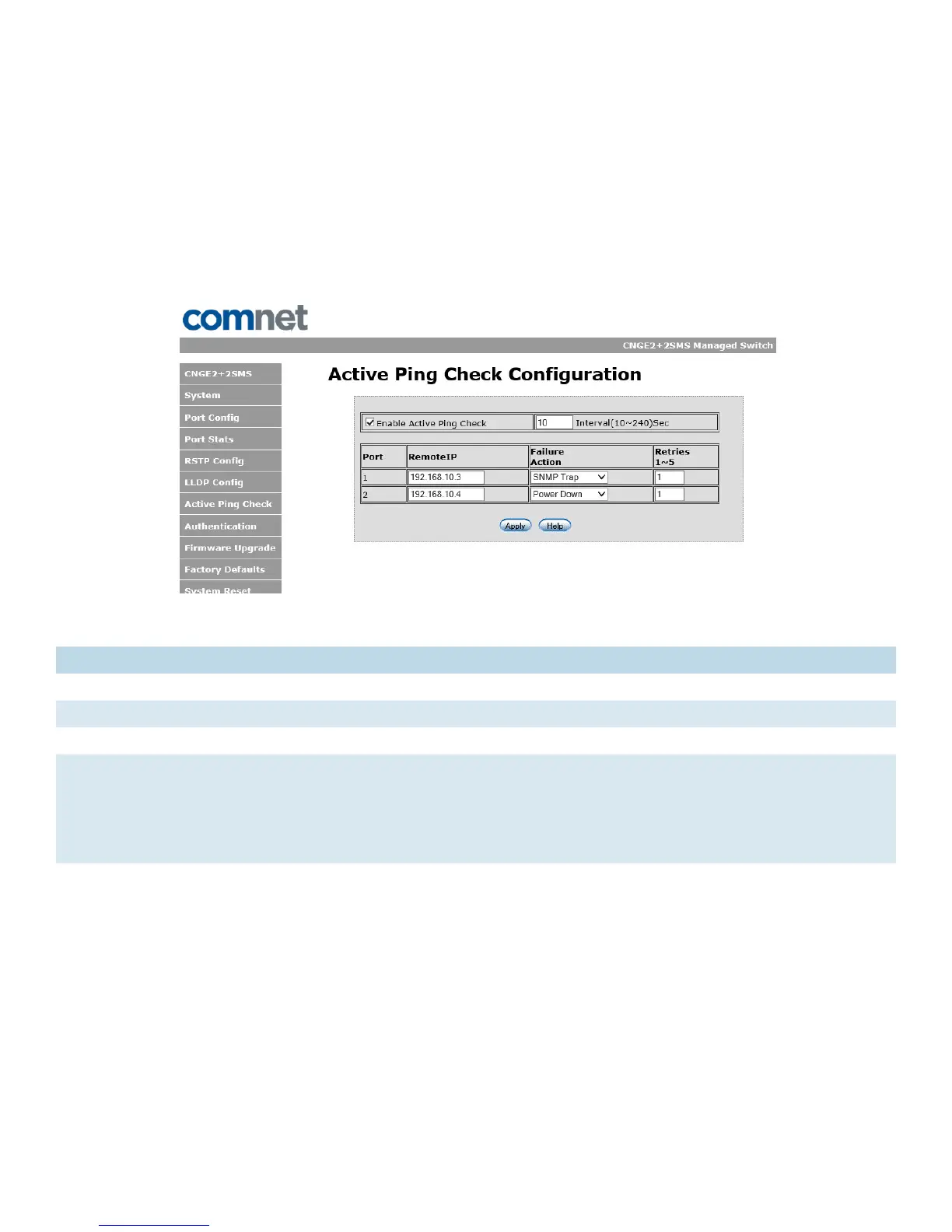
Active Ping Check Configuration
Non PoE Model CNGE2+2SMS
The active ping check function allows the switch to check that a configured IP address is alive
on each of the RJ45 ports. If the specified IP address becomes unreachable then the switch will
perform the action selected in the Failure Action menu.
Active Ping Check configuration interface
Label Description
Enable Select to enable the active ping check function
Interval Active ping check interval in seconds
Remote IP Configure IP addresses of remote device to ping
Failure action Configure action to take upon failure
No Action - No action taken
SNMP Trap - Issue an SNMP trap
Power Down - Turn off the RJ45 port
PwrDwn & Trap - Issue an SNMP trap and then turn off the RJ45 port
Retries Number of times to retry the ping check on failure before proceeding with the selected
failure action.



 To Next Page