MNC-0000-041 9 of 34 Revision A
Operation Addendum, HPA Control Utility
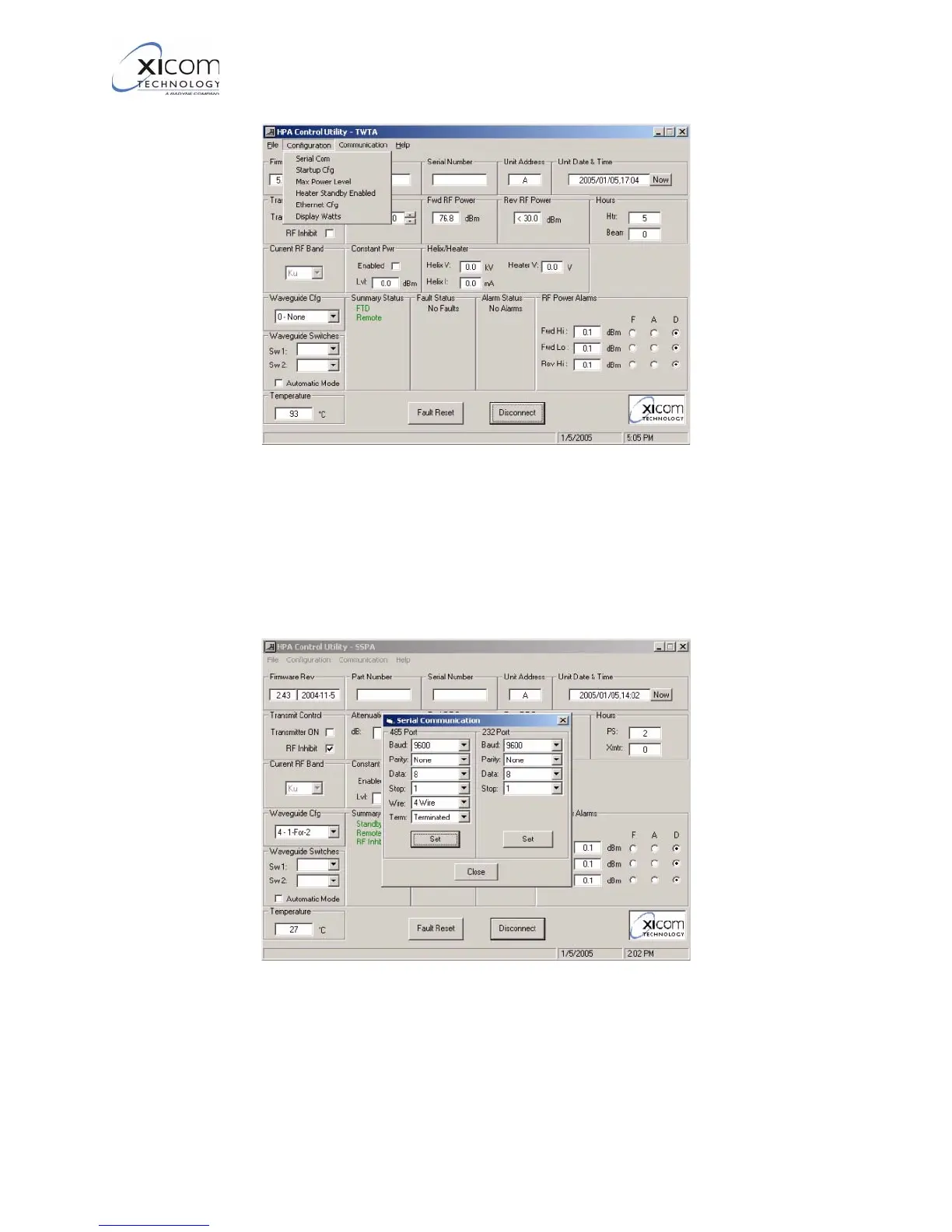
Figure 6, Configuration Menu
5. Selecting the “Serial Com” option presents a screen shown in
Figure 7, which allows you to change the Baud Rate, Parity,
number of data bits, and for RS485, 2 wire/4 wire mode and
cable termination. The microprocessor used in the amplifier is
only capable of operation with 1 stop bit.
Figure 7, Serial Port communications parameters and RS485 operating mode
6. Refer to Figure 8 on page 10. If the “Configuration -> Startup
Configuration” option is selected, you are presented with a dialog
allowing the selection of Normal / Off / On.
EAR EXPORT CONTROLLED: The information contained in this Manual refers or relates to a product that is subject
to the U.S. Export Administration Regulations (EAR). Transfer of data herein by any means to a Foreign Person,
whether in the U.S. or abroad, may require an export license from the U.S. Department of Commerce.



 To Next Page