Appendix A. RTS 1-Port Embedded System Installation 35
Attaching the Network and Serial Cables
3. Optionally, attach the light pipes. The following light pipes have been tested
and found to function; Bivar, Inc. (P/N:LP-230) and Ledtronics, Inc.
(P/N:LTP003-0CW-001).
After mounting the RTS, you are ready to connect the cables.
Attaching the Network and Serial Cables
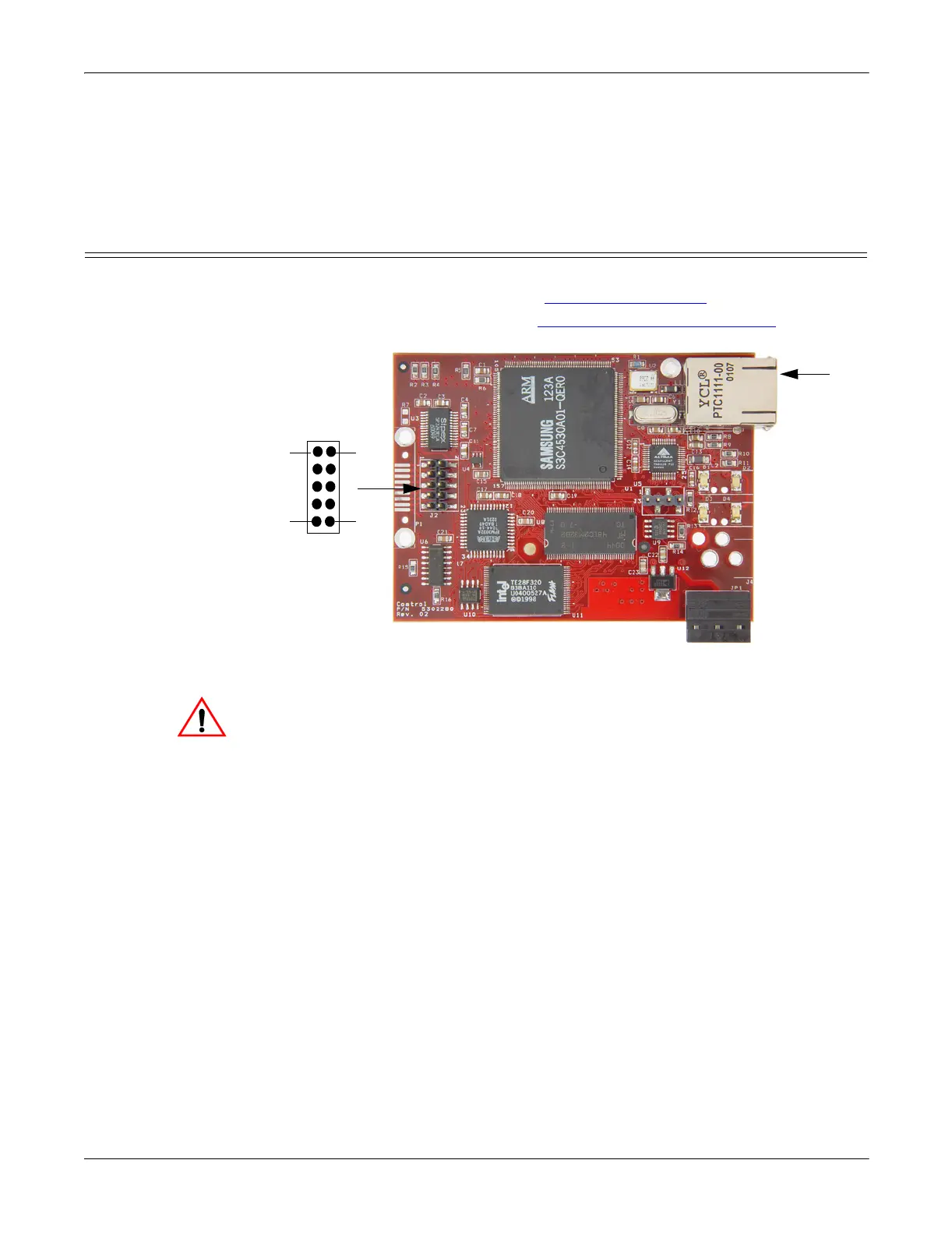
Use the following procedure to attach the serial ribbon and Ethernet cables. For a
larger illustration of the system, see RTS 1-Port Embedded
on Page 23.
1. Attach the ribbon cable built in Building the Serial Ribbon Cable
on Page 33
to the header labeled J2.
2. Connect a standard Ethernet cable from the RJ45 port on the RTS to your
Ethernet hub or a crossover cable to a server NIC.
The NS-Link device driver’s default port setting is RS-232. Make sure
that you do not connect RS-422/485 devices until the appropriate port
interface type has been configured in NS-Link.
Use the next subsection to wire the power terminal connector and verify the
hardware installation.
J2
Ethernet
10/100
Connector
12
910
Caution



 To Next Page