5 - 1 2 l Ma i nt e na n c e
C l e a n i n g th e D C - T HM I S c re e n
Dirt, grease, or dust on the screen can make it difficult to see and use. Periodically clean
the screen to keep dirt from accumulating on the screen.
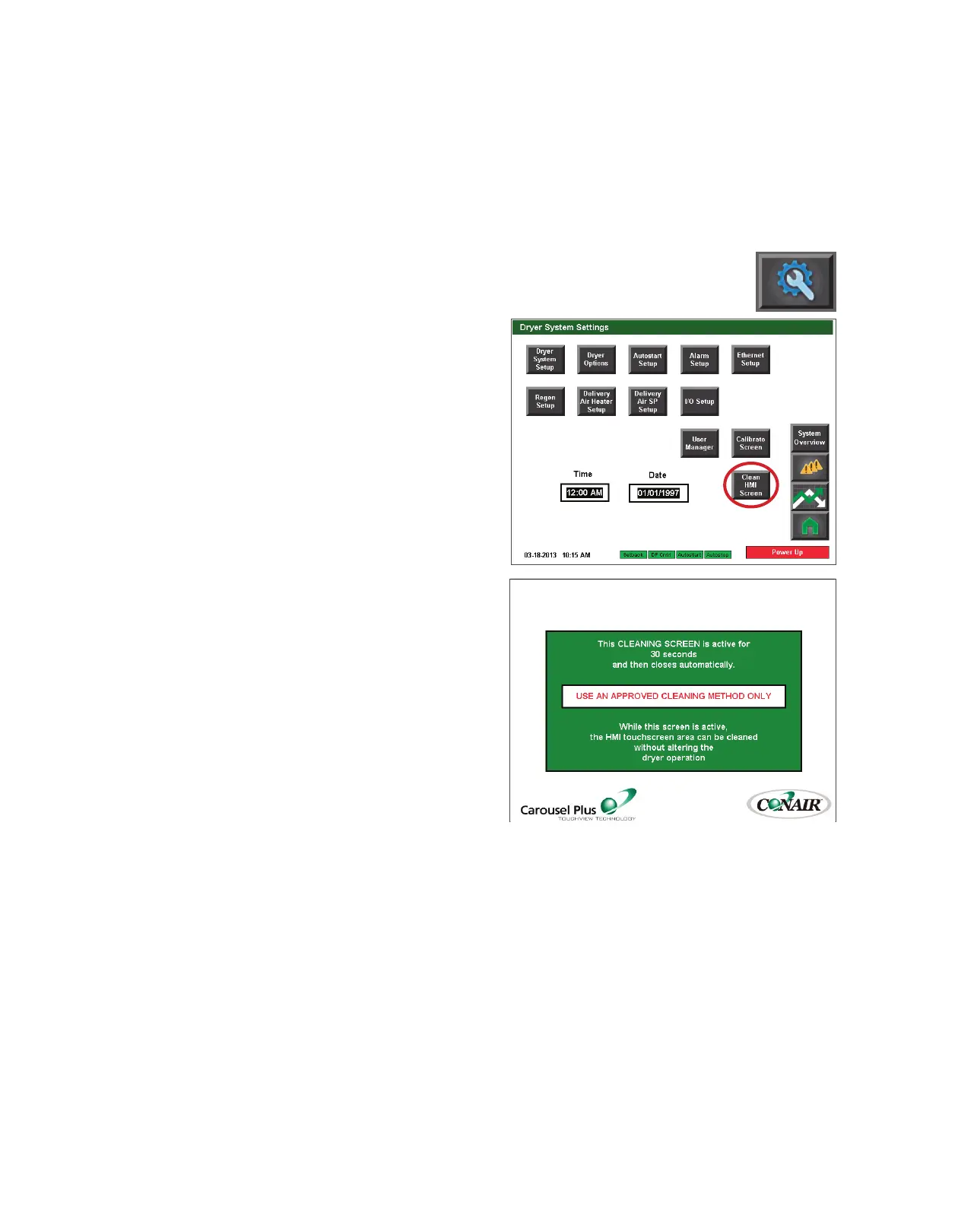
1 Press the Setup button.
2 From the Settings screen,
press the Clean HMI Screen
button. The touch functionality
of the screen will be disabled
for 30 seconds, allowing for
cleaning of the screen without
accidently changing settings or
pushing buttons.
3 Using a clean, dry, soft cloth,
wipe the screen gently to
remove any dust or dirt. If
stubborn spots remain, a gentle
cleaning agent designed for use
with a touch screen control may
be used. Touch screen cleaners
may be purchased at most elec-
tronics or office supply stores.







 To Next Page