4 - 3 2 l Op e ra ti o n
C o n t r o l Fun c ti o n D es c ri p ti o ns - R W
C o n f i g u r a ti o n
( c o n ti n ue d )
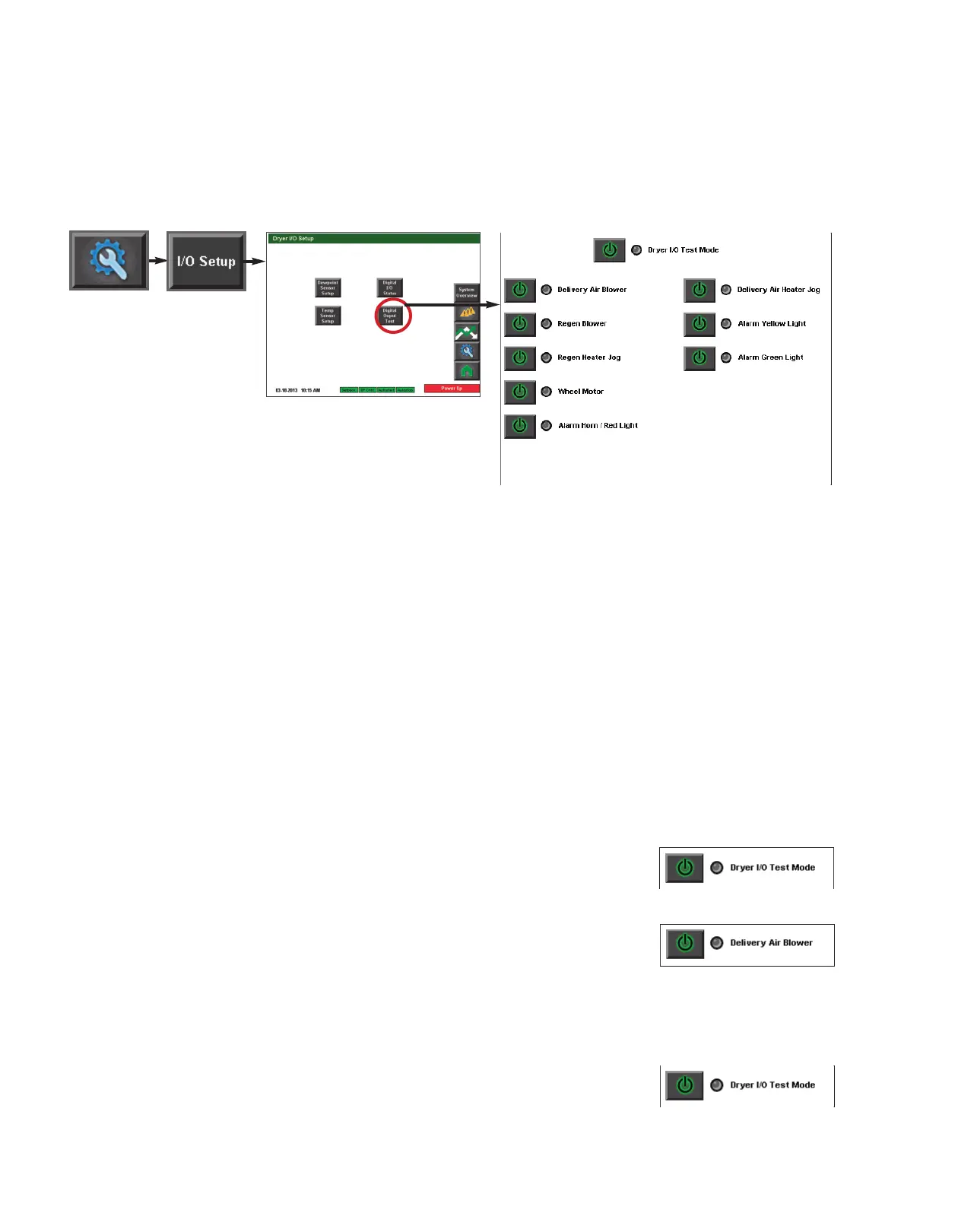
Digital Output Test screen
To access the Test screen:
1 Press the Settings button
from the Home screen.
2 Press the I/O Setup button.
3 Press the Digital Output Test button.
The test screen allows for digital output tests of various outputs attached to the DC-T con-
trol. This screen allows for testing of:
• Delivery air blower
• Regen blower
• Regen heater (jog)
• Wheel motor
• Alarm horn/red light
• Heater isolation contactor
• Delivery air heater (jog)
• Alarm yellow light
• Alarm green light
To test an output:
1 Press the power button to enable the Dryer I/O Test
Mode. The button should illuminate and the LED beside
the button should change from grey to green indicating that test mode is enabled.
2 Press the power button beside the output you would
like to test. The button should illuminate and the LED
beside the button should change from grey to green indi-
cating power has been sent to the output.
3 Press the power button beside the output again to stop the test. Note that some tests
are a jog test and will not require pressing the button again to stop. Jog tests are pro-
grammed to run for three (3) seconds.
4 Press the power button beside the Dryer I/O Test
Mode text to disable test mode.
NOTE: Proper login is required
to test the outputs. Depending
on the configuration of your
dryer, some inputs and outputs
may not be available.
✐
(continued)
NOTE: On intial test, the deliv-
ery air blower will start auto-
matically. This is not unusual
and should be expected.
✐
NOTE: The dryer must be
stopped in order to perform the
test mode.
✐







 To Next Page