7.6 Material Pre-calibration
The TrueFeed can be started in two ways:
1. Start the unit without
pre-calibrating the material.
After pressing the “START” button the unit starts feeding on a speed that is based on default curves
which are pre-programmed in the controller. After start-up, the unit continues with self-calibrating to the
setpoint.
2. Start the unit with
pre-calibrating the material (OFF-LINE).
After pressing the “START” button the unit starts feeding on a speed that is based on material
calibrations made by the user, which are stored in the controller. After start-up, the unit continues with
fine-tuning to the setpoint.
What is the function of material Pre-calibration?
With pre-calibration it is possible to calibrate the unit before production is started; this way the time needed to
be in specification can be reduced. The TrueFeed is a gravimetric/loss-in weight feeder. When starting up the
feeder for a new production run, there is no direct information available about the loss in weight. Of course you
want the feeder to reach its setpoint with the matching speed of the motor (RPM) as quickly as possible.
Starting the unit with a speed that is already near to the setpoint will achieve quicker regulation. The correct
RPM at the start of the feeder can be determined automatically with a pre-calibration.
The pre-calibration can be done in two ways:
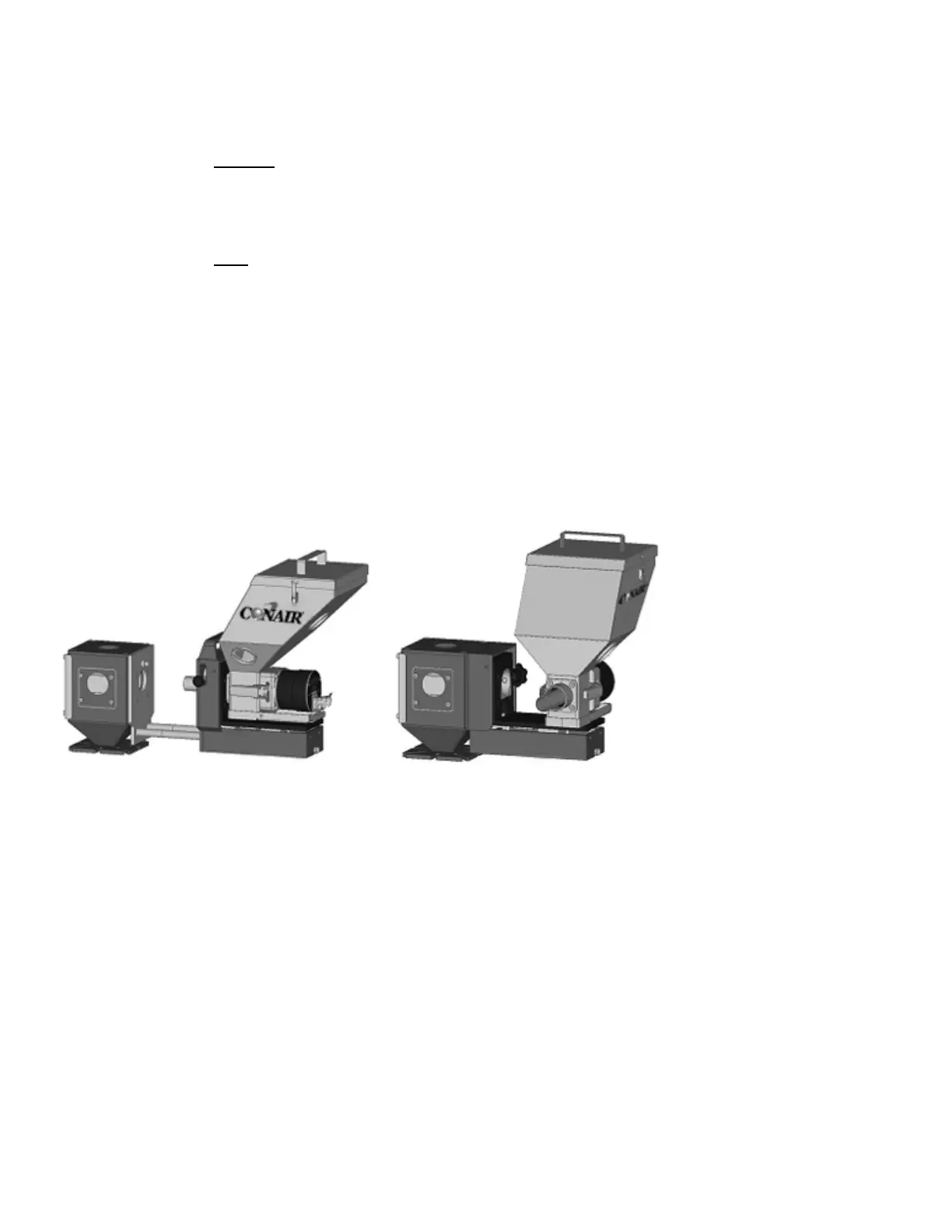
1) Unit with option slide frame: 2) Unit without optional slide mechanism:
Slide the frame with unit backwards till the “click”. Remove the feeder and put it on the frame like shown.
It is important that during calibration the feeder is mounted fixed and horizontal and also vibration free.
Before starting a material calibration ensure that the hopper is filled with sufficient material.
Be sure that the loadcell cable is connected to the TrueFeed controller.
The following parameters will be stored with a Material calibration, depending on the configuration:
CONFIGURATION parameters: Cylinder type : type of feeding cylinder or feed screw
Material Type : Normal or micro-granules
PRODUCTION parameters: Shotwth. : Shot weight
Color% : Color amount (%)
Dos.time : Feeding time (sec)
CALIBRATION parameters: Material name : Name of calibrated material
23 Dual Feed TrueFeed Manual


 To Next Page