5. ROUTER DESIGN
5.7 Removing from the DIN rail
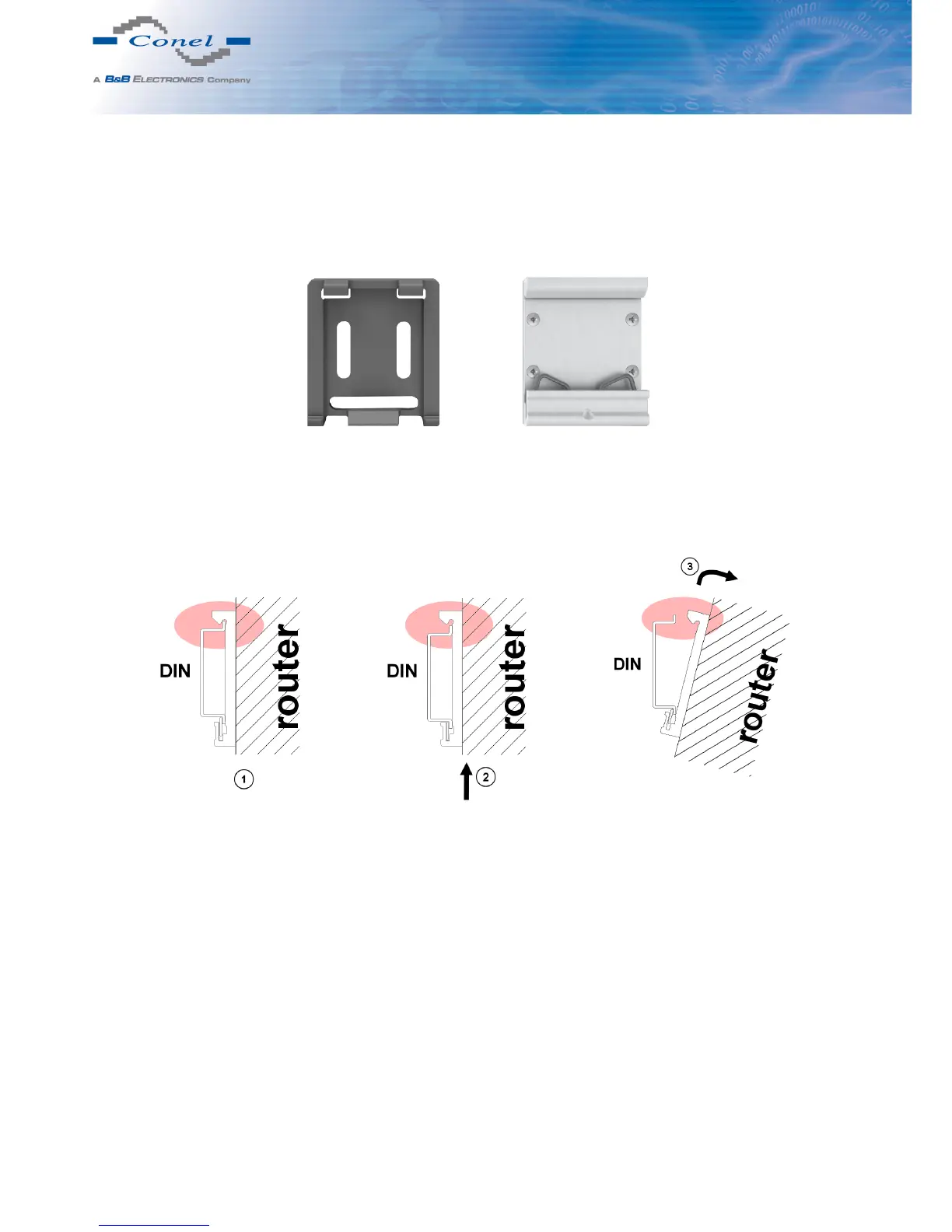
Default position of CPD2 holder (or CKD2 holder for SL version), which is used for mount-
ing the router on a DIN rail, is shown in the following figure:
Figure 18: Default position of DIN holder
For removing from the DIN rail it is necessary to lightly push upward the router so that the
top part of the CPD2 holder (or CKD2 for SL version) hitched to the DIN rail get out of this rail
and then fold out the top part of the router away from the DIN rail.
Figure 19: Removing from the DIN rail
11



 To Next Page