B-8
D7 - D4 = ACTIVATION REQUEST
0000 = no request
0001 = Hand Control 1 Cut
0010 = Hand Control 2 Cut
0011 = Hand Control 1 Coag
0100 = Hand Control 2 Coag
0101 = Hand Control 1 Coag and Hand
Control 2 Coag
0110 = Foot Cut
0111 = Foot Coag
1000 = ABC
1001 = Bipolar
1010 = Hand Control 1 Coag and Foot Coag
1011 = Hand Control 2 Coag and Foot Coag
1100 = multiple keys not released
1101 to 1111 are not used
Mode LED status
D0 =1 when “Remote” on
D1 =1 when “Dual Pad” on
D2 =1 when “Single Pad” on
D3 =1 when “Manual” on
D4 =1 when “Automatic” on
D5 =1 when “Pin Point” on
D6 =1 when “Spray” on
D7 =1 when “Endo” on
Example Error
This example is for an error 301.
• The MONOPOLAR CUT/BLEND POWER DISPLAY will toggle between “Err” and “301”.
• The MONOPOLAR COAG POWER DISPLAY may toggle between “44” and “128”. The Mode LED
status “44” is displayed at the same time as “Err”.
• To interpret the 44, convert from decimal to binary 00101100. From the Mode LED status list we can
see that “Single Pad”, “Manual”, and “Pin Point” LED’s were on at the time of the “Err”.
• Convert 132 decimal to binary 10000100. From the Active status list we can see that the LOW GAS
SUPPLY LED was on and ABC was activated at the time of the “Err”.
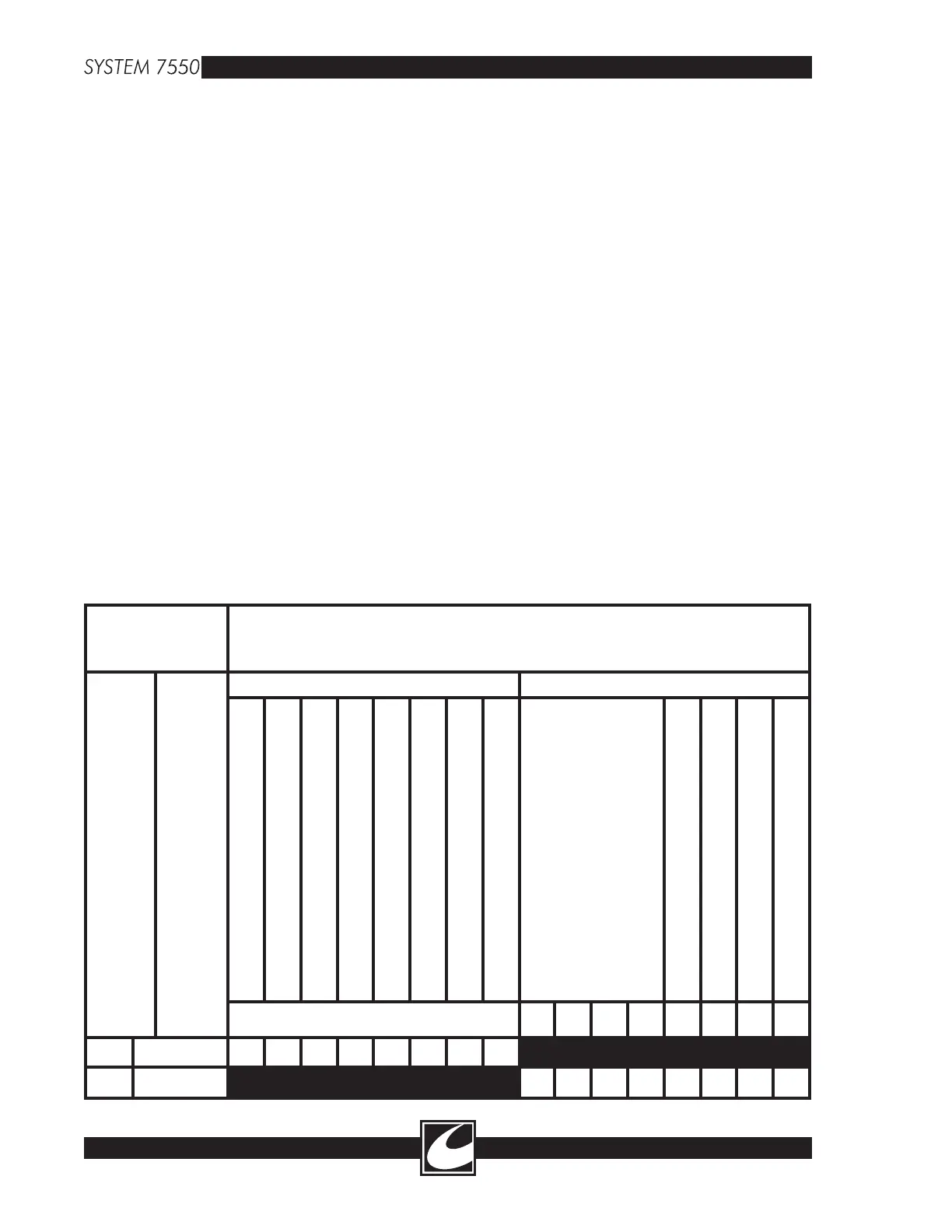
• The table below is an illustration of this example.
SYSTEM 7550
CONTROL
PANEL
TRANSLATION
MONOPOLAR CUT/BLEND POWER DISPLAY
MONOPOLAR COAG POWER DISPLAY
MODE LED STATUS ACTIVE STATUS
“ENDO”
“SPRAY”
“PIN POINT”
“AUTOMATIC”
“MANUAL”
“SINGLE PAD”
“DUAL PAD”
“REMOTE”
GO TO LIST
D7-D4=ACTIVATION REQUEST
REMOTE POWER CONTROL MODE
LOW GAS SUPPLY LED
LOW FAULT ALARM LED
“RETURN FAULT” LED
D7 D6 D5 D4
Err 44 0 0 1 0 1 1 0 0
301 132 1 0 0 0 0 1 0 0



 To Next Page