7. BIOS Setup
SPC-8520-LA, SPC-8521-LA
51
Description Choice
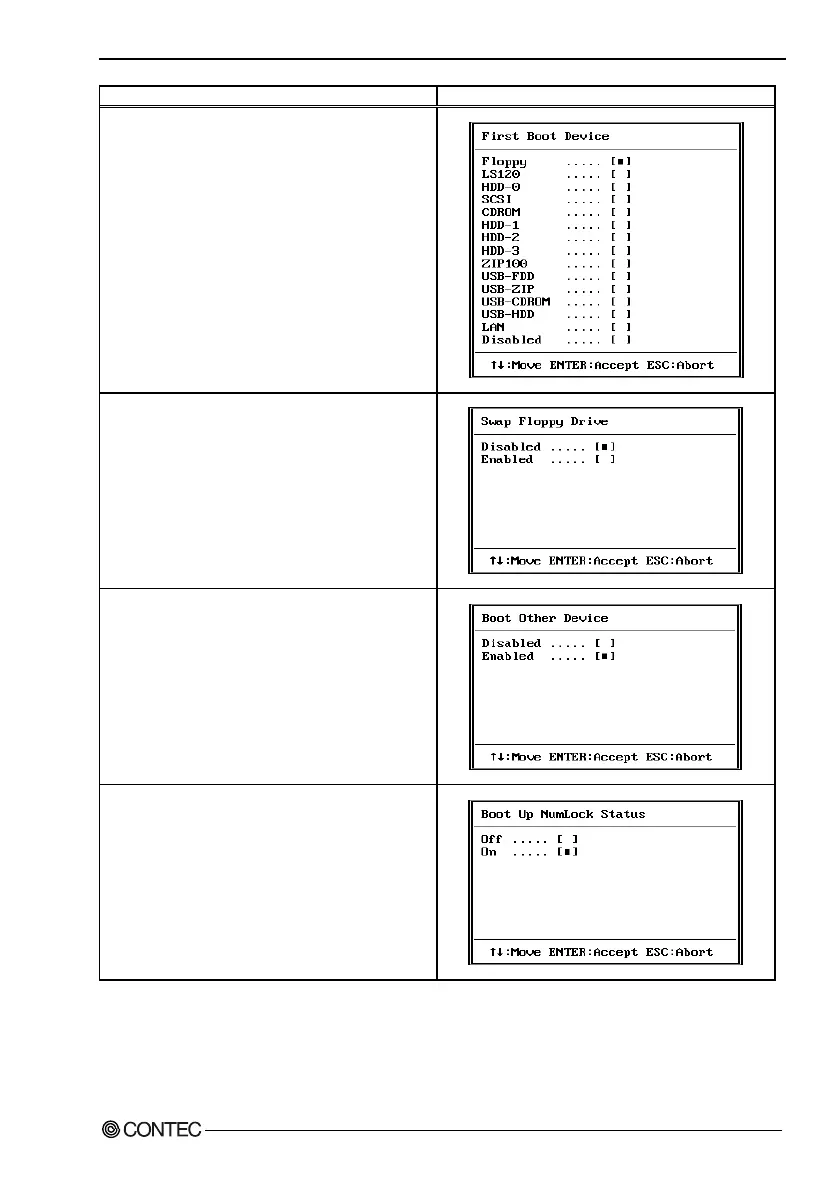
First / Second / Third / Other Boot Device
The BIOS attempts to load the operating system from the
devices in the sequence selected in these items.
Swap Floppy Drive
This field is effective only in systems with two floppy drives.
Selecting Enabled assigns physical drive B to logical drive
A, and physical drive A to logical drive B.
Boot Up Floppy Seek
When Enabled, the BIOS tests (seeks) floppy drives to
determine whether they have 40 or 80 tracks. Only 360-KB
floppy drives have 40 tracks; drives with 720 KB, 1.2 MB,
and 1.44 MB capacity all have 80 tracks. Because very few
modern PCs have 40-track floppy drives, we recommend
that you set this field to Disabled to save time.
Seeks disk drives during boot up. Disabling speeds boot up.
Boot Up NumLock Status
Toggle between On or Off to control the state of the
NumLock key when the system boots. When toggled On,
the numeric keypad generates numbers instead of
controlling cursor operations.



 To Next Page