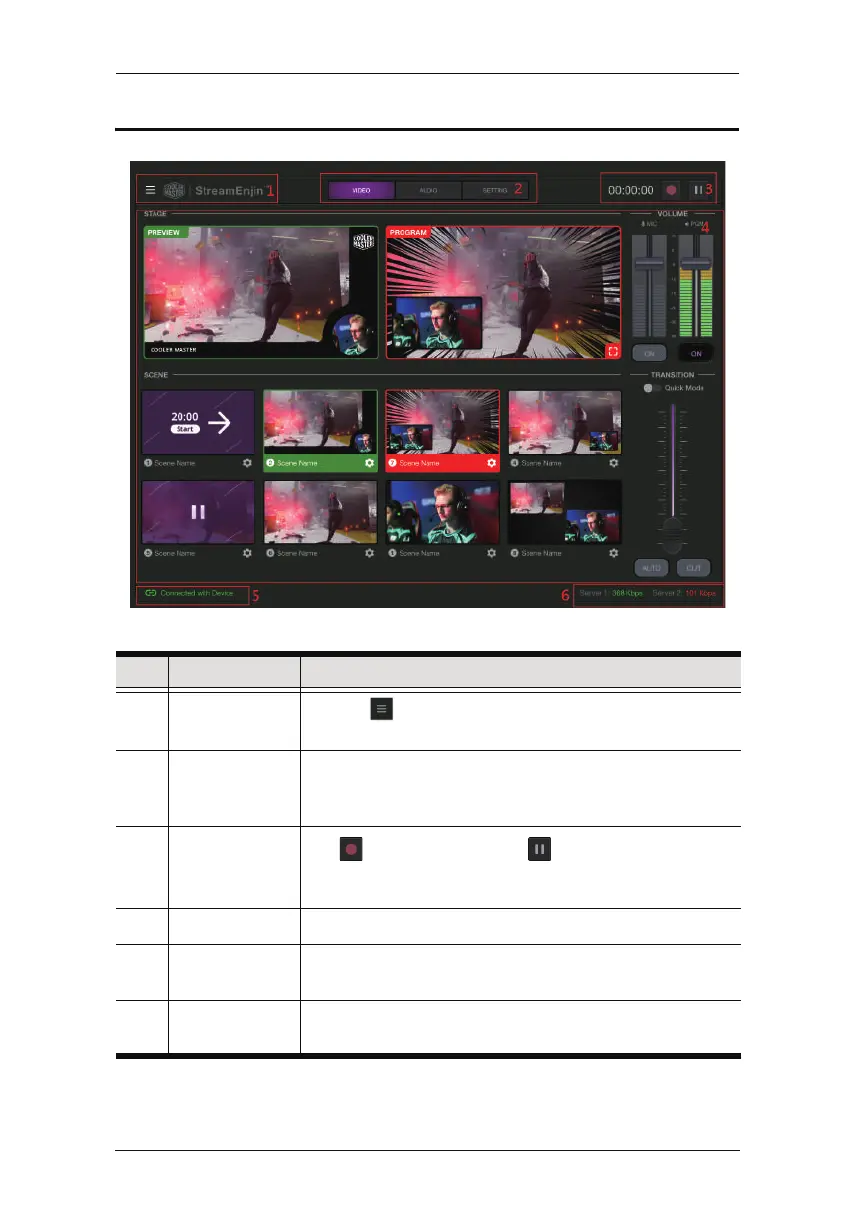
Page Components
No. Component Description
1 Side Menu
Tap the icon for the side menu. Refer to Side Menu on
page 15 for more details.
2 Deck Selector Tap to select the desired configuration deck.
Three decks are available: Video Mixer, Audio Mixer and
Setting.
3 GoLive
Tap to start streaming. Tap to pause streaming. The
timer on the left shows how long you have been streaming
for.
4 Deck Content The content depends on the selected deck.
5 iPad Link
Status
Displays the link status between your iPad and the
StreamEnjin.
6 Network Traffic
Status
Displays the network traffic status.
StreamEnjin User Manual
14



 To Next Page