41
Chapter 7
Quick Live-Stream Setup
Setup
Before you start live-streaming, you need to setup your live-stream
platform on the StreamEnjin.
Setting these up can be on any interface (PC, laptop, tablets, etc.) as
long as you are able to get the Server URL and Stream Key.
This section will therefore take you through obtaining the Server
URL and Stream Key, input them into the app, synchronize the
app
with the StreamEnjin and start streaming using your iPad.
Follow the steps below:
Note:
Facebook is the streaming platform example used in the setup
steps below.
1. On the iPad, open Safari (Internet browser) and go to the Facebook
Note:Make sure your iPad is Internet-enabled and is using desk
top mode. If your iPad is always bringing you to the facebook
app (or youtube, twitch, etc.), remove it from the system first
2. Log into your account.
3. On the dashboard, locate and tap the What’s on your mind field.
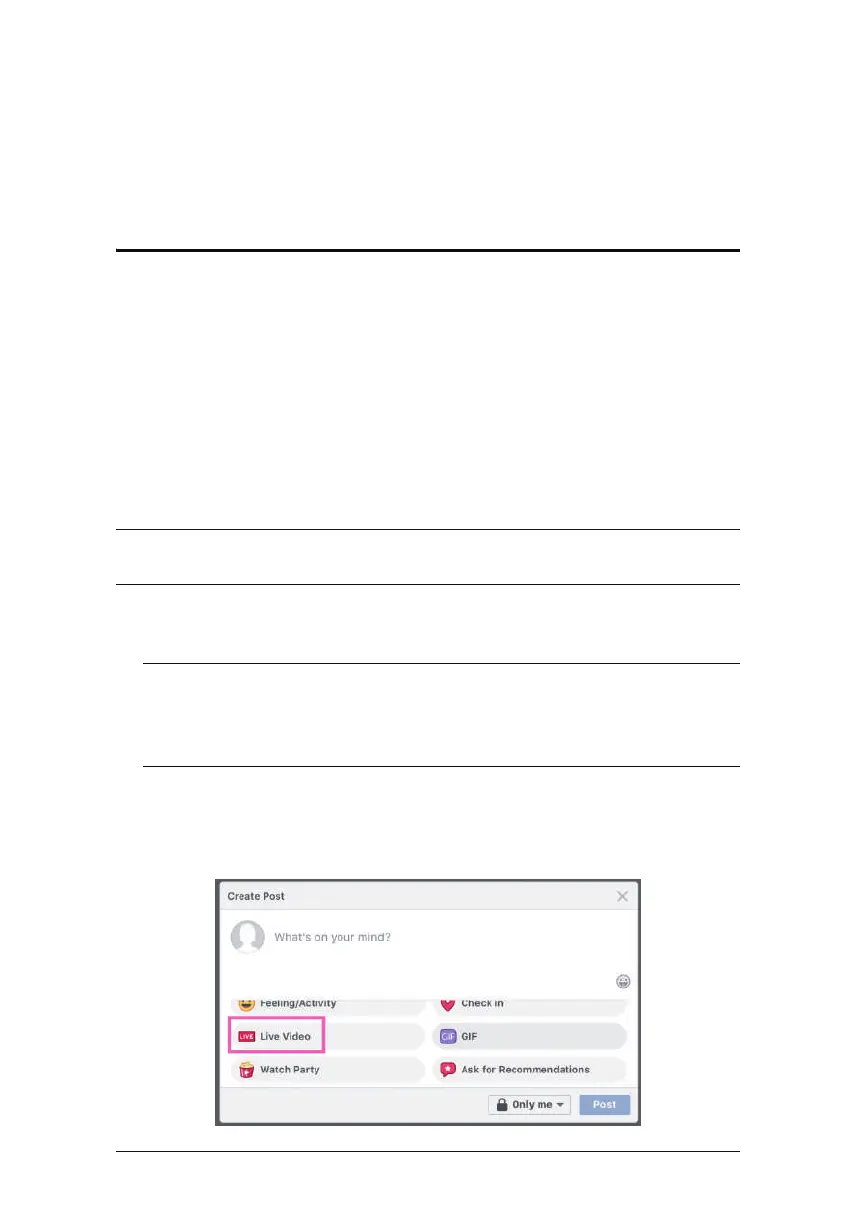
4. Tap to select Live Video.
page.
and install it again later.



 To Next Page