StreamEnjin User Manual
28
Crop (Media Only)
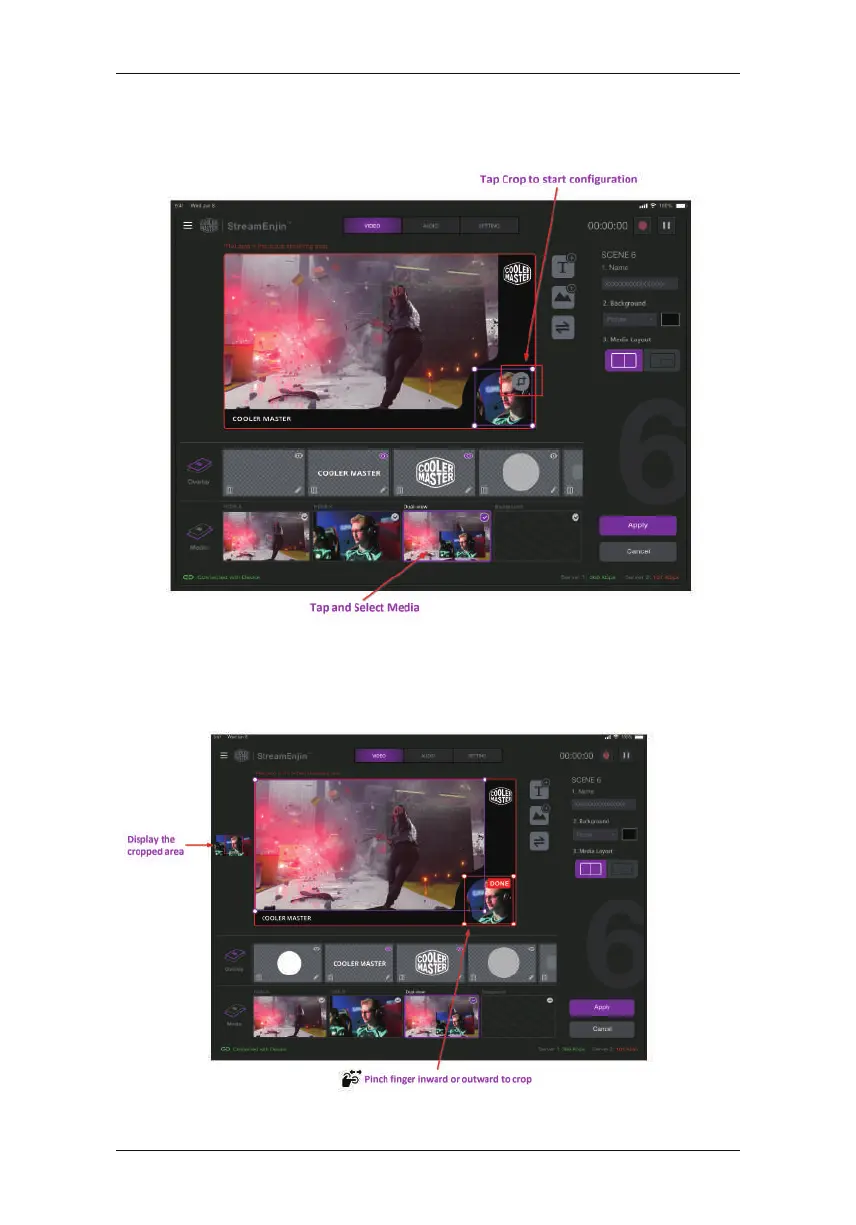
To resize a media, tap the media. An example is shown:
Tap the Resize/Crop Tool to start the tool.
Pinch your finger inward or outward to crop. A small box is on the left
of the “Scene Display” region to show the display area (cropped area).
When completed, tap DONE on the top right corner.



 To Next Page