496478 19
3. Installation
Wiring Keyswitches
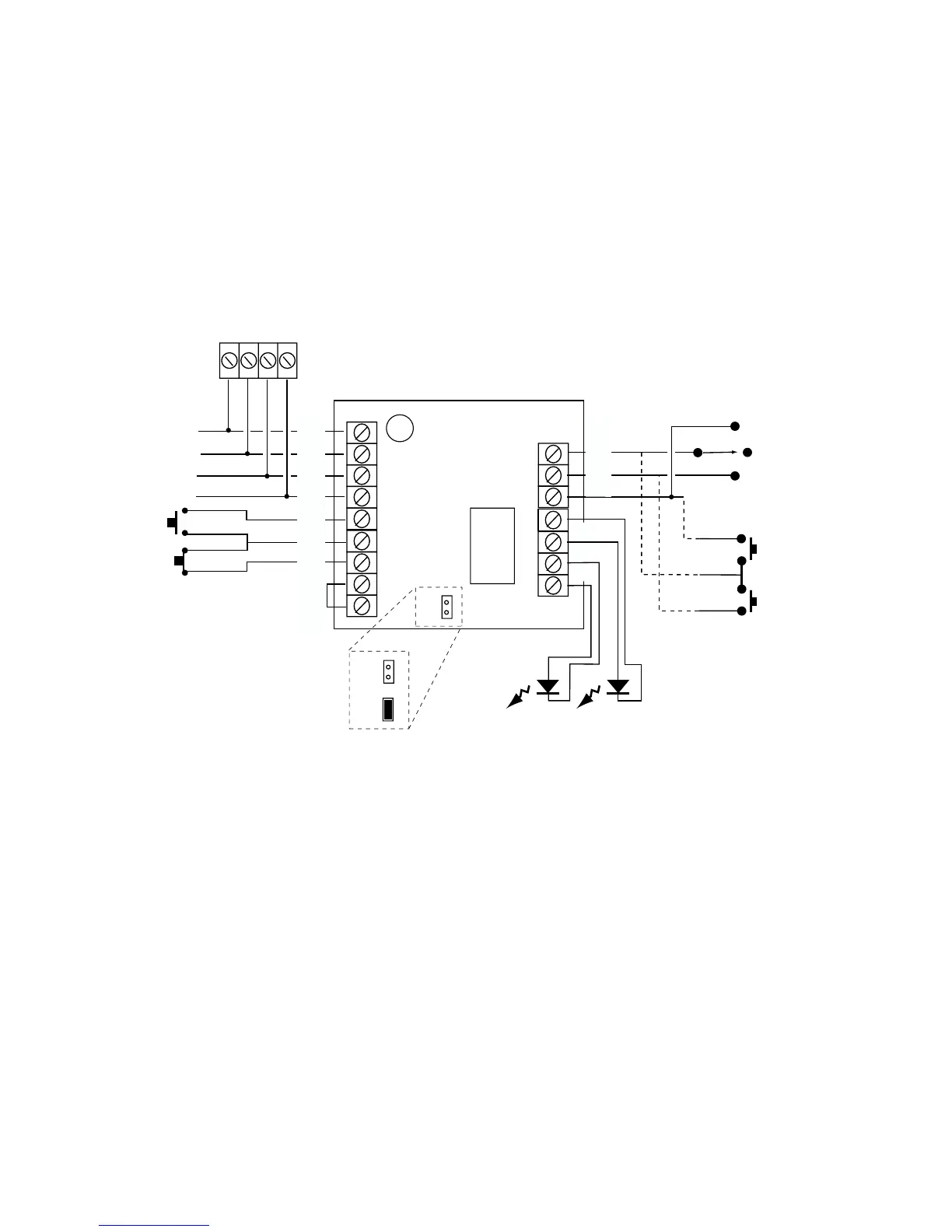
Figure 15 shows the connections for a 9928 Keyswitch Interface.
Note: You can fit only one keyswitch interface per system.
Momentary or Continuous Keyswitches
The 9928 keyswitch interface can be connected to either momentary or
continuous keyswitches, see Figure 15. When using a momentary keyswitch
remove the jumper from link M/C. When using continuous keyswitches fit a
jumper to link M/C.
M/C
M/C
M/C
0V
12V
CLK
DATA
ET
PA
SET
RDY
9928
CLK DATA
0V
12V
0V
KS2
KS1
Set A
Off
Set B
Set A
Set B
TAMP
Figure 15. Connecting a Keyswitch Interface



 To Next Page