9
CMS Manual
For Inspire Blue and Inspire Red DVR Models
2.
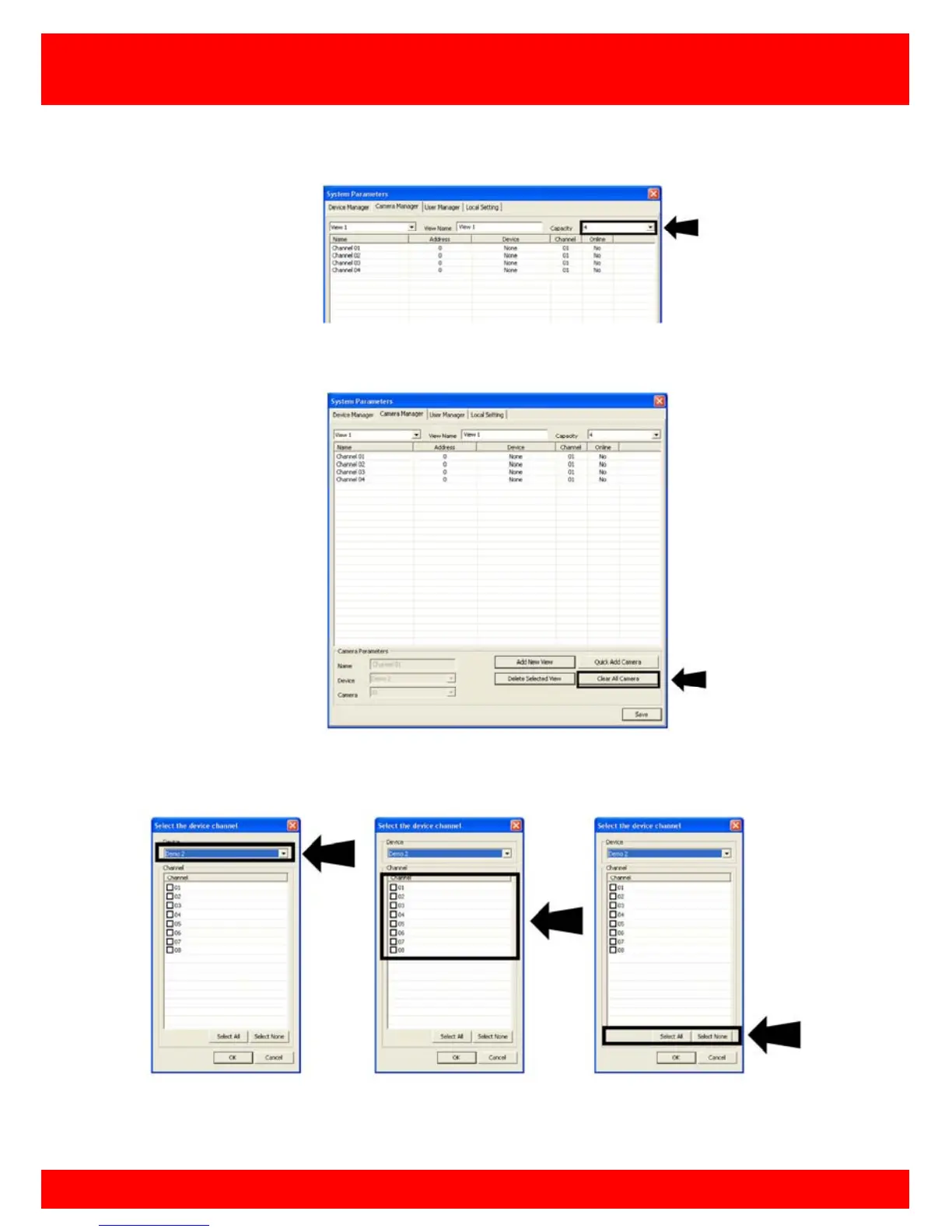
Click Capacity to select the maximum number of cameras you want to have
in this view (this can be changed at a later date).
3.
4.
Click Quick Add Cameras
5.
Select the DVR you want to view cameras from. You can then select individual
cameras or you can select all camera
6.
Confirm your settings and click OK



 To Next Page