10
CMS Manual
For Inspire Blue and Inspire Red DVR Models
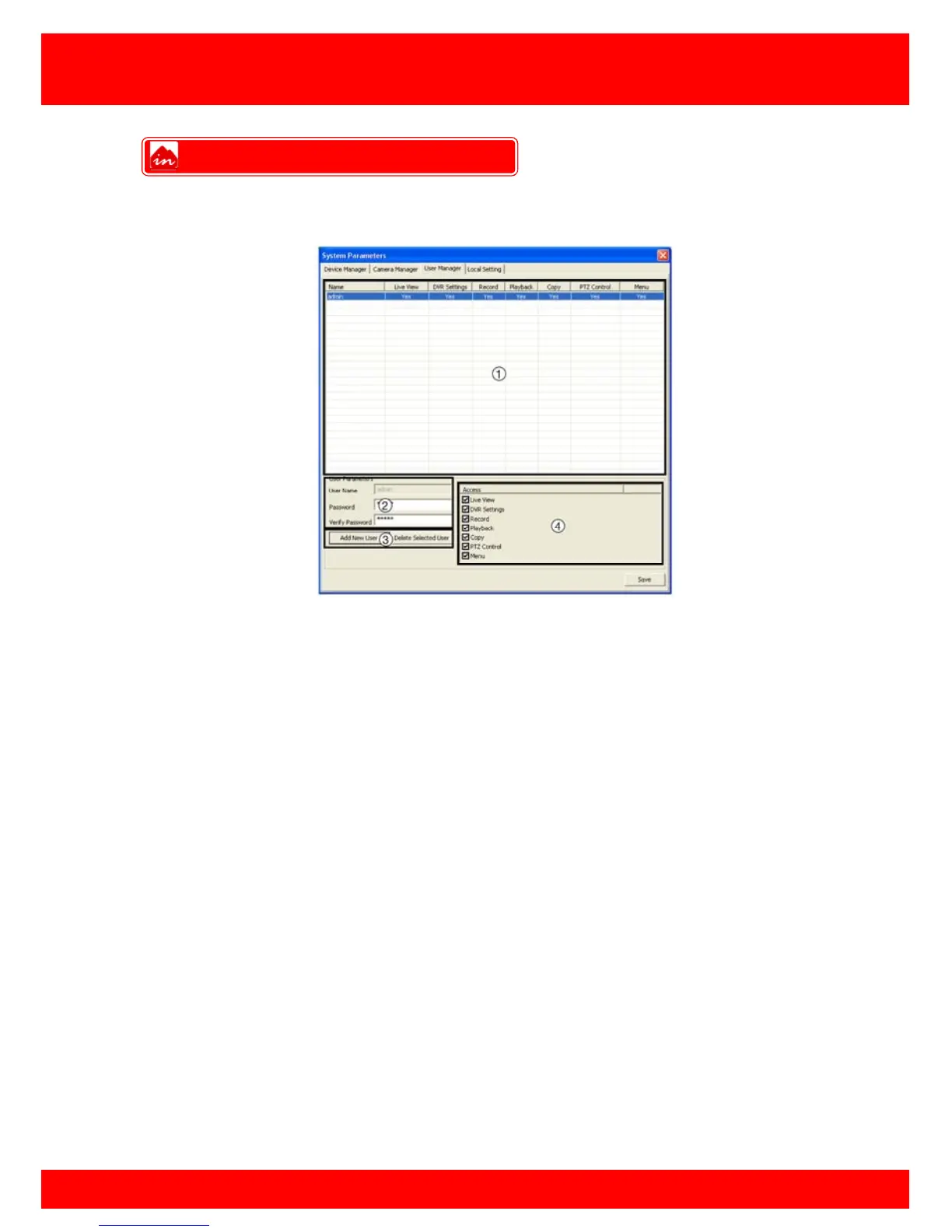
The CMS has built in support for multiple users, here you can add, delete and change
user privileges.
1.
List of all users (highlight a user to edit)
2.
Login details for highlighted user
3.
Control buttons to add or delete a user
4.
Set access level for highlighted user
There are several different features that can be granted or denied to custom user
accounts:
Live View
DVR Settings
Record
Playback
Copy
PTZ Control
Menu
To add a new user click the add new user button, enter a username and password for
the new user to use when logging on to the CMS.
To edit user privileges, select the user in the user list and place a tick in features you wish
to grant the user and remove the tick from features you want to deny the user, once
done click Save.
NOTE: Admin privileges can not be altered.
User Manager



 To Next Page