Technical Support Manual – 05/2018 Rel. 2.1.3 Page 23
LAR
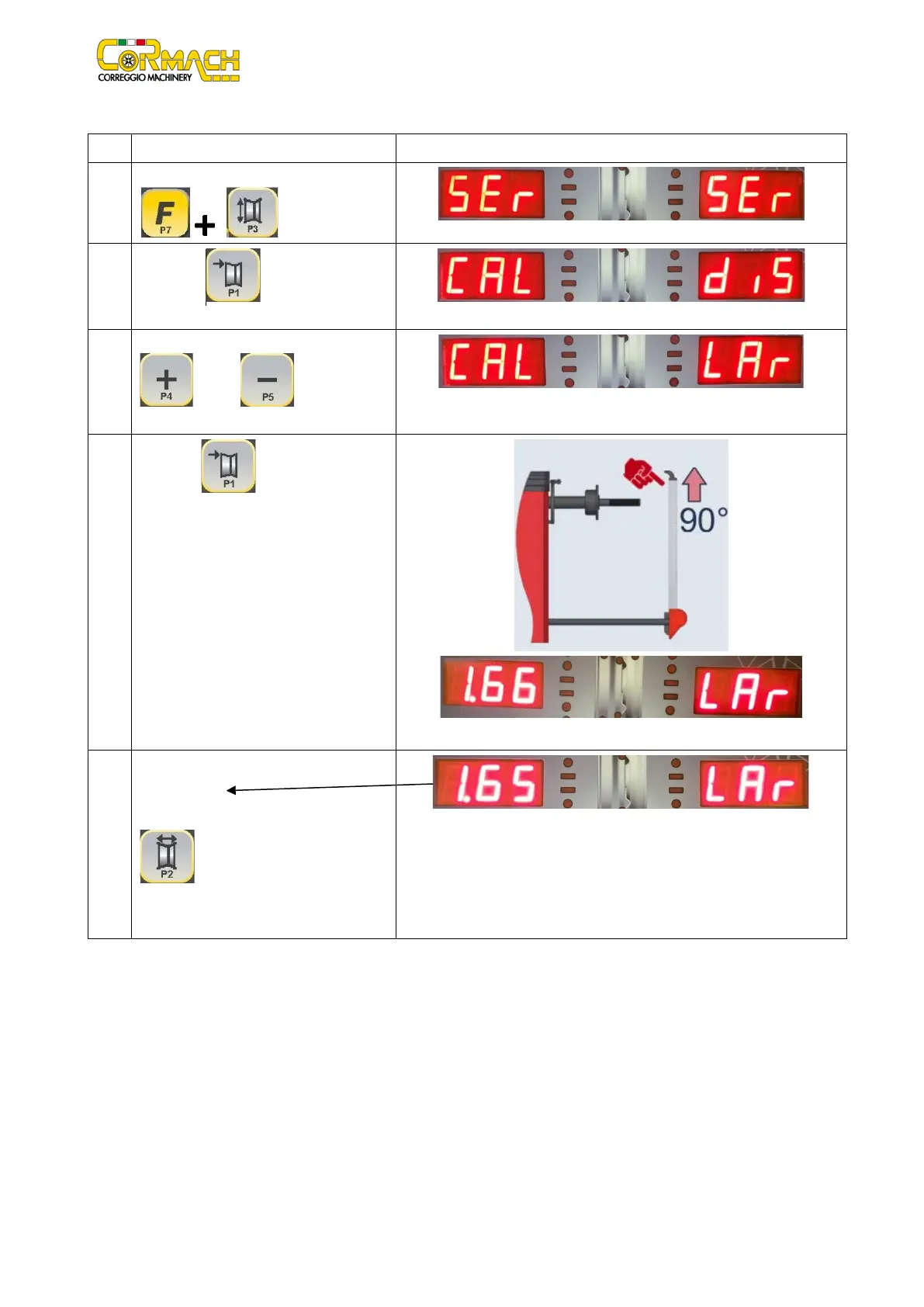
Width sensor calibration (if present)
1
Enter the SERVICE mode by pressing [F+P3]
.
2
Press [P1] to enter the Sensors
3
Browse the list of the menus with [P4]
or [P5] until the option
4
Press [P1] to confirm the WIDTH
sensor calibration program.
Square up the width sensor and the
machine will display the calibration value.
Example
5 The calibration value must be between:
1.62 and 1.68.
Confirm the new
.
If the value is not within the above range,
Example



 To Next Page