Technical Support Manual – 05/2018 Rel. 2.1.3 Page 25
4
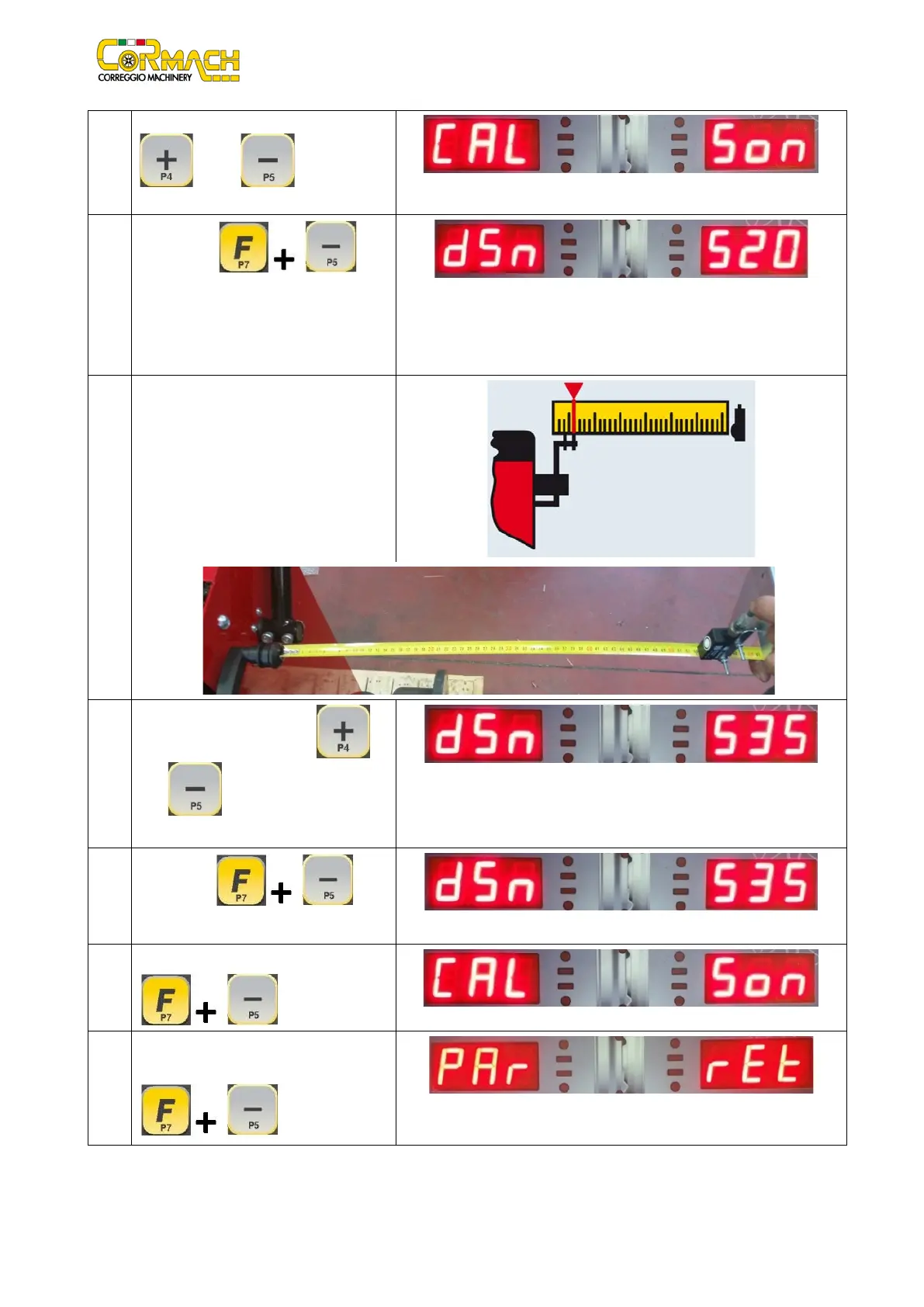
Browse the list of the menus with [P4]
or [P5] until the option
5
Press [F+P5] to
confirm the selection.
The default
measurement of 520 mm of the distance
from the Distance/Diameter sensor to the
SONAR device is displayed.
6
By means a measuring tape, measure the
distance between the diameter
sensor/gauge and the SONAR DEVICE. Read
the measured value.
7
Change the value with the [P4] or
[P5]
until the measured value is
shown on the display.
Example
8
Press [F+P5] .
Example
9 To exit press [F+P5]
10 To exit the Menu Parameters sele
option Ret then press [F+P5]
.
RET
Return
This option allows you to return to the Sensor Calibration Menu.



 To Next Page