Technical Support Manual – 05/2018 Rel. 2.1.3 Page 7
RET
Return
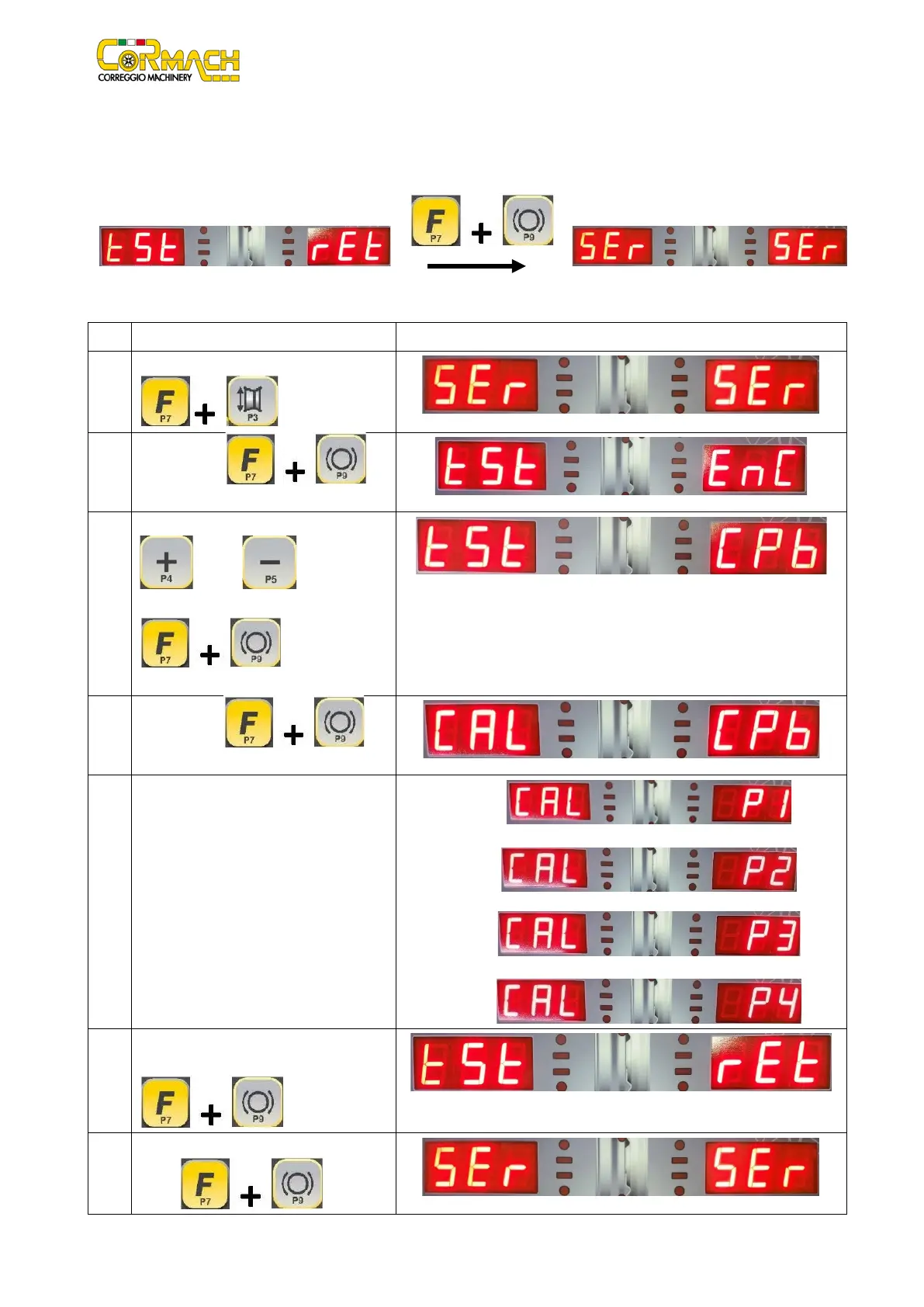
This option allows you to return to the SERVICE mode, as shown in figures F2.14 and F2.15.
Figure F2.14: Return message
Figure F2.15: SERVICE mode message
CPb
ELECTROMAGNETIC BRAKE Calibration (if present)
1
Enter the SERVICE mode by pressing [F+P3]
.
2
Press [F+P9] to
enter in “TEST Programs” menu.
3
Browse the list of the Menus with keys [P4]
or [P5] until the option
required is displayed.
Press [F+P9]
4
Press [F+P9] to
5
Lower the wheel guard: the machine will run
some launches.
1.
2.
3.
6
To exit the ELECTROMAGNETIC BRAKE
CALIBRATION program press [F+P9]
7
To exit the “TEST programs” Menu press
[F+P9] .



 To Next Page