Manual Installation Conversion Kit 4.1 To 4.2
©2019, Cornelius Inc. - 5 - Publication Number: 629097805INS
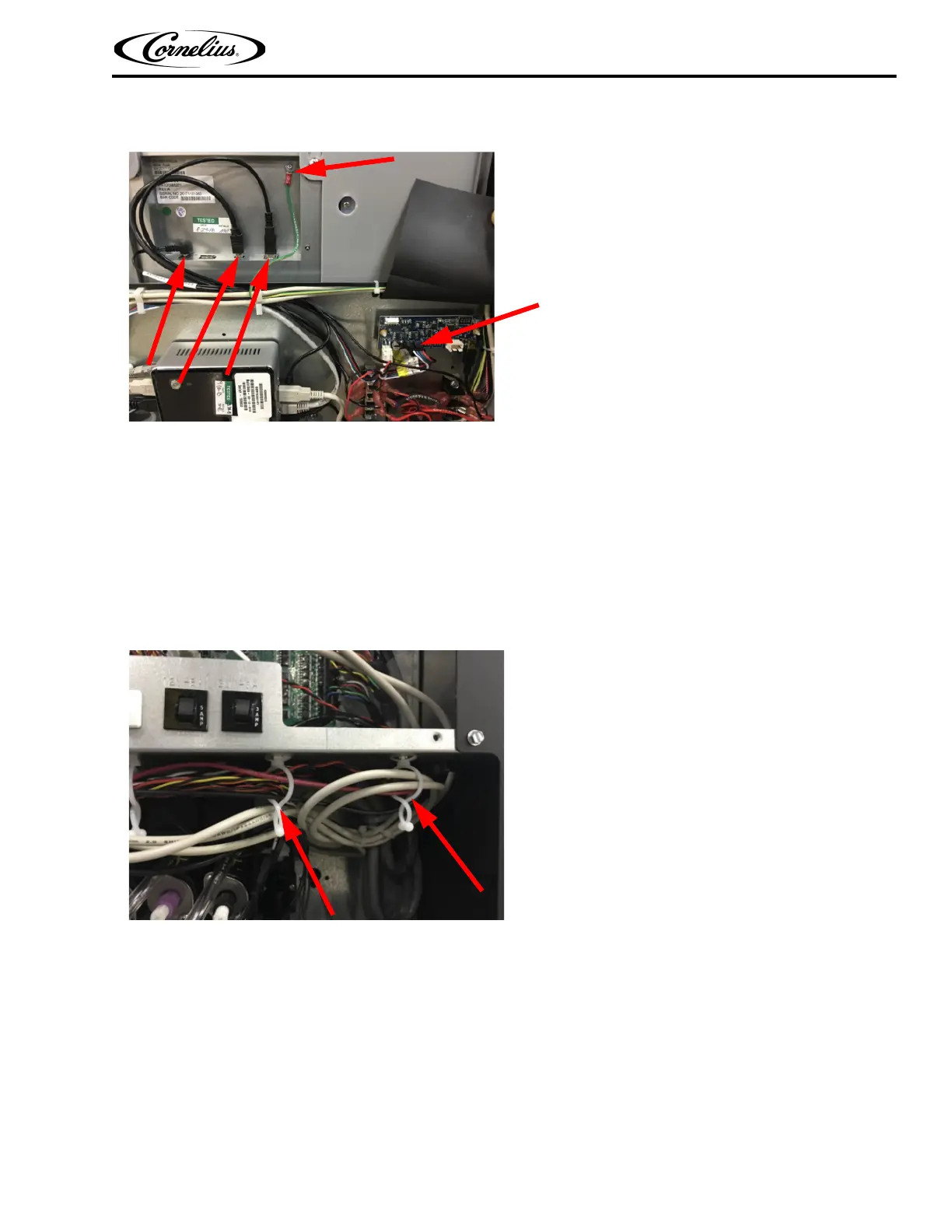
5. Unplug all connections to display, this includes the cove lighting to the LX3 board.
Figure 3
6. Remove ebox cover saving the (2) screws. Discard ebox cover.
7. Unplug all cables/harnesses from MFV board, remove and properly discard MFV board, install new MFV board supplied
with the kit and reinstall previously removed cables/harnesses.
8. Remove wire bundle from the (2) most far right wire clips.
Figure 4
9. From the same wire bundle, remove the (2) USB cables that feed the MFV board, USB hub and the (1) antenna cable that
goes to the rear of the unit.
10. Carefully remove/clip off the (2) far most right wire clips from step 8 and discard.
11. Insert circuit breaker into the mounting bracket supplied.














 To Next Page