Manual Installation Conversion Kit 4.1 To 4.2
Publication Number: 629097805INS - 8 - ©2019, Cornelius Inc.
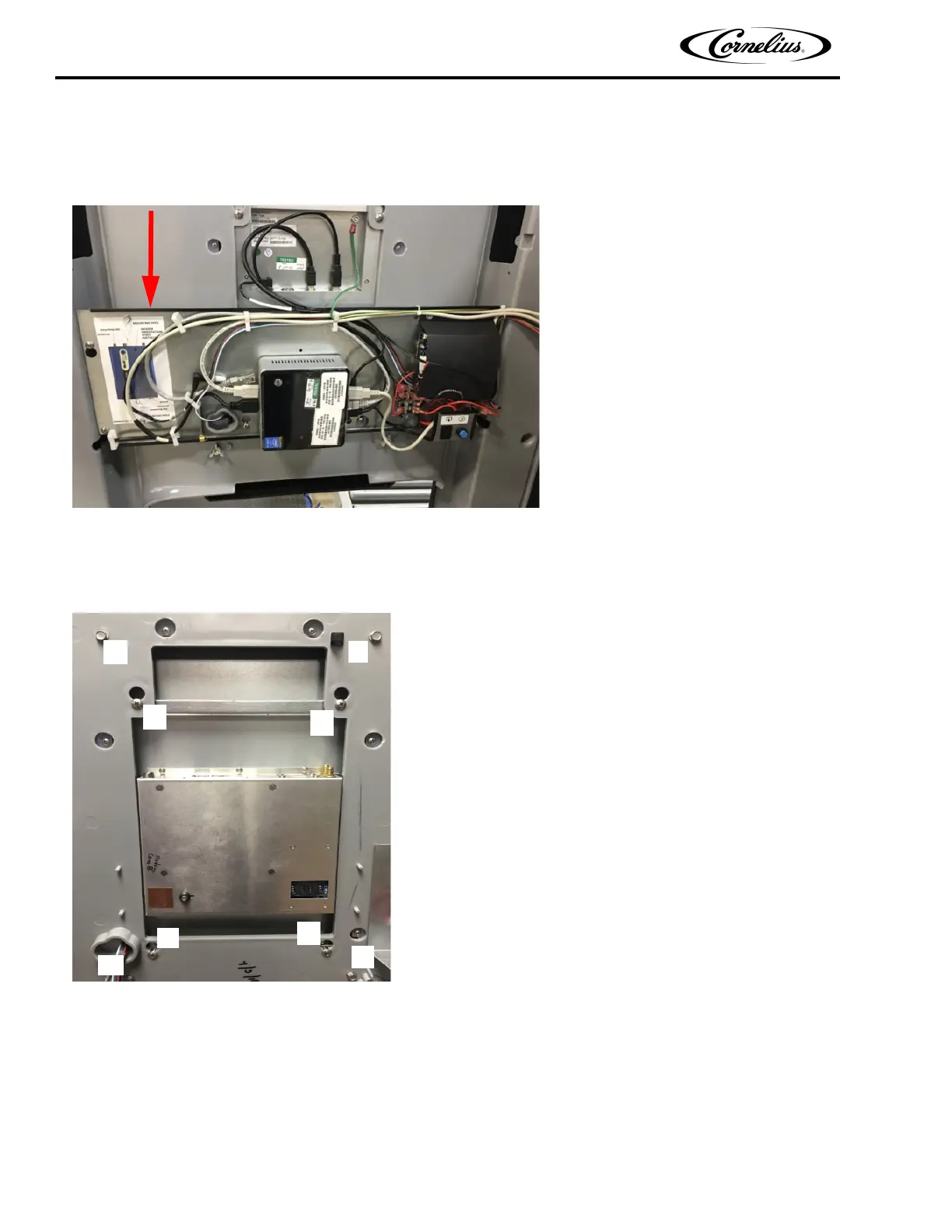
17. Remove the NUC mounting panel assembly from the door by loosen the (2) top screws and removing the (2) bottom
screws, discard bottom screws. Lift the panel assembly up and out, this panel assembly can be discarded. Remove the (2)
top screws and save.
Figure 10
18. Remove the display assembly from the door by loosening the ‘A’ screws and removing and saving the ‘B’ screws.
Figure 11
19. Carefully lift up and out the display assembly from the door. Place display assembly on a protected table top, glass side
down to get ready to remove lens/lighting.














 To Next Page