INSTALLATION, OPERATION AND MAINTENANCE MANUAL – COSA
9610™
36 | Page
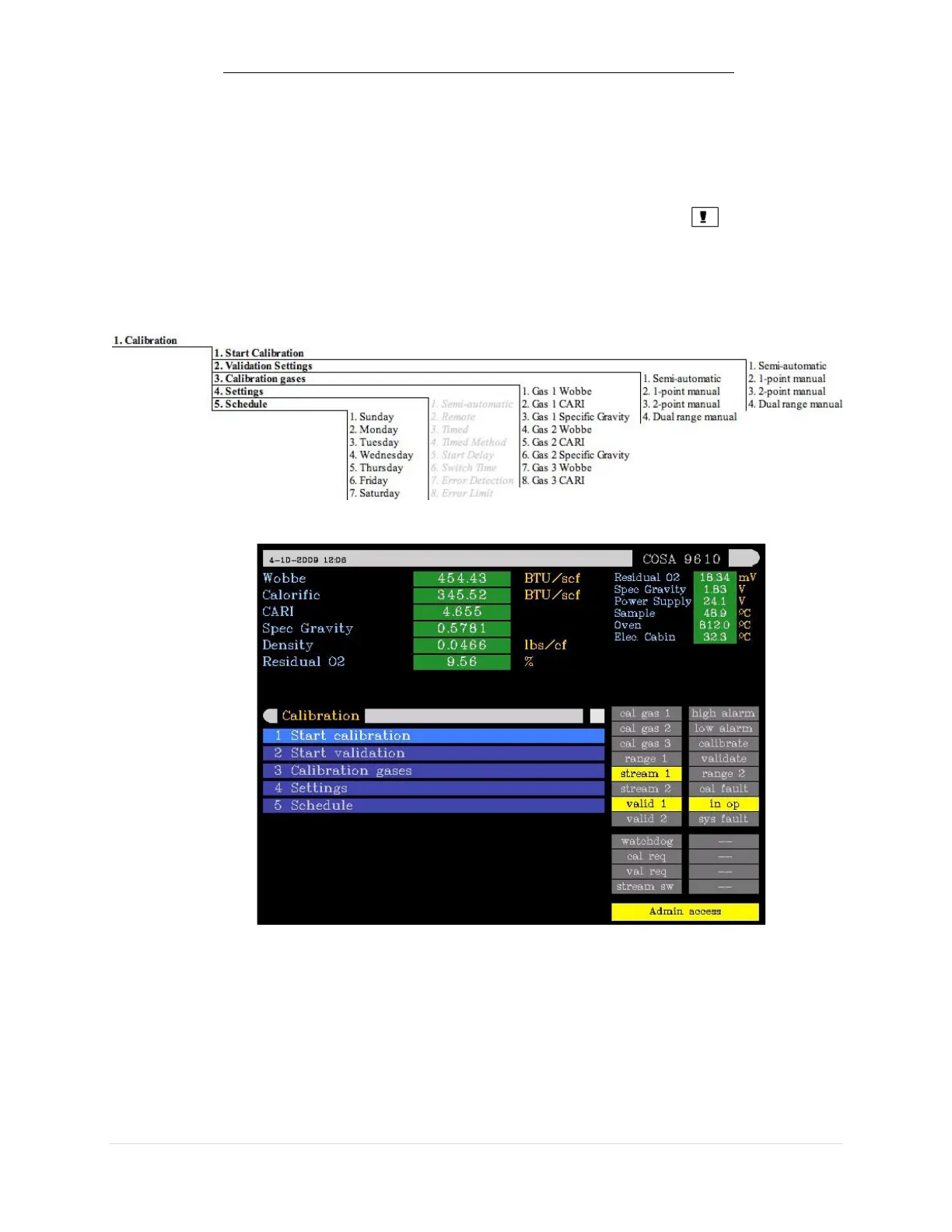
3.3. PROGRAMMING MENUS
The paragraph numbers correspond with the key sequence from the ‘menu tree’. In
this way it is easy to see how a specific menu is reached. One exception is the
measuring menu, this is reached from the main screen by either the or ENTER
key.
3.3.1. Calibration Menu
In the main menu, the following sub-menus are available:
3.3.2. Operation Menu


 To Next Page