INSTALLATION, OPERATION AND MAINTENANCE MANUAL – COSA 9610™
32 | Page
To enter the main menu screen, press or ESC. Then
screen now presents
some
functions that can be selected by the cursor keys or by typing the number
associated to the menu item. To resume normal operation, press # or ESC until the
main screen to appear. To change a setting value on menu, select the item and
enter the new value. For setting item with selection (e.g., On/Off), select the desired
value using $ and % keys.
3.2.3. Main screen
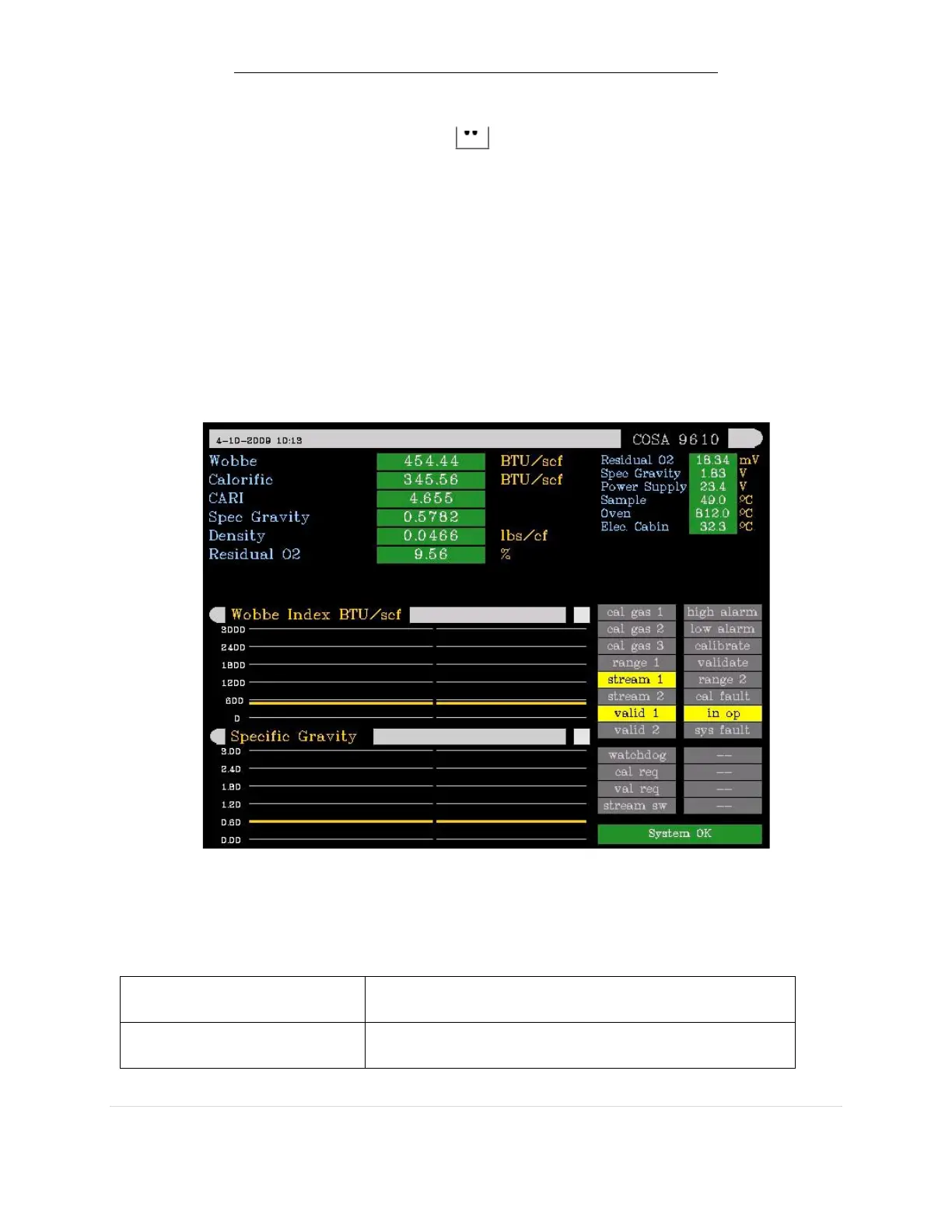
The main screen is divided into section, each representing data, status or charts as see
in the figure below. Graphical chart trend data can be changed to any of the
calorific, density or other values shown on the main screen.
The lower right section displays the status of each digital input and output. The
signal assignments are user-programmable.
Explanation outputs
Digital output driving low value calibration gas air
actuator
Digital output driving medium value calibration
gas air actuator


 To Next Page