35
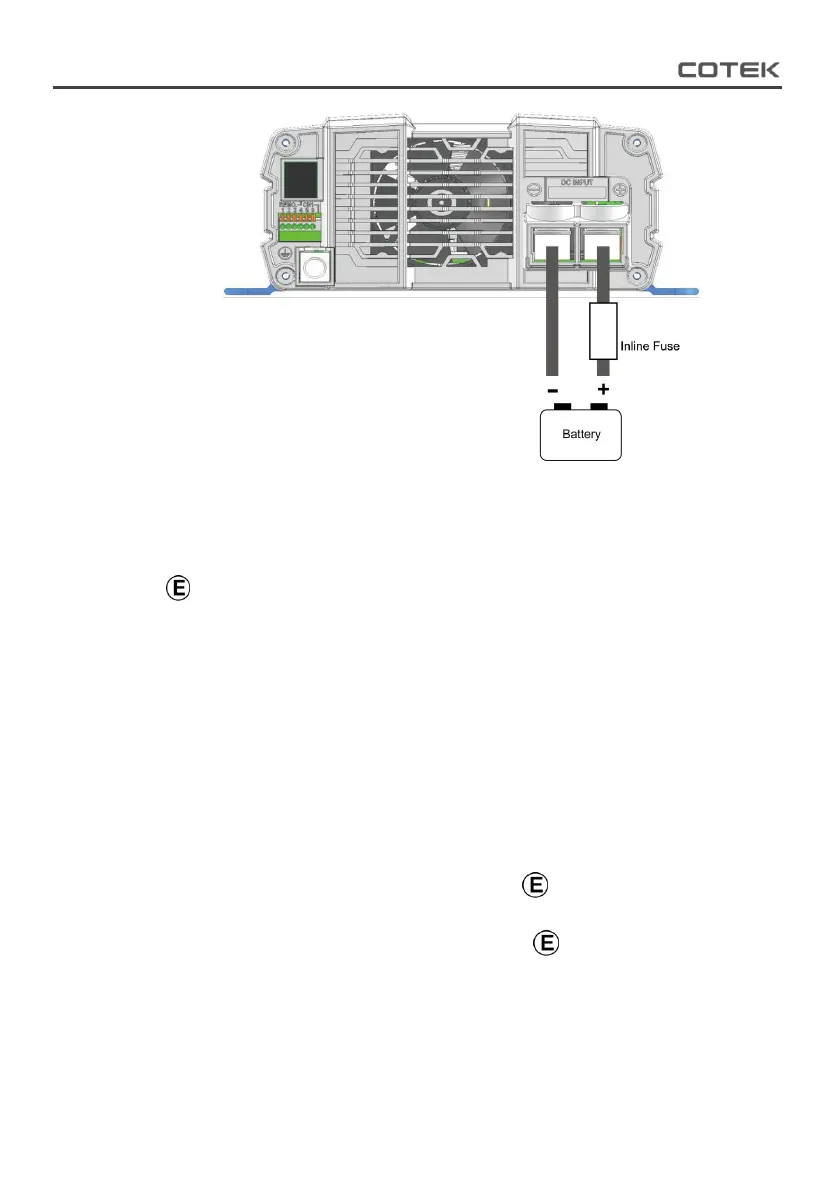
Figure 16. Battery cabling
4-2. Connecting the input power
Before making the DC input side connections ④, the main switch
must be at “OFF”.
4-3. Connecting the loads
Calculate the total power consumption of the output load. Make
sure that the total power consumption does not exceed the rated
power.
If the total power consumption over the rated power of the inverter,
remove the non-critical: loads until the total power consumption is
below the rated power.
4-4. Switch ON Inverter
Set the power switch to the “ON” position . The inverter will carry
out self-diagnosis and, the LED’s will also appear various colors.
Set the power switch to the “OFF” position . The inverter stops
and all the lights that are on will go off.



 To Next Page