Step 6
Continue to apply downward press pressure to the assembly, use
your hands to push the Polycord holder down on the main Mounting
Plate studs, do this until the outer Polycord holder can be placed on
the studs far enough to place a at washer and a loosely t nut.
Do not over apply ram pressure as to completely bottom out the
spring.
Tighten all the nuts to snug with a 7/16” wrench.
Remove ram pressure and remove assembly.
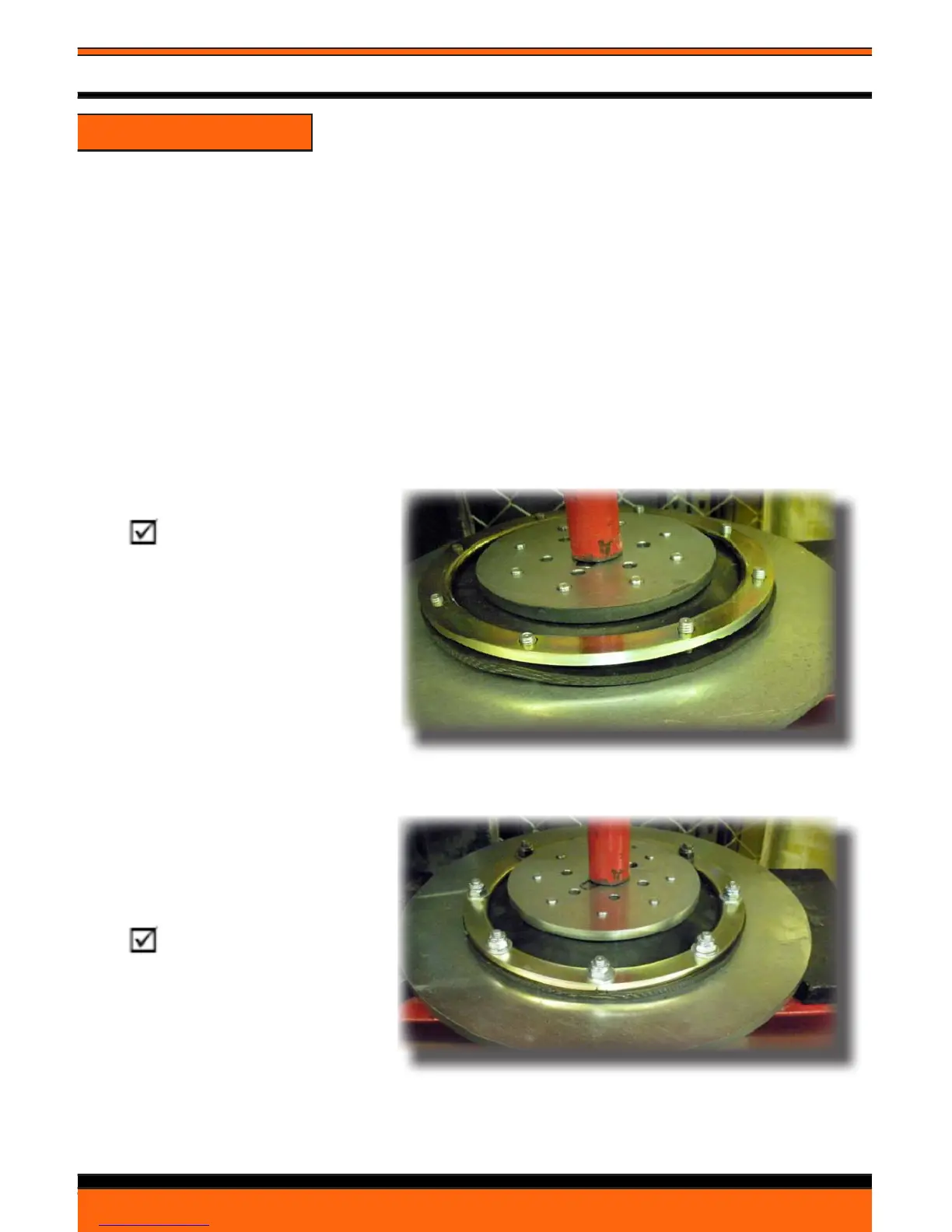
Note: Polycord
is just touching main
mounting plate enough
to apply outer polycord
holder and leave enough
room to place at washer
and locking nut.
The assembly with at
washers and locking nuts
in place prior to relieving
ram pressure.
Note: For
illustration only. Nuts have
been properly torqued in
this photo.
FLEX HEAD ASSEMBLY INSTRUCTIONS
24/7 Technical Support- Toll Free 1-877-472-8200
36
Concrete Polishing Solutions- G-250XTP Operator’s Manual


 To Next Page