Get community string: The “Get community string” is used to read SNMP information from the router. This string is like a password
that is transmitted in regular text with no protection.
Set community string: The “Set community string” is used when writing SNMP settings to the router. This string is like a password. It is
a good idea to make it different than the “Get community string.”
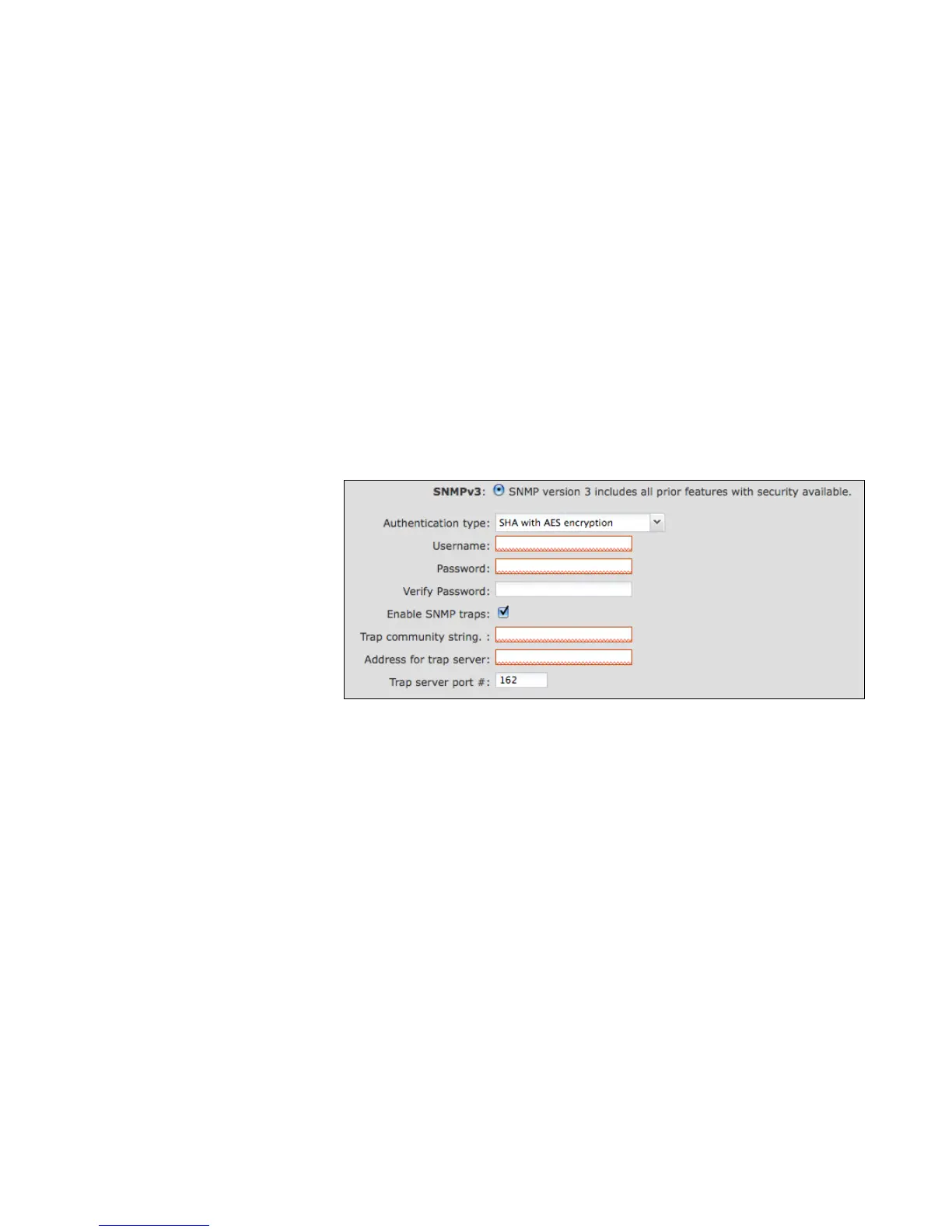
8.5.1 SNMPv3
If you select SNMPv3, you have
several additional configuration
options for added security.
Authentication type: Select the
authentication and encryption type that
will be used when connecting to the
router from the following dropdown list.
These settings must match the
configuration used on any SNMP
clients.
• MD5 with no encryption
• SHA with no encryption
• MD5 with DES encryption
• SHA with DES encryption
• MD5 with AES encryption
• SHA with AES encryption
Username: Enter the Username configured on your SNMP host in the username field.
Password: Enter the Password for your SNMP host in the password and verify password fields. This password must be at least
eight characters long.
Enable SNMP traps: Enabling traps will allow you to configure a destination server, community, and port for trap notifications. Trap
notifications are returned to the server with SNMPv1.















 To Next Page