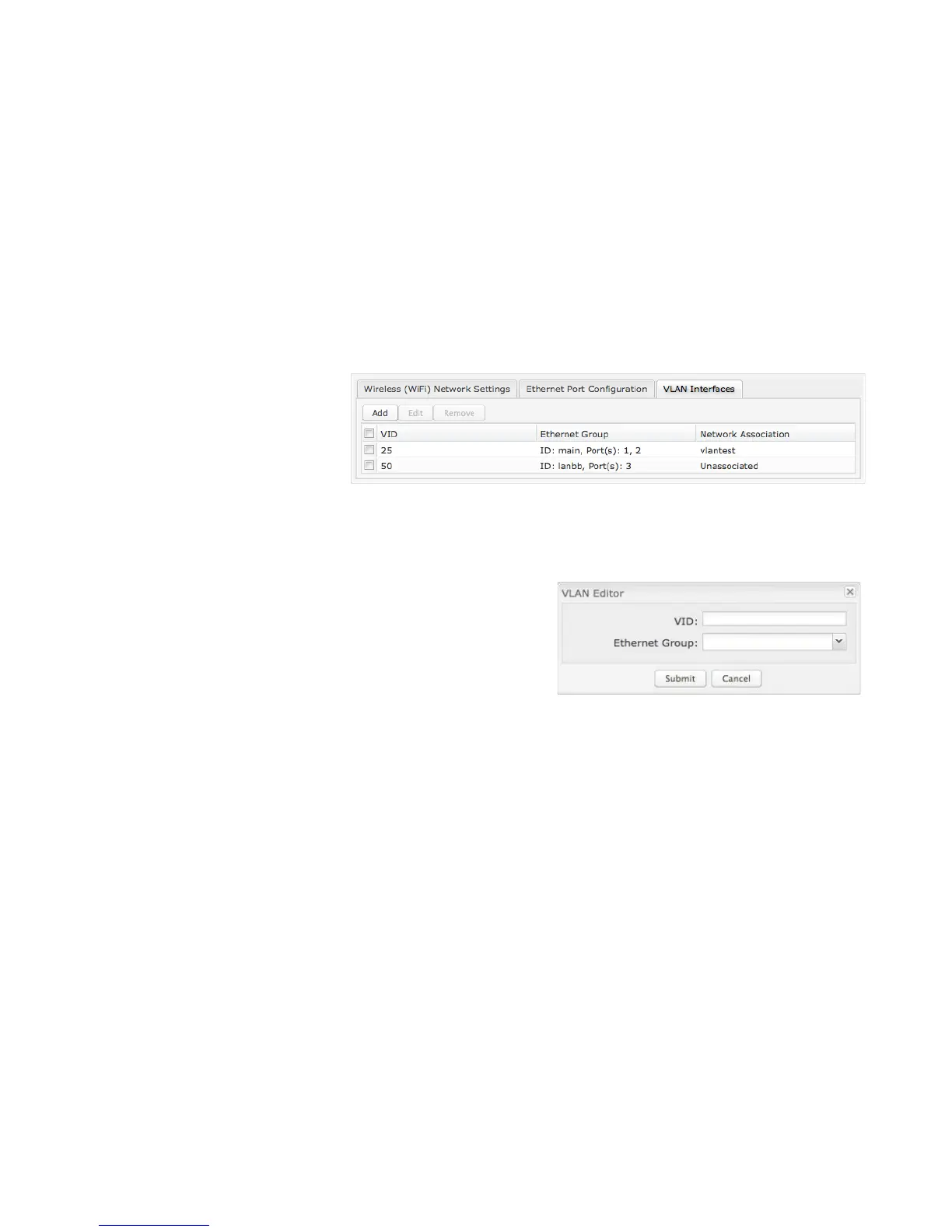
VLAN INTERFACES
A virtual local area network, or VLAN,
functions as any other physical LAN, but
it enables computers and other devices
to be grouped together even if they are
not physically attached to the same
network switch.
To enable a VLAN, select a VID (virtual LAN ID) and an Ethernet port group through which users can access the VLAN. Then go
back up to the Local Network Editor to attach your new VLAN to a network. To use a VLAN, the VID must be shared with another
router or similar device so that multiple physical networks have access to the one virtual network.
Click Add to create a new VLAN interface.
VLAN EDITOR
VID: An integer value that is the Virtual LAN ID.
Ethernet Group: Select the LAN port with which you want to associate the
VLAN ID from a dropdown list.
Click Submit to save your configured VLAN.















 To Next Page