7.1.2 Device Configuration
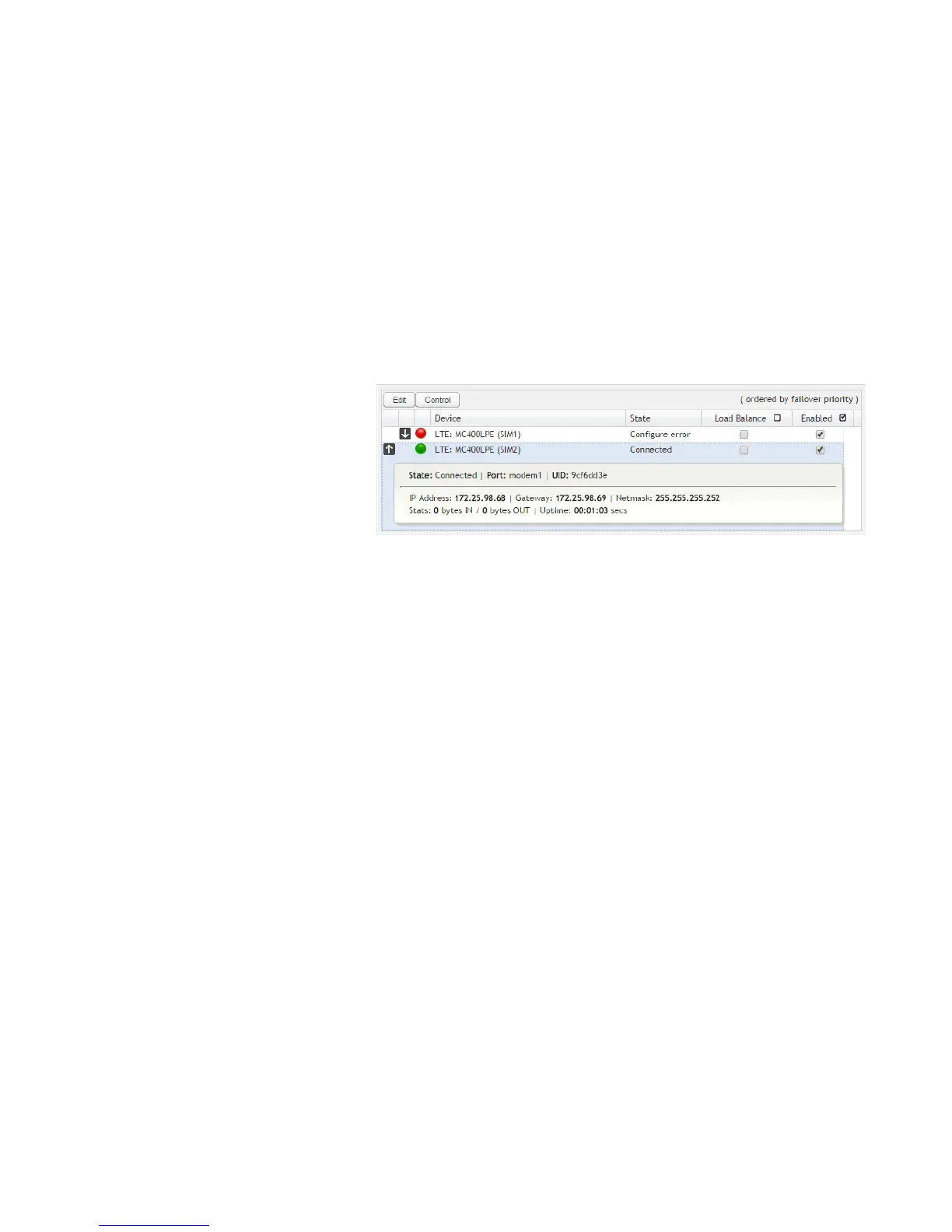
Clicking on a device reveals the following
information:
• State (Connected, Available, etc.)
• Port
• UID (Unique identifier. This could be
a name or number/letter
combination.)
• IP Address
• Gateway
• Netmask
• Stats: bytes in, bytes out
• Uptime
Click “Edit” to view configuration options for the selected device. Click “Control” to view options to activate or update the device.







 To Next Page