CRADLEPOINT CBR400| USER MANUAL Firmware ver. 3.3.0
© 2011 CRADLEPOINT, INC. PLEASE VISIT HTTP://KNOWLEDGEBASE.CRADLEPOINT.COM/ FOR MORE HELP AND RESOURCES PAGE 101
Keep Alive: This feature monitors the status of a tunnel. This will more accurately determine if the tunnel is alive or not.
Choose the length of time in seconds of the Period for each check (Default: 10 seconds. Range: 2 – 3600 seconds) and
the number of Retry attempts (Default: 3. Range: 1 – 255).
Page 2: Routes
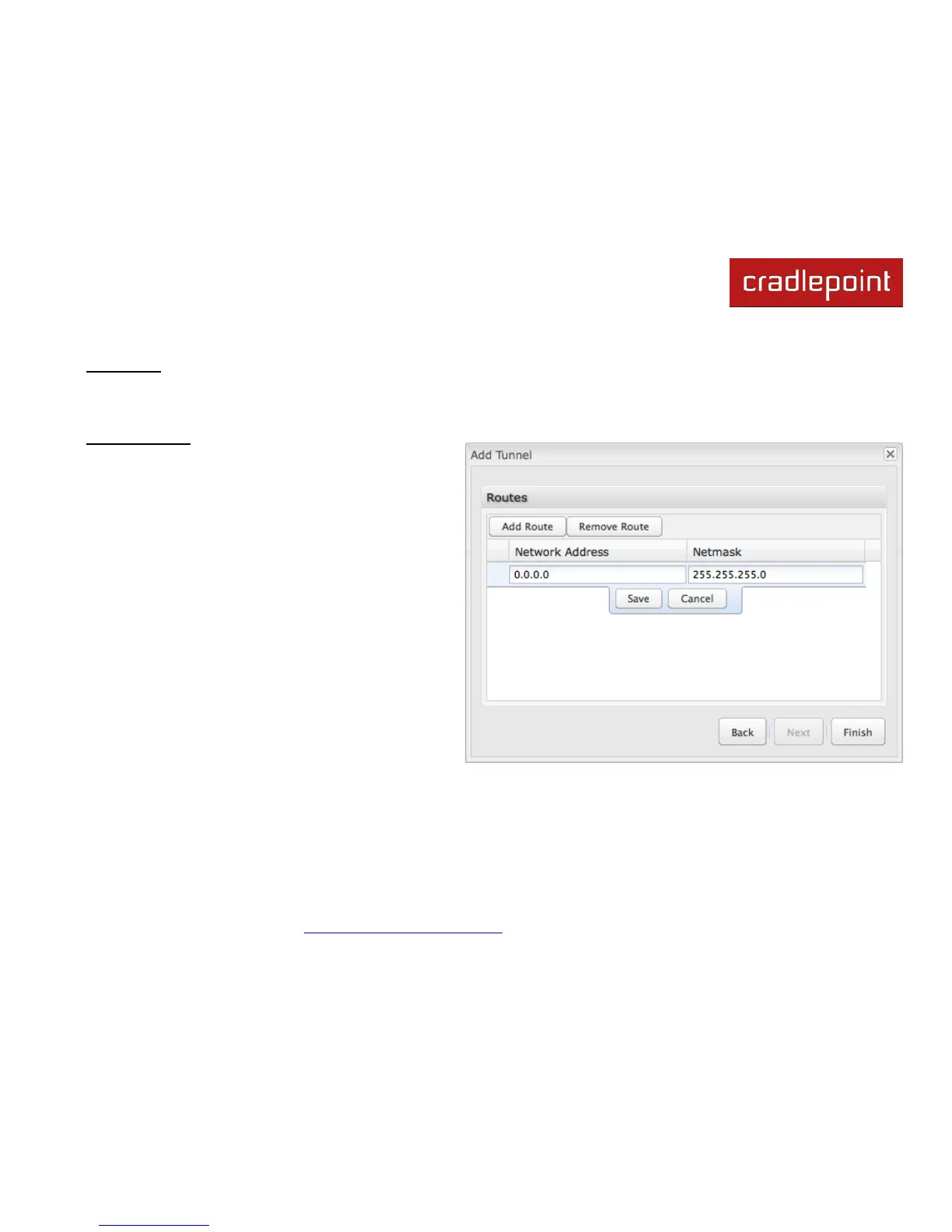
Adding routes allows you to configure what types of
network traffic from the local host or hosts will be allowed
through the tunnel.
Click Add Route to configure a new route. You will need
to input the following information, defined by the remote
network:
Network Address
Netmask: (Default: 255.255.255.0)
You can set the tunnel to connect to a range of IP
addresses or to a single IP address. For example, you
could input 192.168.0.0 and 255.255.255.0 to connect
your tunnel to all the addresses of the remote network in
the 192.168.0.x range. Alternatively, you could select a
single address by inputting that address along with a
Netmask of 255.255.255.255.
Click Save to record each new route.
When you have finished adding routes, click Finish to save your GRE tunnel configuration.















 To Next Page