CRADLEPOINT CBR400| USER MANUAL Firmware ver. 3.3.0
© 2011 CRADLEPOINT, INC. PLEASE VISIT HTTP://KNOWLEDGEBASE.CRADLEPOINT.COM/ FOR MORE HELP AND RESOURCES PAGE 65
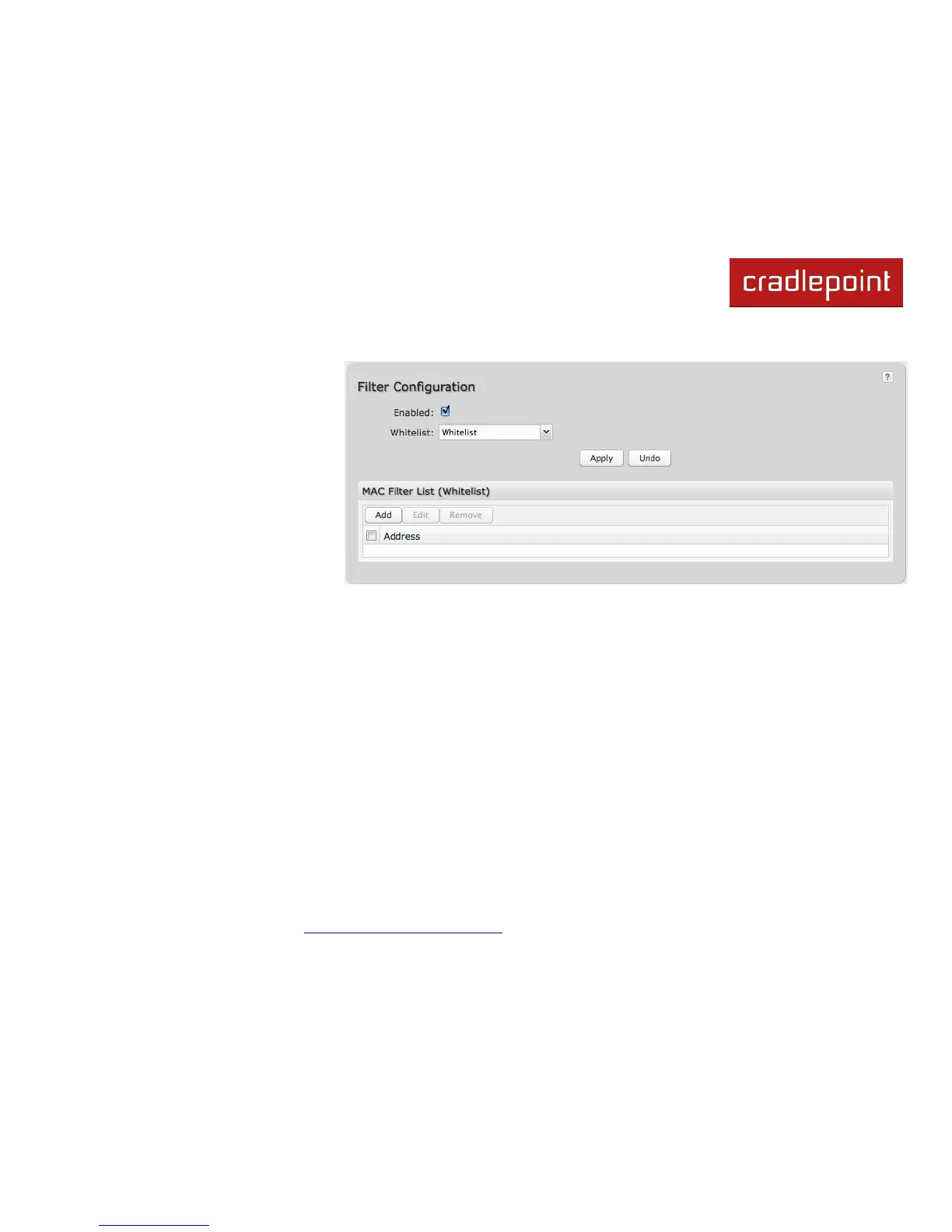
6.5 MAC Filter
The MAC Filter allows you to create a
list of devices that have either
exclusive access (whitelist) or no
access (blacklist) to your wireless
LAN.
Enabled: Click to allow MAC Filter
options.
Whitelist: Select either ―Whitelist‖ or
―Blacklist‖ from a dropdown list. By
default, the list of addresses is
designated a ―white list.‖ Deselecting
White List turns the list of addresses
into a disallowed black list.
MAC Filter List (Whitelist or Blacklist): Add devices to either your white list or black list simply by inputting each
device‘s MAC address.
NOTE: Use caution when using the MAC Filter to avoid accidentally blocking yourself from accessing the router.















 To Next Page