CRADLEPOINT CBR400| USER MANUAL Firmware ver. 3.3.0
© 2011 CRADLEPOINT, INC. PLEASE VISIT HTTP://KNOWLEDGEBASE.CRADLEPOINT.COM/ FOR MORE HELP AND RESOURCES PAGE 95
7.2.2 Template Configuration
Templates allow you to control multiple
WAN devices with the same rule. Each WAN
device that matches a template will
automatically have its own rule created.
For example, you can set a template rule for all mobile data modems that causes your router to send an alert after 1000 MB of usage in a month.
When you attach a new 4G USB modem, your template will immediately create a new Data Usage Rule for the attached modem that sends the
alert as specified.
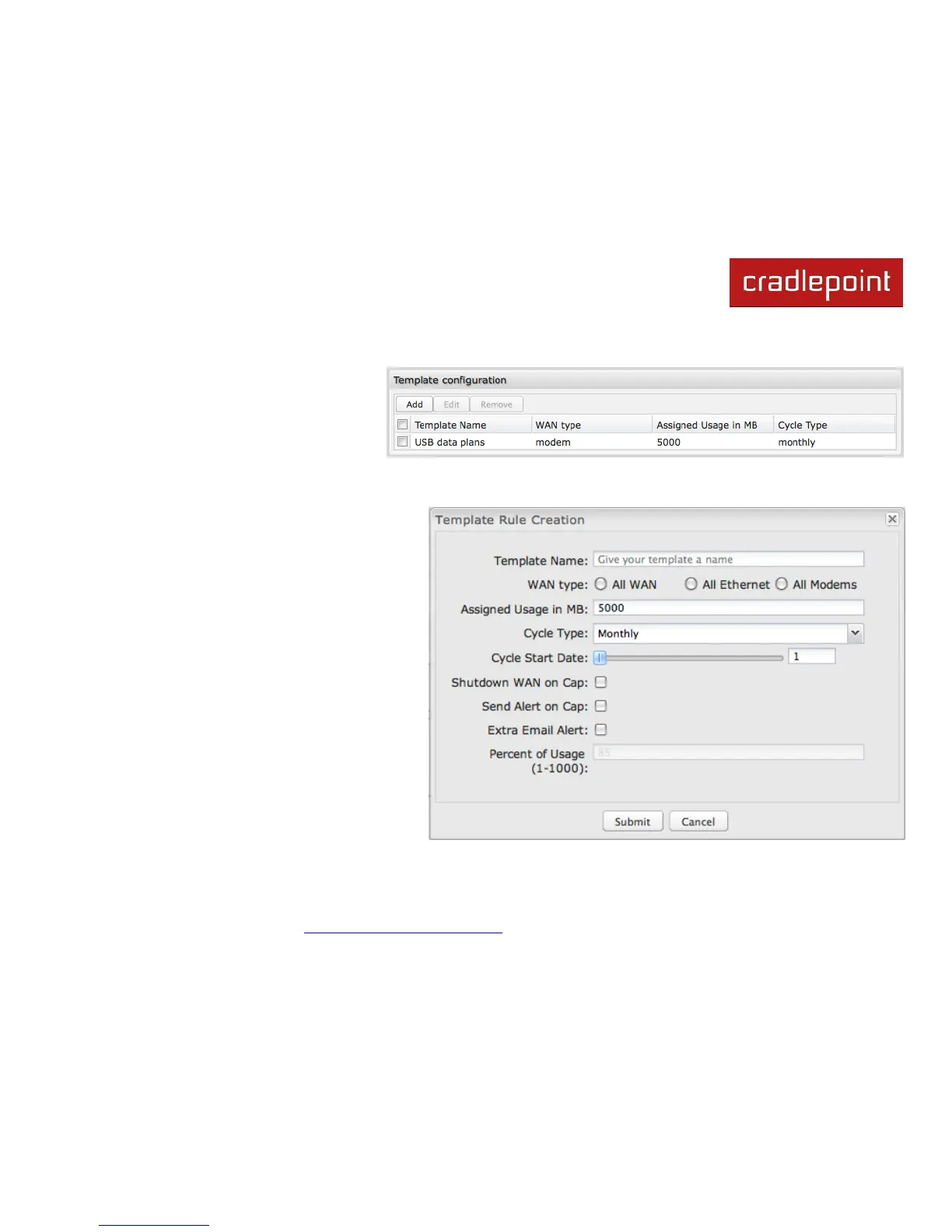
Click Add to configure a new Template rule.
Create a Template Name that you can recognize.
The template will apply to one of the following
WAN types:
All WAN
All Ethernet
All Modems
Select one of these types.
The rest of the rule settings options match those in
the Data Usage Rules. See the section above for
additional information about how to configure your
template usage rules.















 To Next Page