How to fix Ender 3 S1/S1 Pro ABL issues
Alex Schladetsch
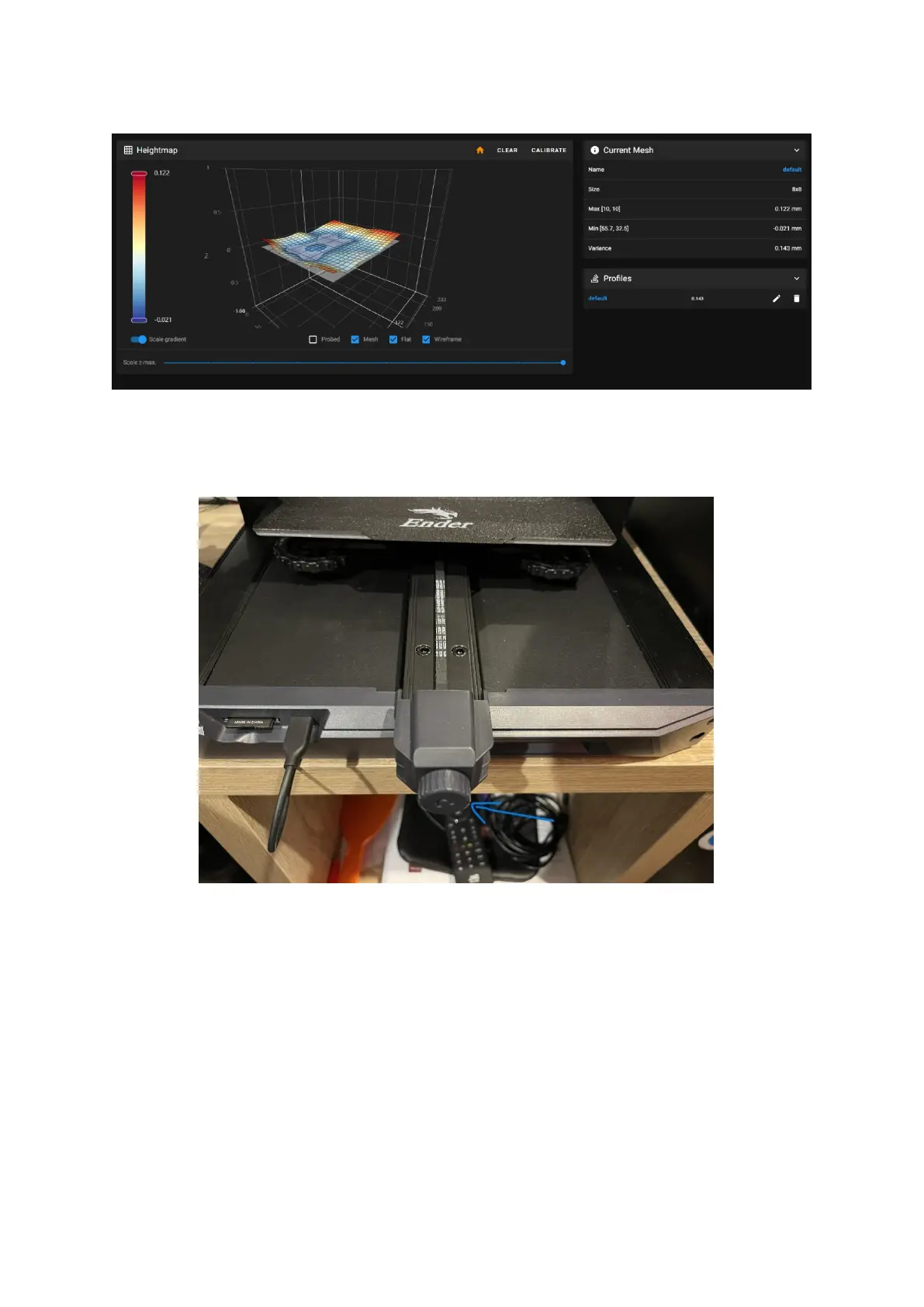
After:
Not shown: the max variance in the original mesh was around 0.256.
First up, clear your current bed levelling mesh, and remove your Z-probe offset.
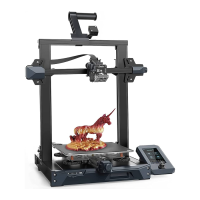
1. Loosen the Y belt tensioner on the front of the machine so that there is slack in the
belt.
2. Undo the 4 bed levelling knobs on the bottom of the bed completely, and remove the bed
from the bed carriage. Set it behind the printer, do not undo the heated bed cables.
3. Remove the bed carriage belts from the bed carriage by twisting them out of the slots they
sit in in the front and back of the carriage.
4. At this point, your bed carriage should no longer be attached to the belts, and by extension
no longer attached to the Y motor. You should be able to slide it around the Y axis with no
friction. If you feel friction in some areas, but not in others – that means your Y axis is bolted
too tightly to the frame, which is causing it to warp and bend, which also means it is going
up and down along the Z axis at different areas along the length of the Y axis. This is what we
are going to fix.





 To Next Page